


Request a Quote for WooCommerce - Add to Quote Button
Hide product prices and Add to Cart buttons, enable Request a Quote options, negotiate prices with customers, and convert accepted quotes into WooCommerce orders.

Add to Quote

Hide Prices

PDF Quotes

Spam Protection

Email Updates
30 Days Money Back Guarantee
99% Customer Satisfaction Rating
A subscription entitles you to 1 year of updates and support from the date of purchase. Cancel renewal anytime.
All the prices shown are in USD
Trusted by 1.8+ Million Websites


Simplify Price Negotiations with WooCommerce Request a Quote
Enable the “Ask for a Quote” button on the checkout page to let customers convert their cart into a quote request and negotiate prices directly in your WooCommerce store.
Show Add to Quote Button on Product Pages
Add an ‘Add to Quote’ button to product pages with this WooCommerce quote plugin to hide prices and replace Add to Cart.
Let Users Quote Their Preferred Price
Allow customers to place quote requests and submit preferred prices using the WooCommerce request a quote feature.
Limit WooCommerce Quotes to Specific Products
Choose the specific products you want to include or exclude when displaying the WooCommerce quote request option.
Display the WooCommerce Quote List in the Mini-Cart
Display products added to the WooCommerce quote list in a mini-cart style view for quick access and easy quote management.
Create a Spam-Free WooCommerce Quote Request Form
Build a spam-free request a quote form page with reCaptcha verification to ensure enhanced security and unwanted quote requests.
Auto-respond to New Quote Requests
Automatically respond to new quote requests with product prices and keep customers updated through WooCommerce quote emails.
Choose Who Can View the Request a Quote Button
Control visibility of the request a quote button by choosing which user roles can see it on your WooCommerce store.
Attach WooCommerce Quotation PDFs With Emails
Email WooCommerce quote PDFs to customers and let them view or download PDF quotations anytime.
Set Up Email Alerts for WooCommerce Quotes
Get instant email alerts for WooCommerce request a quote submissions and automatically notify customers when their quotes are approved.
Try with Confidence

99% Satisfaction Rating
We make every effort to make sure our customers are happy.
Average 4.9 out of 5 Stars Rating
Our plugins are highly regarded in WordPress forums and review platforms.

100% Money-Back Guarantee
Our 30-day No-Risk Money Back Policy assures 100% money back.
Add Request a Quote Button to WooCommerce Shop Pages
This is a complete WooCommerce quote requests plugin that helps you set up and manage WooCommerce quotation requests.
- Let customers add products to a quote basket and submit quote requests with zero friction.
- Hide prices and replace the Add to Cart button with a Request a Quote button.
- Manage all requests from a central dashboard — review, negotiate, approve, or reject.
- Convert approved quotes into orders in a few clicks, no manual follow-up needed.
- Ideal for B2B stores, bulk pricing, custom products, or quantity-based pricing.

Choose What Products to Include and Exclude from WooCommerce Quote Requests
The Request a Quote plugin lets you choose which products, categories, or tags should display the Request a Quote button. This gives you control over where the quote request option appears across your store.
You can even exclude specific products, categories, or tags from showing the request a quote option.
These inclusion and exclusion rules make it easy to manage quote requests and decide exactly which products customers can request a quote for.
Get Plugin Now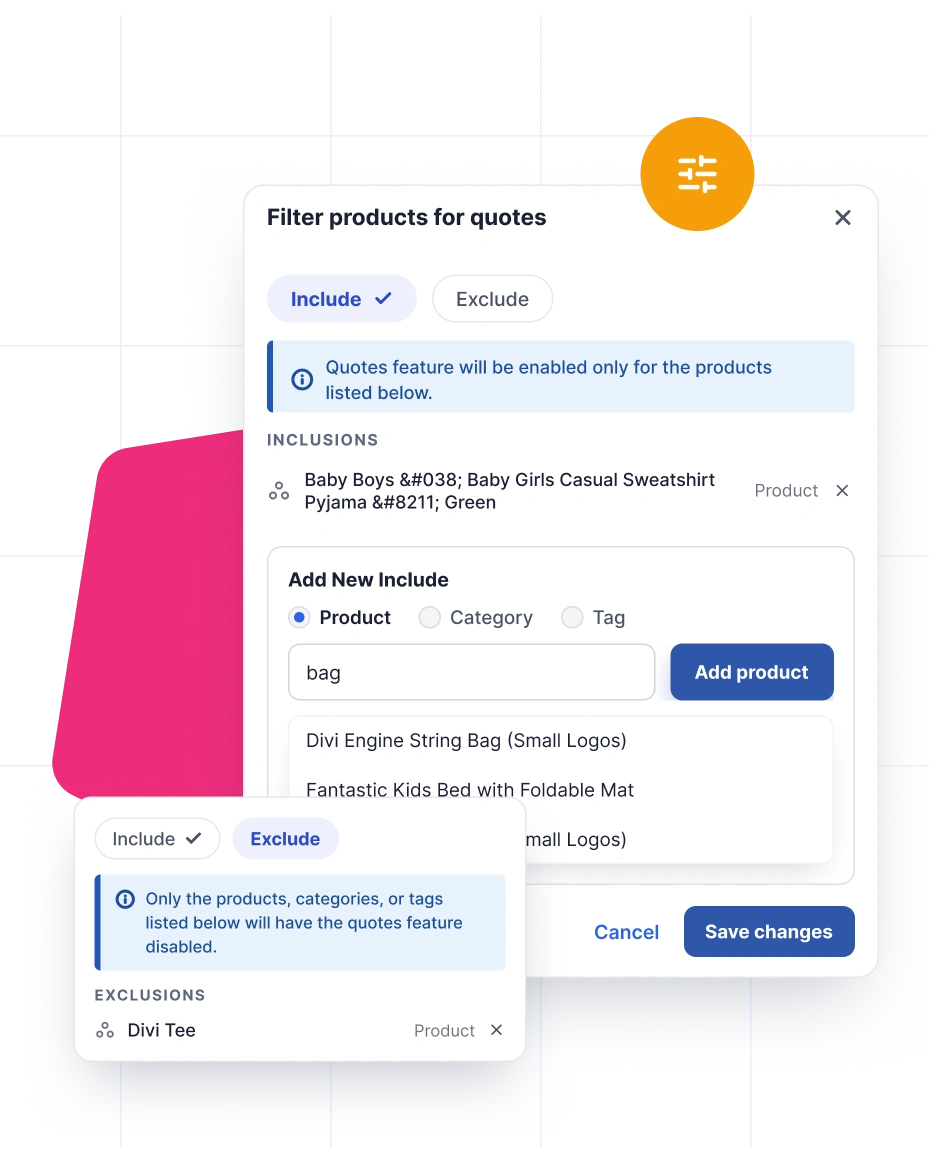
Complete WooCommerce Quote Management From Request to Order
Manage every quote request at every stage directly from the Orders page. Accept, decline, send, or set expiry dates for quotes, and create new quote requests on behalf of customers from the backend. Each quote includes complete details, such as products, pricing, customer information, expiry dates, and related entries, giving you all the context you need at a glance.
Each quote is assigned a status, such as Processing, Withdrawn, or Completed, so you can easily track its progress. Use the built-in search to find quotes by customer name or email, filter them by status, and apply bulk actions to update multiple quotes at once.
If a customer resubmits a declined quote, you can view the complete quote history to keep track of previous interactions. You can also control which payment methods are available to customers when paying for quote orders.
Get Plugin Now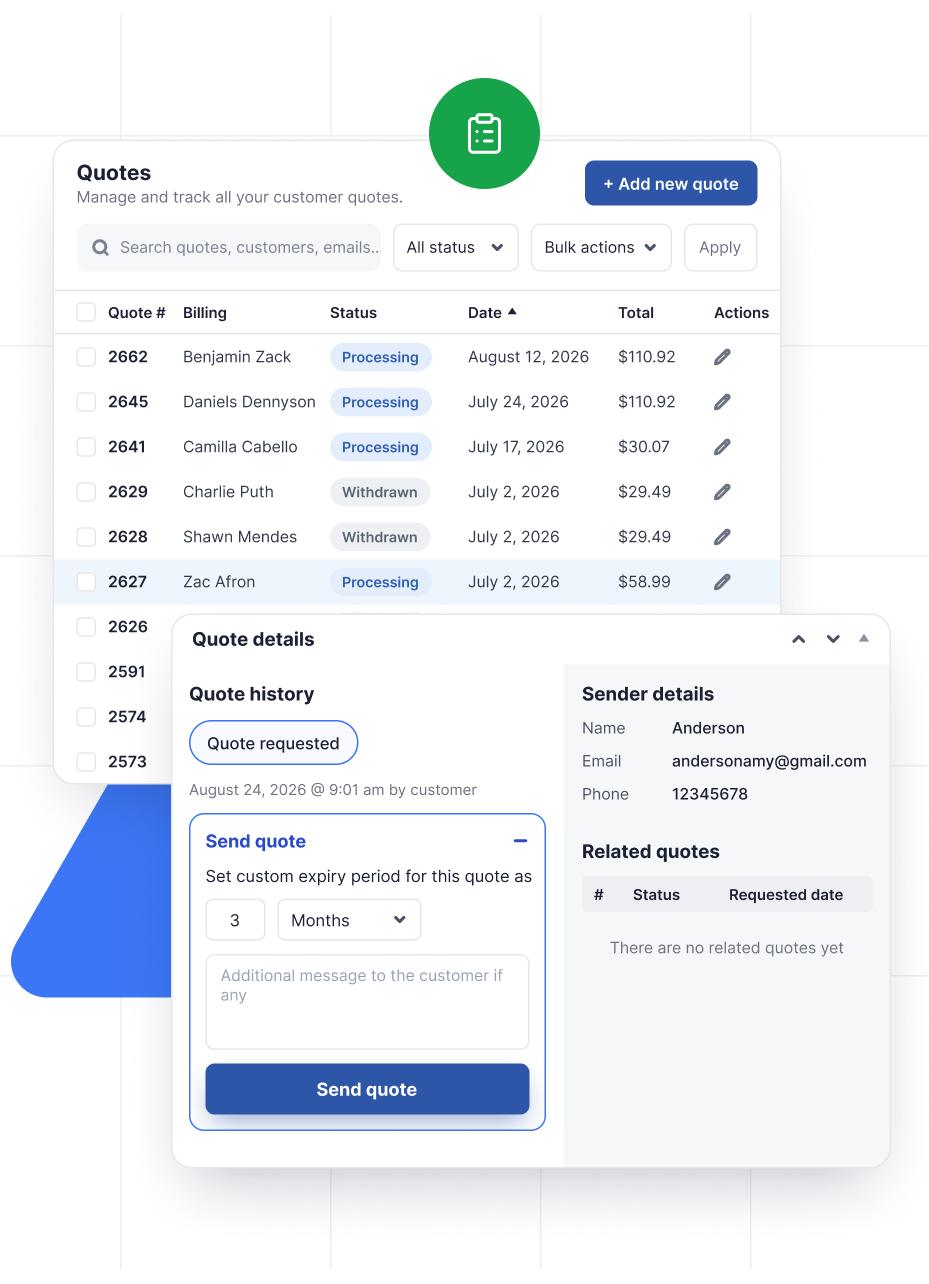
Display a Mini-Cart Quote List for WooCommerce Quotes
Set up a mini cart-style quote list that lets customers quickly review their selected products, make changes if needed, and submit the quote request form directly from the same page without interrupting their shopping experience.
Get Plugin Now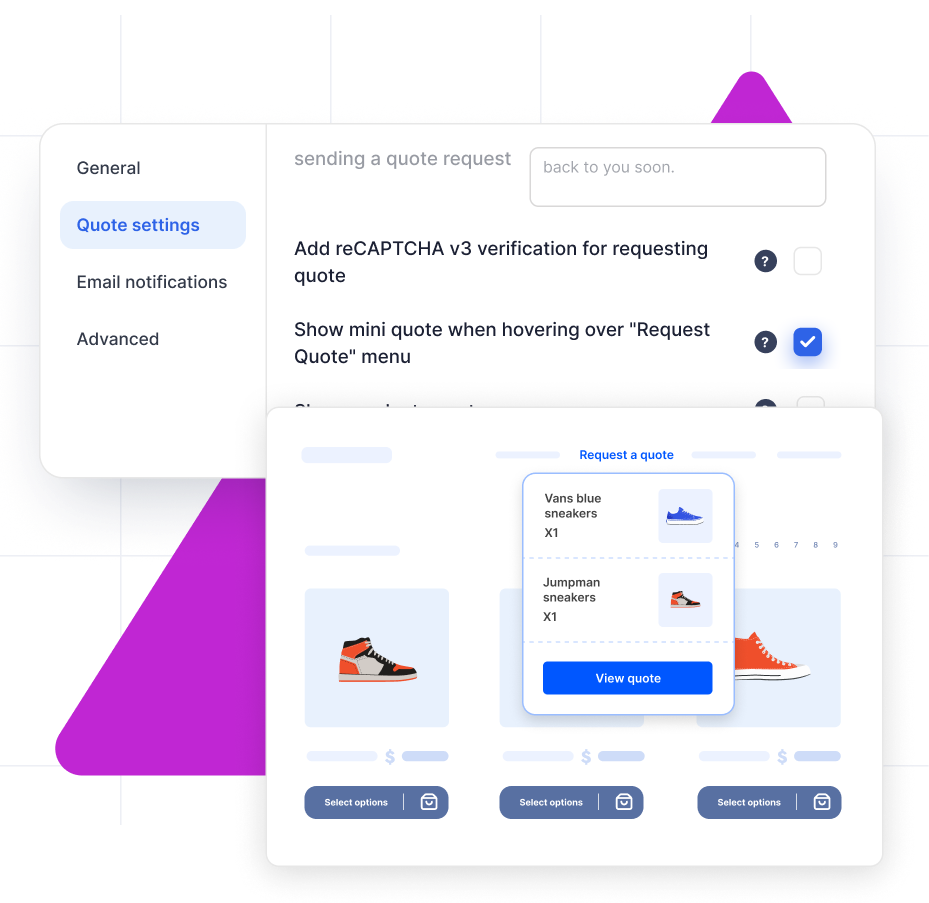
Add User Restrictions for WooCommerce Request a Quote
This quotes for WooCommerce plugin lets you control exactly who sees the Request a Quote button, down to the user role.
Instead of a simple logged-in or logged-out toggle, you can pick from specific roles, including Guest, Administrator, Editor, Author, Contributor, Subscriber, and Customer, so the button shows up only for the audience you actually want submitting quote requests.
This is especially useful for B2B stores that want to open up quote requests to registered customers only, while keeping other roles like Editors or Authors out of the mix.
Get Plugin Now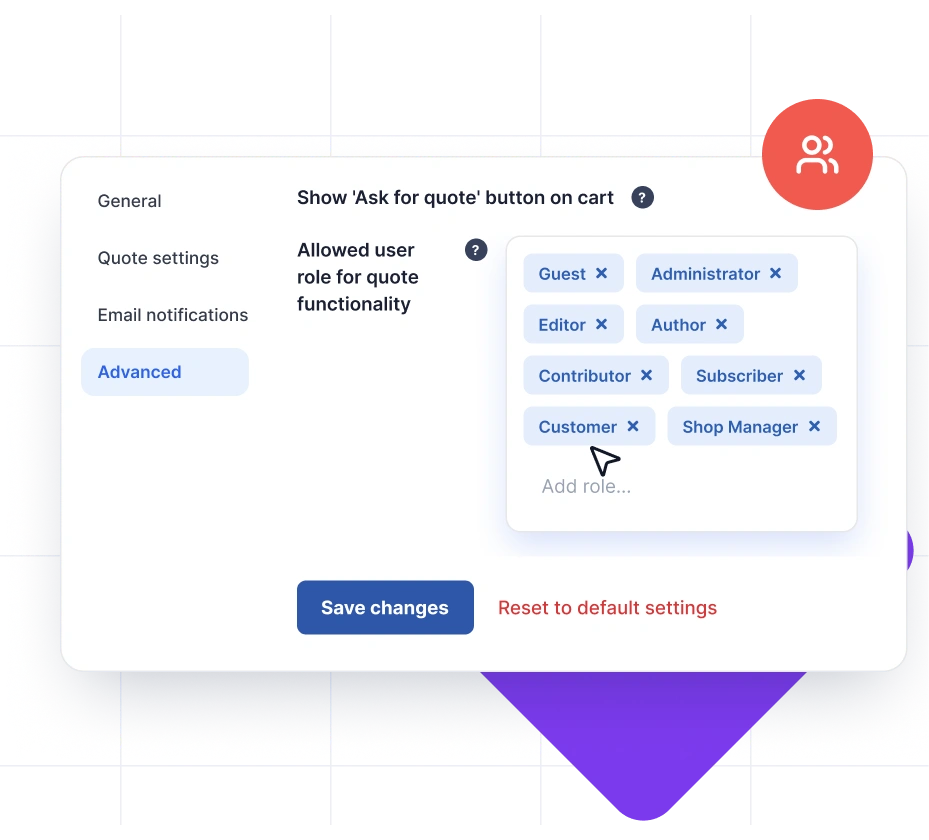
Auto Respond to WooCommerce Quotes With Default Prices
You can configure the request a quote WooCommerce plugin to generate and send quotes to customers automatically with the original prices (the prices you set in your shop). This saves a lot of time and effort from manually interacting with customers and closing the deal.
Get Plugin Now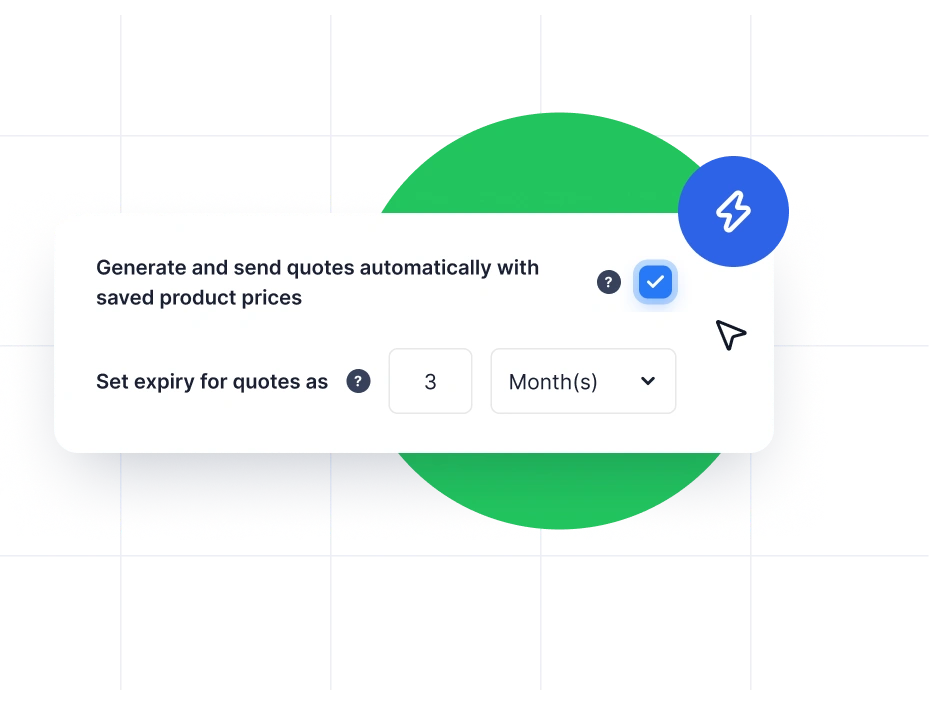
Calculate Shipping Costs With WooCommerce Quotations
The request a quote plugin for WooCommerce allows you to display the shipping fee for products in the quote list when a user sends a quote request. If this option is enabled, it will show the shipping fee even if the price fields are set to be hidden.
This way, you can ensure transparent communication with your customers right from the initial quote request.
Get Plugin Now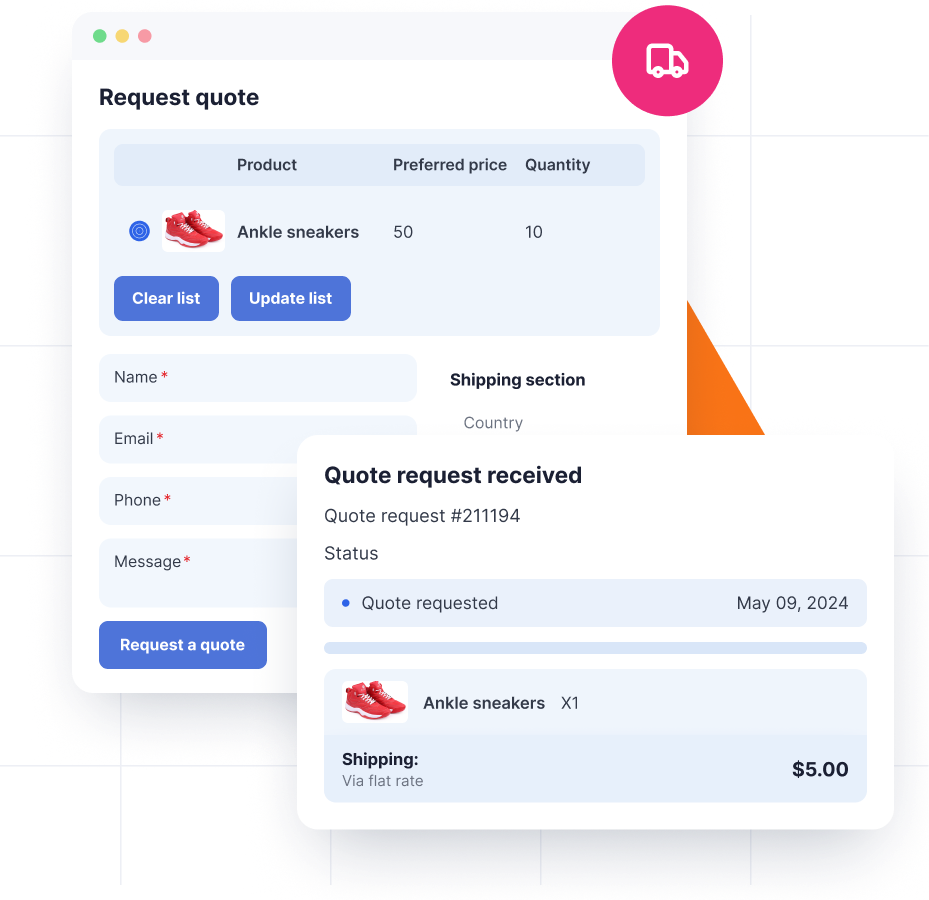
Let Customers View and Manage Their WooCommerce Quote Requests Easily
Customers can view the status and details of their WooCommerce quote requests from the Quotes section in their My Account page. If they are satisfied with a quote, they can accept it and complete the payment, or decline it and submit a new quote request again.
Get Plugin Now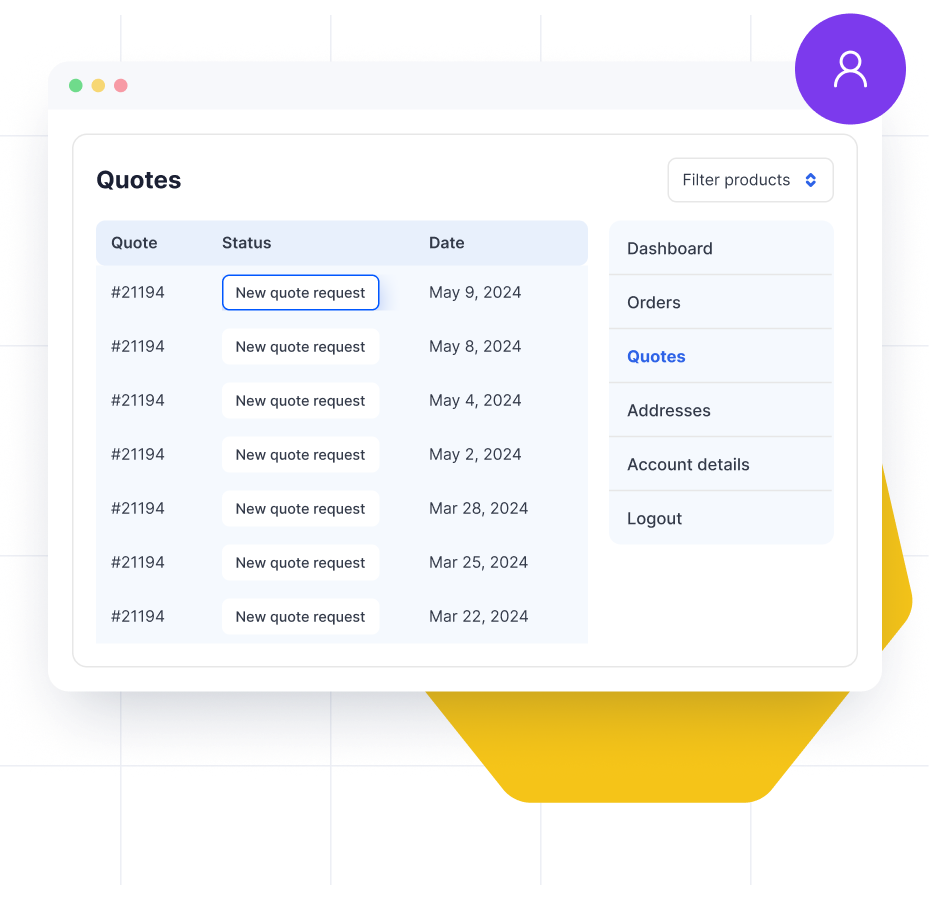
Generate PDF Quotations With the Free mPDF Add-on
With the mPDF add-on, you can automatically attach quote PDFs to Quote Sent, Pending, and Expiry Reminder emails. Customers can download their quote PDFs directly from the My Account page, while store admins can access them anytime from the Orders page.
Customize PDF file names using placeholders, such as the quote ID, and add custom prefixes for easier organization. Choose from built-in templates or customize the design visually or at the code level to match your brand.
Get Plugin Now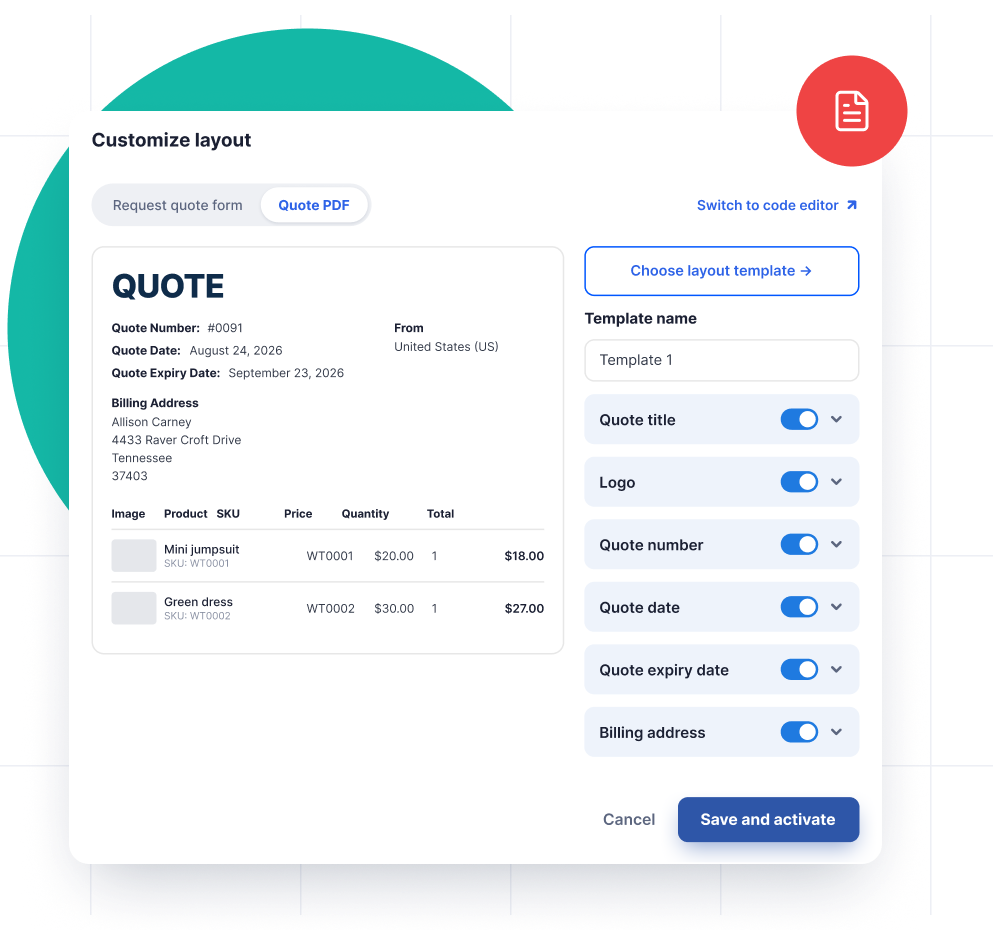
Get Email Notifications for Quote Status Updates
You will receive email notifications whenever new quotes are placed, or existing quote statuses are updated. You can add multiple recipient email IDs for WooCommerce quote requests.
The WooCommerce Quotation plugin also sends email notifications regarding quote updates (New quote requests, accept or decline quotes) to both customers and store admin. Additionally, it sends follow-up emails such as quote pending reminders and quote expiry notifications to customers.
Get Plugin Now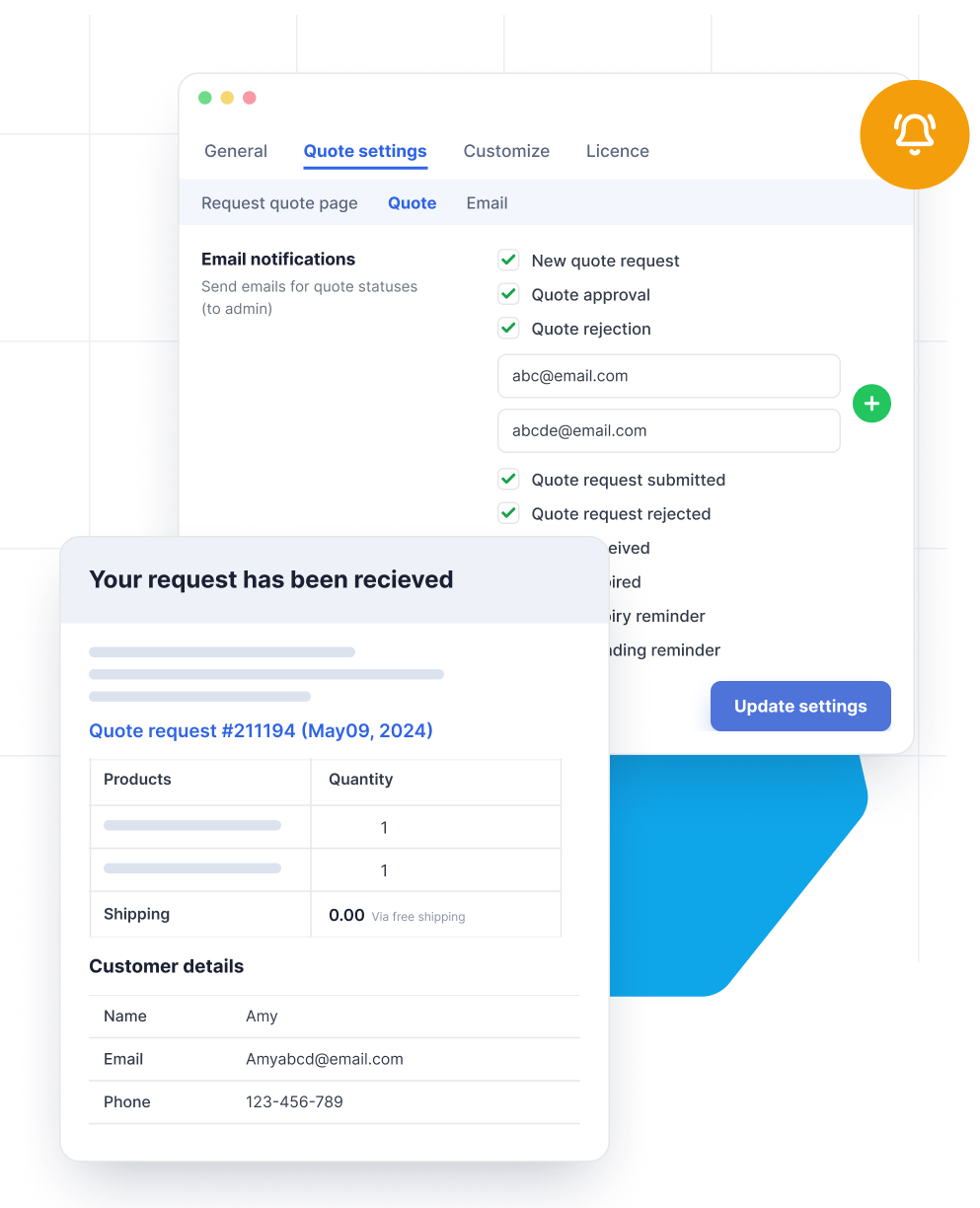
Customize Colors and Labels of Request a Quote Buttons Easily
You get full control over how the Add to Quote button looks and behaves on your store. Change the button label, text color, background color, and border color for both normal and hover states, and preview your changes in real time.
Beyond colors, you can also choose whether the button appears inline with the Add to Cart button or below it, whether it shows as a full button or a plain text link, and even match it automatically to your store's existing theme style so it blends in without extra CSS work.
Get Plugin Now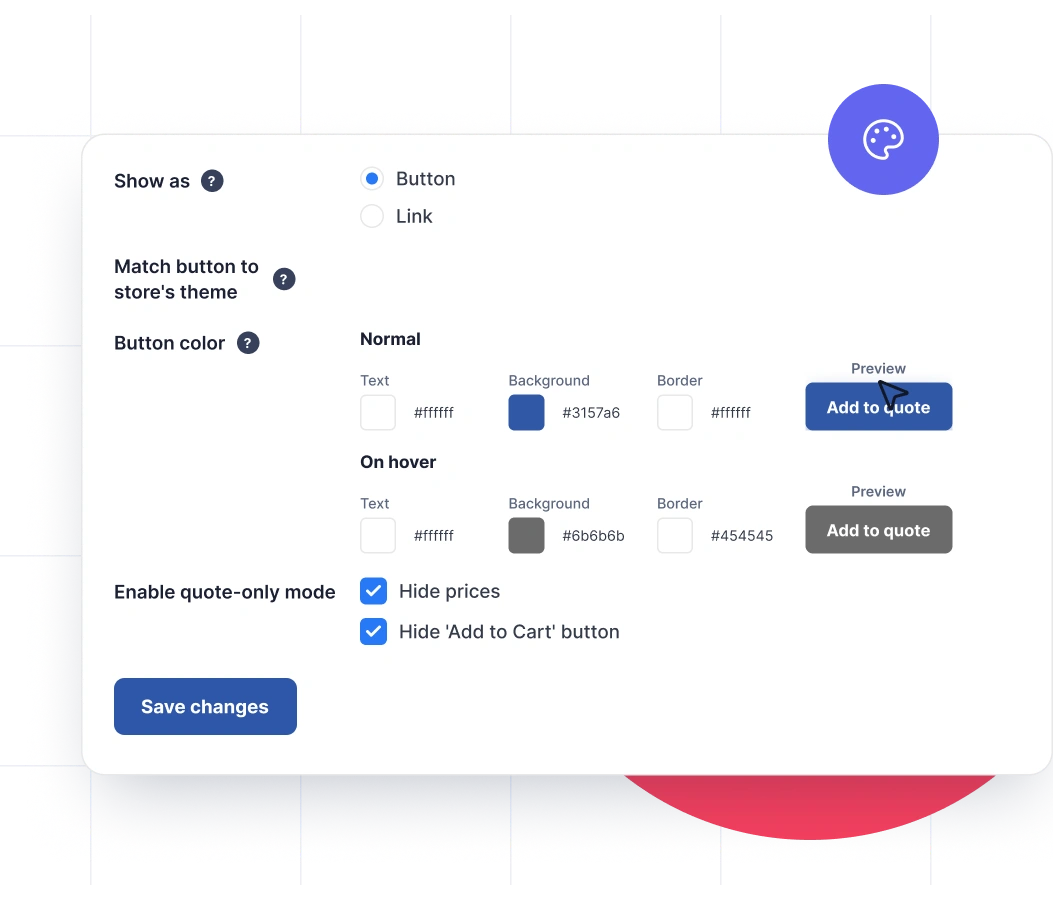
Customize Quote Form Behavior and Post-Submission Experience
Fine-tune how the quote request form behaves once a customer starts the process. Turn on autocomplete so returning customers can fill the form faster using saved browser data, and decide exactly where customers land after they submit a request, whether that's back on the shop page, a dedicated thank you page, their quote details in My Account, or a custom URL of your choice.
You can also write your own custom message that appears right after a quote request goes through, so customers know what to expect next instead of seeing a generic confirmation.
Get Plugin Now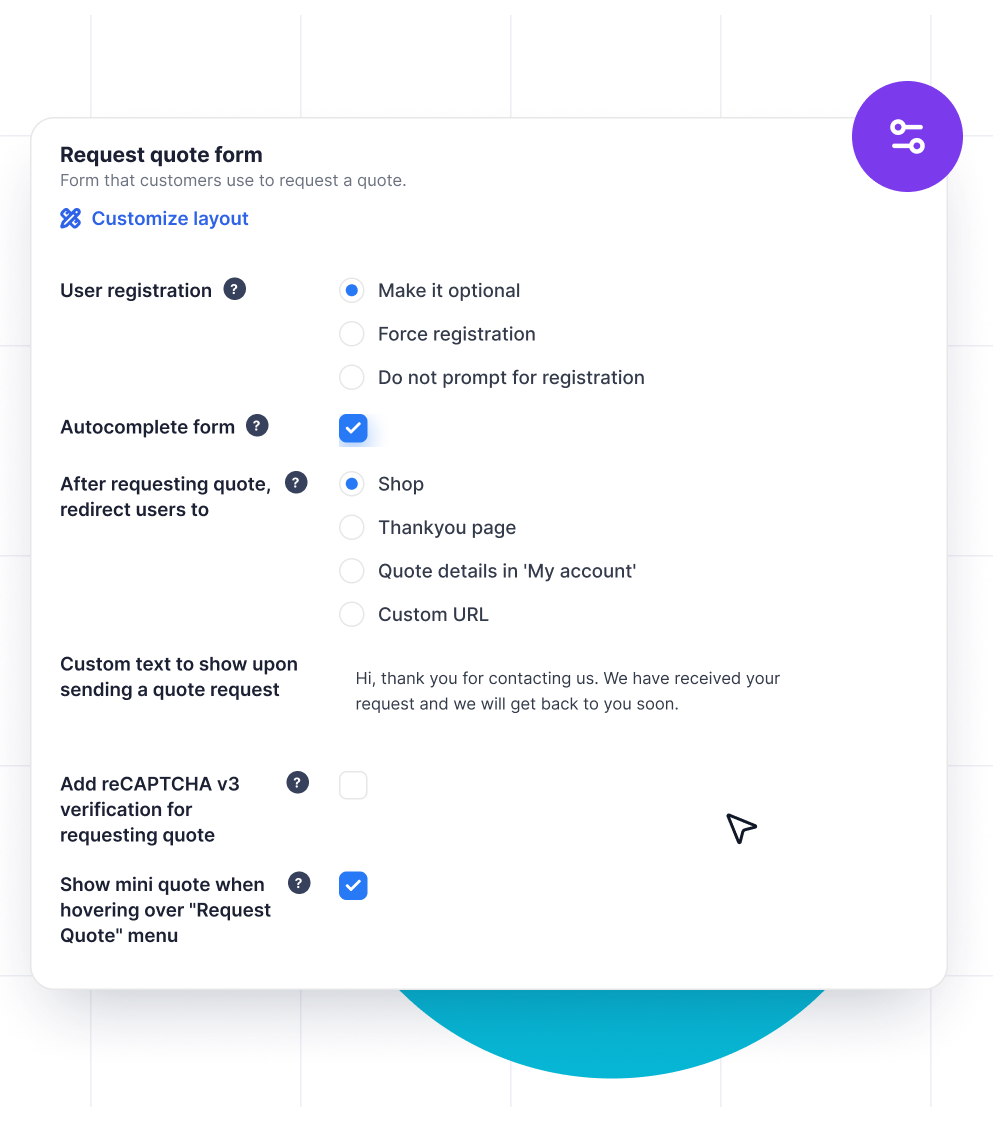
Track Quote Requests and Revenue With Built-in Analytics
Get a clear picture of how your WooCommerce quote requests are performing without digging through the WooCommerce orders page. The plugin's dashboard shows you the numbers that matter most, so you always know where your quote pipeline stands.
- Total quote requests received
- New quote requests waiting for review
- Quotes converted to orders
- Order revenue generated through quote
This makes it easy to spot how well your WooCommerce quotation setup is converting, and where you might want to follow up with customers who haven't completed their purchase yet.
Get Plugin Now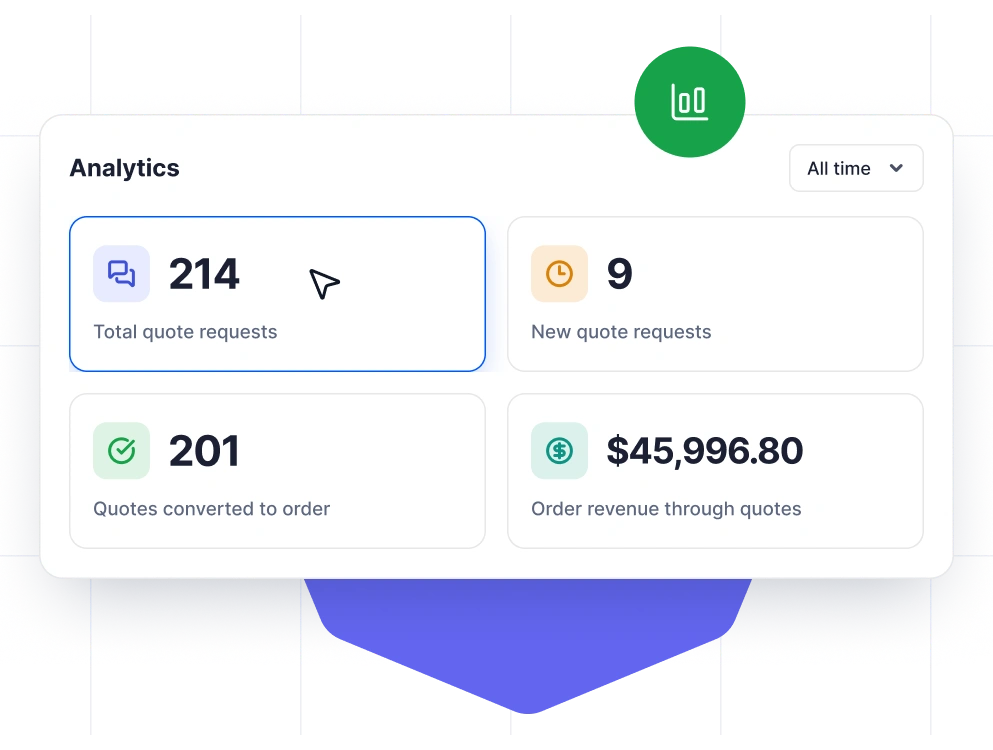
How to Allow Shoppers to Request a Quote in WooCommerce?
Let customers submit WooCommerce quote requests in minutes using this Request a Quote plugin. Once enabled, shoppers can click an Add to Quote button, submit a request a quote form, and you can review and respond from your WooCommerce quote dashboard.
To enable quote submissions in WooCommerce:
- Install and activate the WooCommerce Request a Quote plugin on your store.
- Go to Quotes > General to configure where you want to show the Add to Quote button (product pages, shop pages, etc.).
- Enable Add to Quote for all products (or choose specific products/categories if needed).
- Scroll down and optionally hide Add to Cart and hide product prices to encourage customers to submit quote requests instead of purchasing directly.
- Click Update Settings to save changes. Customers can now add products to a quote list and submit the quote request form.
- Click Update Settings to save your changes and start receiving WooCommerce quote requests.

| Technical info |  |
 |
 |
|---|---|---|---|
| Minimum Version | 7.4 or higher | 5.0 or higher | 5.0 or higher |
| Tested upto | 8.3 | 7.0 | 10.9.4 |
You may also like these plugins
WooCommerce PDF Invoices, Packing Slips and Credit Notes
Customize, auto-generate, and print WooCommerce PDF invoices, packing slips, and credit notes using a single plugin. You can send these documents to customers by attaching them to the order emails.

WooCommerce Proforma Invoices
Automate the generation of WooCommerce proforma invoices when new orders are placed and send them to your customers via order emails. You can also customize the layout and the contents of the invoice.

WooCommerce Shipping Labels, Dispatch Labels and Delivery Notes
Auto-generate WooCommerce shipping labels, dispatch labels, and delivery notes with customizable appearance and label settings.

Sequential Order Numbers for WooCommerce
Number your WooCommerce orders in a custom, sequential & manageable format. The Sequential Order Number plugin lets your orders follow a custom & unique numbering sequence suitable for your business.
Customer Reviews
average rating
Perfect support!
Awesome support
Awesome support
Frequently Asked Questions
See the list below for our most frequently asked questions about our plugins. If this doesn’t satisfy your requirement, please reach out to support team.
License
General