



Share:


Table of Contents
Explore the list of the best WooCommerce request a quote plugins to set up the ‘request a quote’ option on your WooCommerce store.
If you are selling wholesale products on your WooCommerce store or want your customers to ask for custom prices for your products, the “request a quote” option can be a handy feature.
It enables your customers to ask for their preferred prices when purchasing bulk quantities of products from your store. This can promote your wholesale business and bulk order purchases.
In this article, we have made a list of the best WooCommerce Request a Quote plugins for your business.
Let’s get started.
Key Takeaways:
- The free and premium plugins in this list will help you set up the Quote request feature on your WooCommerce store.
- WooCommerce Quote Requests enable customers to ask for custom prices for products in your store.
- WooCommerce does not have the option to set up the request a quote feature.
Why Use a WooCommerce Request a Quote Plugin?
Not every WooCommerce store works well with fixed pricing. In many cases, adding a request for quotation (RFQ) system can significantly improve conversions and customer engagement, especially for B2B and custom product businesses.
1. It’s Essential for B2B & Custom Pricing Models
If you run a WooCommerce B2B store, sell in bulk, or offer custom-made products, pricing often depends on quantity, specifications, or customer type. In industries like manufacturing, wholesale, or trade supply, showing fixed prices isn’t always practical.
A quote plugin lets you hide prices in WooCommerce and offer flexible, personalized pricing instead.
2. It Helps Capture More Leads & Conversions
A quote option gives hesitant buyers a second path. Instead of leaving when they see a high price, customers can request a quote and negotiate. This not only improves conversions but also helps you collect valuable lead data, even if the sale doesn’t happen immediately.
3. WooCommerce Doesn’t Support RFQ Natively
WooCommerce doesn’t include a built-in request for quotation system. To enable quote-based workflows like hiding prices, adding “Request a Quote” buttons, or managing negotiations, you’ll need a dedicated plugin.
1. WebToffee WooCommerce Request a Quote

WebToffee WooCommerce Request a Quote Plugin is an advanced quote management system that handles the quotation system by enabling quote buttons, sending follow-up emails for outstanding customer quotes to negotiate, tracking the status of customer quotes, and more in a single platform.
The plugin builds custom request forms that allow customers to ask for price estimation. The store owner can add multiple fields to inquire about the necessary information from customers. It is an automated product quote feature that allows you to create a custom quote button for a single product page or all products on the shop page. It supports both simple and variable products.
Key Features
- Custom Add to Quote Button: Replaces the default Add to Cart button with an Add to Quote option for selected products.
- Customer Suggested Pricing: Allows customers to request a quote and submit their preferred price directly from the product page.
- Centralized Quote Management: Let’s store owners manage quote requests at every stage, including sending, accepting, declining, and setting expiry dates.
- Product-Based Quote Controls: Show or hide the Request a Quote option for specific products, categories, or tags using flexible inclusion and exclusion rules.
- Option to Hide Product Prices: Store owners can hide product prices and encourage customers to request a quote instead of purchasing instantly.
- Email Alerts and PDF Quotes: Send instant email notifications for new quote requests and approved quotes, with PDF quotations that customers can view or download anytime.
Best For: B2B, bulk pricing, and custom product stores with dynamic pricing needs.
2. YITH Request a Quote for WooCommerce
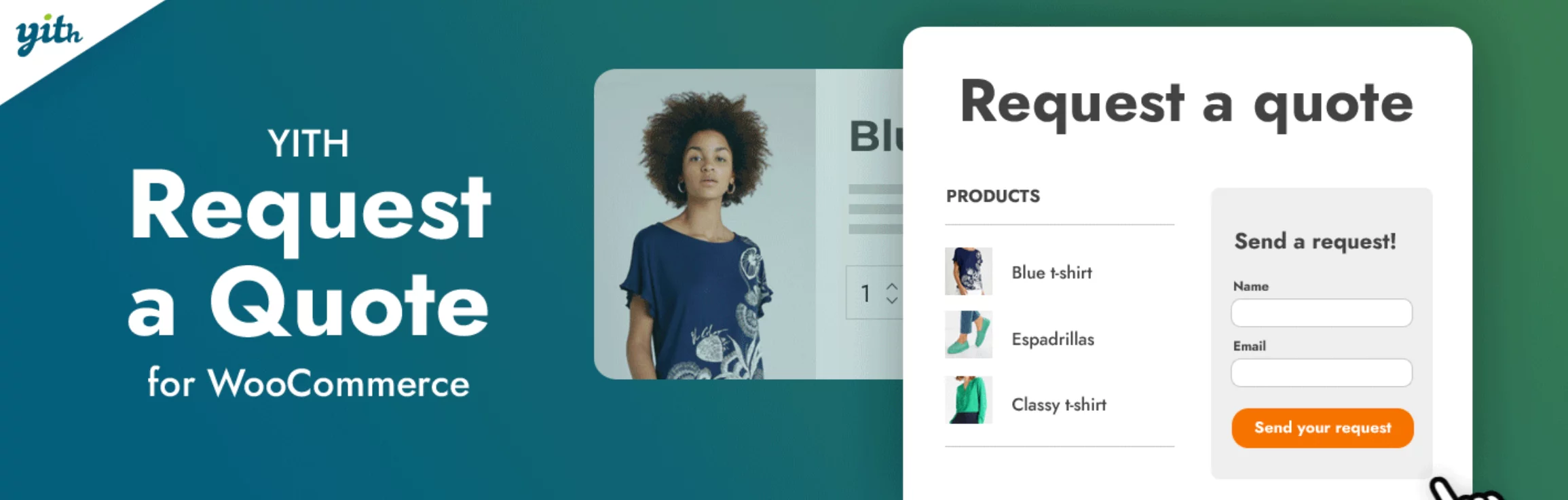
YITH Request a Quote for WooCommerce is one of the most popular quote request plugins that allows store owners to replace prices and “Add to Cart” buttons with a customizable quote request system. It’s especially useful for B2B stores, wholesalers, and businesses selling customizable or bulk products where pricing varies per customer.
With this plugin, customers can add products to a quote list and submit a request directly from your store. Admins can then review, negotiate, and send tailored quotes, which can later be converted into WooCommerce orders upon acceptance.
Key Features
- “Add to Quote” Button: Replace the Add to Cart button with an option for customers to request quotes.
- Hide Prices & Cart Options: Hide product prices to encourage inquiries and personalized pricing.
- Quote List System: Customers can add multiple products to a quote list and submit a single request.
- Customizable Request Form: Modify form fields or integrate with form builders (premium feature).
- Quote Management Dashboard: Manage, review, and respond to quote requests from the admin panel.
- Convert Quotes to Orders: Easily turn approved quotes into WooCommerce orders for checkout.
Best for: B2B, wholesale, and custom product stores that need flexible pricing, quote-based purchasing, and negotiation-driven sales workflows.
3. ELEX WooCommerce Request a Quote Plugin

ELEX WooCommerce Request a Quote plugin is a flexible solution that enables store owners to add a complete quote-based purchasing workflow to their WooCommerce store. It allows customers to add products to a quote list, submit requests with custom requirements, and negotiate pricing before completing a purchase, making it ideal for B2B and bulk sales scenarios.
Key Features:
- “Add to Quote” Option on Products: Enable customers to request quotes directly from shop and product pages.
- Flexible Cart & Quote Mode: Offer both “Add to Cart” and “Request a Quote” options simultaneously.
- Hide Prices & Cart Buttons: Hide pricing and encourage negotiation-based purchasing.
- Custom Quote Request Forms: Create tailored forms to collect specific customer requirements.
- Quote Approval & Negotiation Workflow: Accept, reject, or modify quotes and even allow customer counter-proposals.
- Automated Notifications (Email, SMS, Chat): Send real-time updates to admins and customers throughout the quote process.
Best for: B2B, wholesale, and bulk-selling WooCommerce stores that need flexible pricing, negotiation workflows, and advanced quote management.
4. NP Quote Request WooCommerce

NP Quote Request for WooCommerce is a flexible plugin that transforms your WooCommerce store into a quote-based system, allowing customers to submit quote requests instead of making direct purchases. It supports both standard checkout and RFQ modes, making it ideal for stores that want to combine direct sales with negotiation-based pricing.
Key Features:
- Dual Mode (RFQ + Normal Checkout): Run your store in quote-only mode or allow both purchases and quote requests simultaneously.
- Cart-to-Quote Conversion: Customers can submit their entire cart as a quote request during checkout.
- Advanced Price Visibility Control: Hide or show prices based on user roles, IP address, or product settings.
- Create Orders from Quotes: Convert quote requests into WooCommerce orders and send payment links to customers.
- Email Notifications & Proposals: Send automated emails and detailed quote proposals with optional payment links.
- Custom Fields & Quote Page Customization: Add custom fields and tailor the quote request page to collect specific customer details.
Best for: Stores that want a hybrid checkout system combining direct purchases with flexible quote-based selling and advanced pricing control.
5. Get a Quote Button for WooCommerce by WPBean
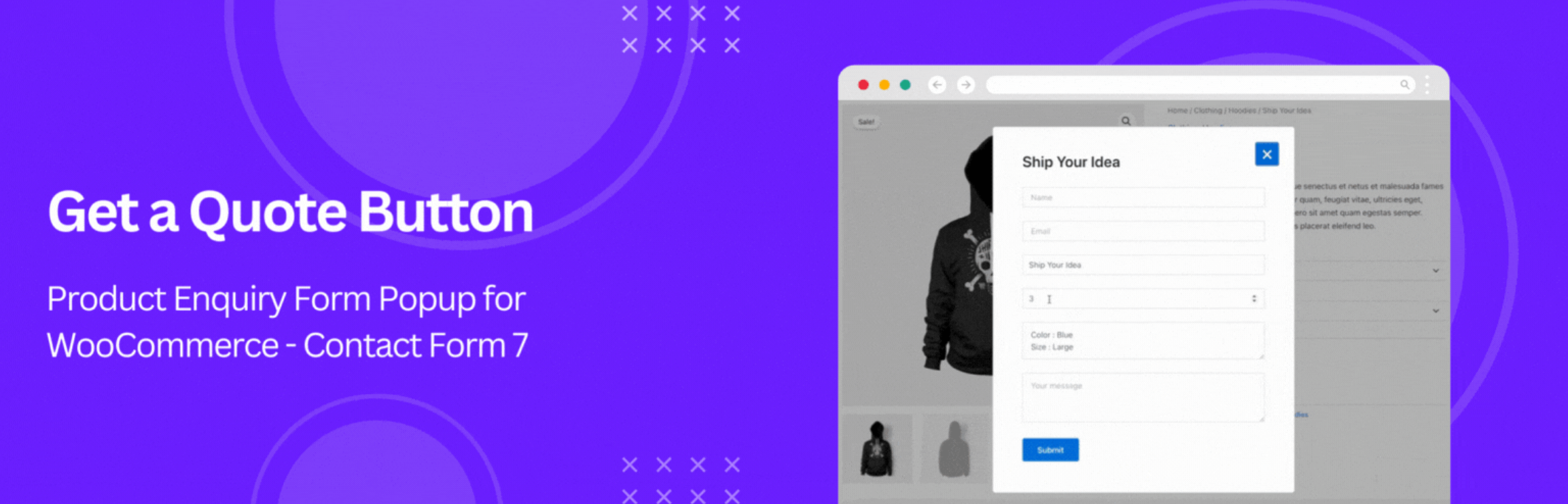
Get a Quote Button for WooCommerce is a lightweight plugin that adds a simple “Request a Quote” or “Get a Quote” button to your product pages. Instead of building a full quote management system, it focuses on capturing customer inquiries through a popup form, making it a great choice for stores that just need a quick and easy way to collect quote requests. When customers click the button, a popup form (powered by Contact Form 7 or WPForms) appears, allowing them to submit their requirements along with product details.
Key Features
- Add the “Get a Quote” Button Anywhere: Place it on product or shop pages, or use shortcodes.
- Popup Quote Request Form: Show a clean popup form on button click to capture customer inquiries.
- Integration with Contact Form 7 & WPForms: Use popular form plugins to manage quote requests easily.
- Customizable Button Design: Change text, color, size, and placement to match your store design.
- Show Product Details in Requests: Automatically include product details such as name, quantity, and variations in submissions.
- Conditional Display Options: Show the quote button only for specific products (e.g., featured or out-of-stock items).
Best for: Stores that want a simple, lightweight quote button to capture leads without setting up a full quote management system.
6. Request a Quote For Woocommerce By Addify
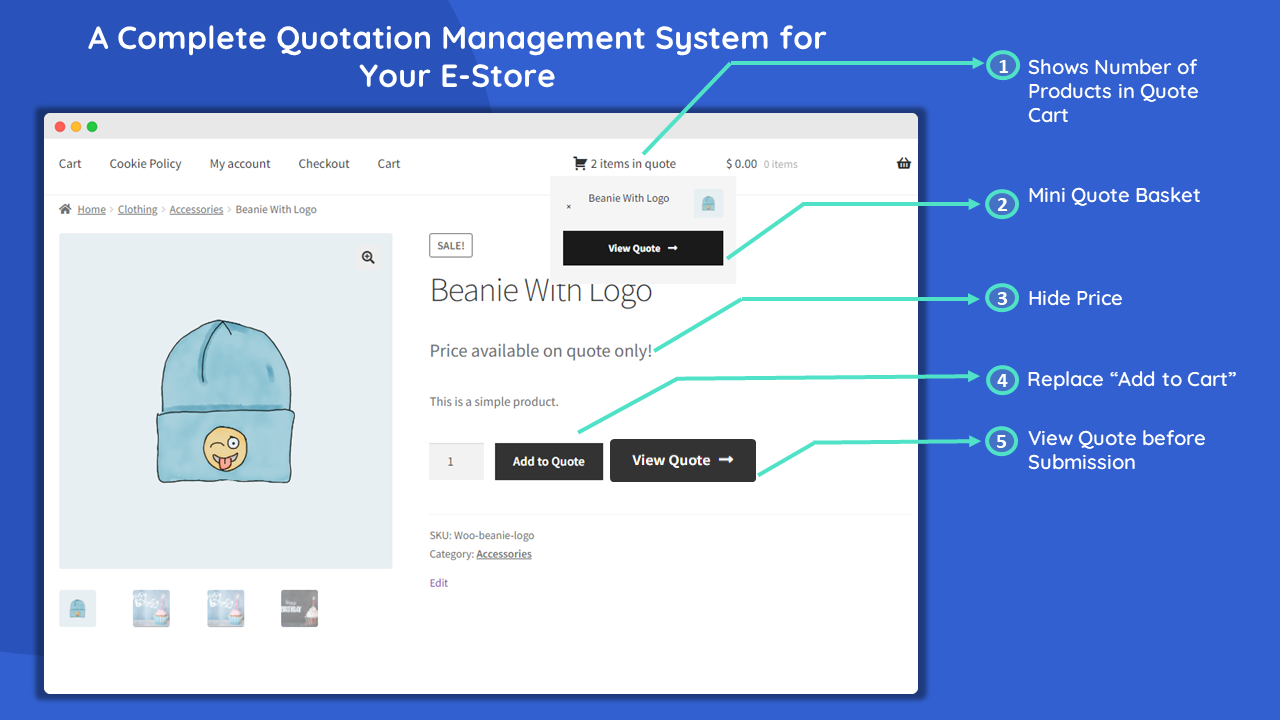
Addify Request a Quote for WooCommerce is a powerful plugin that transforms your store into a complete quotation system, allowing customers to request custom pricing instead of purchasing directly. It lets you replace the default WooCommerce buying flow with an “Add to Quote” option, making it easier to handle bulk orders, custom requirements, and B2B pricing scenarios.
Customers can add products to a quote list, submit their requirements through a customizable form, and even suggest their own prices. On the backend, store owners can review requests, negotiate, and convert approved quotes into orders.
Key Features
- Complete quotation management system: Create, manage, and track quote requests from a centralized dashboard.
- “Add to Quote” button & cart replacement: Replace Add to Cart or show both options based on your needs.
- Hide prices with custom messages: Encourage customers to request quotes instead of viewing fixed prices.
- Custom quote forms with multiple field types: Add and customize fields to collect detailed customer requirements.
- User role & product-based rules: Control who can request quotes and where the feature appears.
- Convert quotes into orders: Approve quotes and turn them into WooCommerce orders.
Best for: B2B, wholesale, and custom product stores that need advanced quote management, role-based pricing control, and a complete quote-to-order workflow.
7. Request Quote For WooCommerce by Dotstore

The Request Quote for WooCommerce plugin from Dotstore is designed to allow customers to request quotes for products directly on your WooCommerce store. This plugin is perfect for stores offering customizable or bulk products, enabling seamless communication and price negotiation.
You can customize the “Add to Quote” button display based on specific products, categories, or user roles. Manage and modify customer quote requests easily from the admin panel, and send updated quotes directly via email or through their account page.
Key Features:
- Rule-Based Quotes: Customize quote rules to display “Request Quote” buttons alongside or instead of “Add to Cart” buttons.
- Manage Button Visibility: Control the visibility of the “Request Quote” button for specific products, categories, and user roles.
- Hide Product Prices: Optionally, replace product prices with custom messages to encourage quote requests.
- Customize Buttons: Modify the style, color, and text of quote buttons, and personalize messages displayed after submitting a quote request.
- Manage Requests: Efficiently handle quote requests from the admin panel, adjust quantities, and prices, and track statuses like accepted, rejected, or converted to order.
- Generate Quote PDFs: For future reference, customers can download quotes as PDFs, including your site logo.
Best for: Stores selling bulk, custom, or high-value products that need a simple, organized quote system with flexible rules and built-in management.
8. Request a Quote WordPress Form Plugin by eMD PLUGINS

Request a Quote Form Plugin is a simple yet practical solution for collecting and managing quote requests directly on your WordPress site. Instead of adding a full WooCommerce-style quote system, this plugin focuses on creating customizable quote request forms that let customers submit inquiries for products or services. It’s a good option if you mainly want to capture leads and handle quotes manually. The plugin keeps things straightforward by storing all quote requests in your database and giving you tools to track, organize, and respond from one place.
Key Features
- Customizable quote request forms: Create forms tailored to collect specific customer requirements.
- Support for multiple products/services: Customers can request quotes for one or several items at once.
- Centralized quote management: Store, track, and manage all quote requests your dashboard.
- Email notifications for admin & customers: Automatically send updates when a quote request is submitted.
- User access control (private mode): Restrict quote submissions to logged-in users if needed.
- Import/export quotes via CSV: Easily move quote data between systems or back it up.
Best for: Service-based businesses or simple stores that need a basic quote request form and lead management without a full WooCommerce quote workflow.
9. WooCommerce Request a Quote by Plugin Republic

WooCommerce Request a Quote by Plugin Republic is a straightforward yet powerful plugin that lets customers request custom pricing directly from your store. Instead of forcing buyers to purchase at fixed prices, it allows them to add products to a quote list and submit a request with their required quantities. This is especially useful for stores selling bulk, wholesale, or customizable products where pricing depends on specific needs.
Key Features
- “Add to Quote” button with product control: Enable quote requests for all or specific products, categories, or tags.
- User role-based access: Allow quotes for guests, logged-in users, or specific user roles.
- Quote list with multiple products: Customers can add several items and submit a single quote request.
- Hide prices for flexible pricing: Remove prices to encourage inquiries and custom negotiations.
- Convert quotes into orders with payment link: Send quotes to customers and let them complete checkout.
- Simple setup and easy management: Quick to configure with a clean dashboard for handling requests.
Best for: Small to mid-sized WooCommerce stores that want a simple, flexible quote system without complex setup or heavy features.
10. B2B Request a Quote

B2B Request a Quote by WPExperts is a feature-rich plugin designed to help store owners handle complex pricing scenarios with ease. It allows customers to request custom quotes instead of purchasing products at fixed prices, making it especially useful for B2B, wholesale, and bulk-selling stores. Customers can add products to a quote basket, submit their requirements, and even suggest their own prices, creating a more flexible and personalized buying experience.
Key Features
- “Add to Quote” button with quote basket: Let customers add multiple products and submit a single quote request.
- Advanced form builder: Create customizable quote forms with multiple field types and conditions.
- User role & rule-based pricing control: Show/hide prices and quote options based on user roles, products, or categories.
- PDF quote generation with branding: Send professional quotes with “Accept & Checkout” links directly to customers.
- Quote negotiation & status tracking: Manage quote statuses, allow price negotiation, and track progress.
- Convert quotes into orders: Approved quotes can be turned into WooCommerce orders instantly.
Best for: B2B and wholesale WooCommerce stores that need advanced quote customization, pricing control, and a complete quote-to-order system.
11. WISDM Product Enquiry for WooCommerce

WISDM Product Enquiry for WooCommerce is a simple yet effective plugin that lets customers ask questions or request quotes directly from product pages. Instead of forcing users to make a purchase decision immediately, it gives them an easy way to reach out, clarify doubts, or negotiate pricing—helping you capture more serious leads and reduce drop-offs. This plugin is especially useful if your products require more explanation or flexible pricing.
Key Features
- Add enquiry or quote request button: Let customers send inquiries directly from product pages.
- Capture pre-sale inquiries & leads: Turn interested visitors into potential customers through direct communication.
- Customizable button text & placement: Modify labels like “Request a Quote” or “Ask a Question” and control where they appear.
- Support for product variations: Allow inquiries for specific product variations and configurations.
- Email notifications for inquiries: Receive detailed emails with product and customer information instantly.
- Basic quote & enquiry management: Track and manage incoming inquiries from your dashboard.
Best for: Stores that want a lightweight enquiry button to capture customer questions and leads without a full quote management system.
12. Quotes for WooCommerce

Quotes for WooCommerce is a flexible plugin that lets you replace the standard WooCommerce checkout with a quote-based system, allowing customers to request pricing instead of paying immediately. This is especially useful for stores that deal with bulk orders, custom pricing, or products where the final cost depends on customer requirements. Instead of forcing a fixed-price purchase, you can review requests and send personalized quotes before completing the sale.
Key Features
- Request quote instead of checkout: Let customers submit quote requests without making immediate payment.
- Dual mode (quotes + purchases): Allow both direct purchases and quote requests in the same store.
- Role-based and condition-based quoting: Enable quotes based on user roles, product categories, stock, or quantity.
- Mixed cart support: Customers can add both quote items and purchasable products in one cart.
- Convert quotes into orders: Easily turn approved quotes into WooCommerce orders with payment links.
- Email notifications & quote tracking: Notify customers and manage quote status from the dashboard.
Best for: Stores that want a flexible quote system with rule-based pricing and the ability to combine quote requests with normal WooCommerce checkout.
13. Product Enquiry for WooCommerce

Product Enquiry for WooCommerce is a versatile plugin that helps you turn your store into a quote and enquiry-driven system. Instead of pushing customers to buy immediately, it lets them ask questions, request custom pricing, or submit quote requests directly from product pages. This makes it especially useful for B2B stores, wholesalers, and businesses with flexible or negotiable pricing.
Key Features
- Quote request & enquiry button: Add a “Request a Quote” or “Enquiry” button and replace Add to Cart if needed.
- Hide prices & enable catalog mode: Turn your store into a catalog and encourage customers to request pricing.
- Enquiry cart for multiple products: Allow customers to request quotes for several products in one submission.
- Advanced form builder: Create custom forms with drag-and-drop fields and validation options.
- Email notifications & integrations: Send automatic emails and connect with tools like CRM, Slack, or Zapier via webhooks.
- Centralized enquiry management: Track, filter, and export all quote requests from your WordPress dashboard.
Best for: B2B and catalog-style WooCommerce stores that need a customizable enquiry and quote system with lead capture and integration options.
14. WooCommerce Request a Quote & Price Negotiation by weLaunch

WooCommerce Quote & Negotiation Plugin by weLaunch is a powerful solution that integrates quote requests directly into the WooCommerce checkout process. Instead of using separate forms or emails, customers can request a quote during checkout by selecting a dedicated “quote request” payment option. This makes the entire experience feel like a natural part of the buying journey rather than an extra step.
Key Features
- Quote request during checkout: Customers can request a quote using a dedicated payment option at checkout.
- Built-in negotiation system: Customers and store owners can negotiate prices directly from the dashboard.
- Customer quote dashboard: Users can view, accept, decline, or negotiate quotes from their account page.
- Convert quotes into orders: Approved quotes automatically become WooCommerce orders with payment links.
- Custom quote email notifications: Send automated emails for new, approved, or declined quotes.
- Role & product-based restrictions: Enable or restrict quote functionality based on user roles, products, or categories.
Best for: Stores that want a checkout-integrated quote system with built-in price negotiation and a seamless quote-to-order workflow.
15. WooCommerce Request a Quote for Price

Request a Quote for Price for WooCommerce offers a complete quote management system for stores that need flexible pricing. It allows you to replace prices and the “Add to Cart” button with an “Add to Quote” option, making it ideal for B2B, wholesale, and custom product stores where pricing isn’t fixed.
Key Features
- Hide prices & replace Add to Cart: Turn your store into a quote-based system by removing pricing and encouraging quote requests.
- “Add to Quote” button with quote basket: Let customers add multiple products and submit a single quote request.
- Customer-suggested pricing: Allow users to enter their preferred price when submitting a quote.
- Rule-based quote visibility: Show or hide quote options based on user roles, products, or categories.
- Customizable quote forms: Create detailed forms with multiple field types to collect requirements.
- Convert quotes into orders: Approve quotes and turn them into WooCommerce orders with custom pricing.
Best for: WooCommerce stores that want an official, fully integrated quote system with flexible pricing, role-based rules, and a seamless quote-to-order workflow.
No, WooCommerce does not include a built-in request a quote feature. By default, it only supports fixed pricing and direct checkout. To enable quote requests, you need to use a dedicated WooCommerce quote plugin.
A quote plugin is designed specifically for eCommerce. It lets customers add products to a quote list, submit requests, and allows store owners to send structured quotes that can be converted into orders.
A contact form, on the other hand, simply collects inquiries and requires manual follow-up, without any product-based workflow or automation.
Yes, most WooCommerce quote plugins allow you to hide product prices and replace the “Add to Cart” button with a “Request a Quote” button. This is commonly used for B2B, wholesale, or custom pricing scenarios.
Yes, once a customer accepts the quote, it can be easily converted into an order, allowing them to proceed to checkout and complete the purchase.
Using a quote plugin, you can review a customer’s request in your dashboard, set custom pricing, and send the quote via email. Many plugins also include a link that allows the customer to accept the quote and proceed directly to checkout.
Going through all the plugins might be overwhelming for you. However, as a shop owner, it’s more important to choose a suitable plugin for your online store. Think about your audience, what they are actually looking for & how to pursue them to complete the purchase.
For instance, in a wholesale store, the buyer usually looks for negotiation or cuts down the product price via special offers. Most of the customers will be business dealers or retailers. They are the smart decision-makers who require less time to think to go with a shop quote or not. Thus, you need to provide a clear WooCommerce quote form page to view the added product’s pricing or fill in the data for concession.
To make things simpler for you, the above list will help you pick the best plugin for your store and establish a successful customer quoting system.
Also Read: How to Add Request a Quote in WooCommerce


Subcribe to our newsletter


