Share:


Table of Contents
Livestream shopping is an innovative sales approach that allows online stores to sell products through live video broadcasts, enabling real-time interaction between hosts and viewers. This interactive format enhances customer engagement and can significantly boost sales by addressing consumer questions and creating a sense of urgency during the event.
- Livestream shopping combines live video demonstrations with direct purchasing options, transforming how consumers interact with products.
- It allows businesses to answer customer queries instantly, reducing cart abandonment caused by unanswered doubts.
- Time-sensitive offers during streams create urgency, encouraging immediate purchases rather than delayed decisions.
- Various formats, such as product launches, tutorials, and live auctions, cater to different product types and customer preferences.
- Effective promotion and preparation are essential for successful livestream events, including pre-stream marketing and ensuring functional product links.
- Metrics like viewer engagement and conversion rates are crucial for evaluating the success of each livestream shopping event.
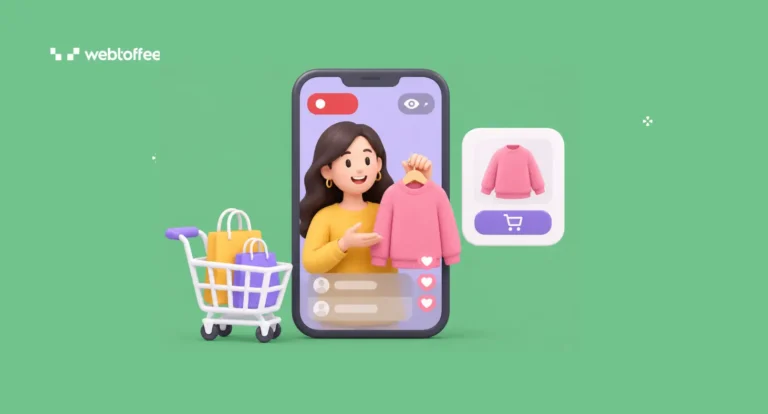
Livestream shopping is changing how online stores showcase products and connect with customers. Instead of relying on product images, descriptions, and reviews, businesses can demonstrate products in real time, answer customer questions, and encourage purchases during a live video session.
What started as a popular shopping trend on social media has become another sales channel for eCommerce businesses. And you don’t need a large audience, expensive equipment, or a professional host to get started.
In this guide, we’ll explain what livestream shopping is, how it works, and why it’s worth considering for your online store. We’ll also cover different livestream shopping formats, practical tips for hosting your first event, and the key metrics to track.
Let’s get started.
Livestream shopping is a way of selling products over live video, where a host demos items in real time, viewers ask questions in the chat, and anyone can buy without leaving the stream. It’s also called live shopping or live commerce.
If that sounds like QVC, you’re half right. TV shopping channels talked to viewers and took orders over the phone. A livestream talks with them. Someone asks whether the jacket runs small, the host tries it on camera, and three people buy before the next product comes up.
It’s also different from shoppable video. A shoppable video is pre-recorded: an unboxing clip or a product demo with tagged items that lives on your product page or social feed. It can keep selling for months, but it can’t answer a question. Livestream shopping happens once, in real time, and the deal usually disappears when the stream ends.
Every live shopping event follows the same basic loop, whether it runs on TikTok or your own site. It starts before you go live. You announce the stream with a date, a time, and a reason to show up, usually a product launch or a deal that only exists during the broadcast.
Once you’re live, a host walks viewers through a short lineup of products. That host could be the founder, someone from your team, or a creator you’ve partnered with. As each item comes up, a product card or link gets pinned on screen, so viewers can tap through while it’s still being shown.
The chat is where the selling happens. Viewers ask about sizing, colors, or how something works; the host answers on camera, and buyers check out without waiting.
Where that checkout happens depends on the platform. Social apps keep buyers in-app, while a stream on your own store sends them straight to your product pages and cart. After the stream ends, the replay and product links go out to viewers and anyone who missed it.
A product page can only answer the questions you thought to write down. A livestream answers the ones shoppers actually have, and that changes how people buy.
- Questions get answered before they become abandoned carts: Most carts stall on a doubt: will this fit, will it match, will it work with what I already own? On a stream, a skincare brand can explain which serum suits oily skin while the viewer is still deciding. Keep a few minutes open for questions in every stream.
- Time-boxed offers create real urgency: Countdown timers on product pages feel fake because shoppers know they reset. A deal that ends when the stream ends is different, and viewers can see it happening. A sneaker reseller can hold a price for the length of the broadcast only. Say the cutoff out loud, more than once.
- Unscripted demos build trust: Polished photos show a product at its best. A live demo shows it as it is, scuffs and all. A furniture store pulling out a drawer to show the joinery earns more trust than any lifestyle shot. Let the host handle the product freely on camera.
- One stream becomes weeks of content: A one-hour stream holds dozens of short clips: a quick demo, a question answered, a reaction. A candle shop can cut those into product page videos, social posts, and email content. Record every stream, even the quiet ones.
The right format depends on what you sell and how much your products need explaining. These four cover most stores.
Product Launches and Drops
You reveal a new product or a limited batch live, and viewers get first access before it hits the store. This fits fashion labels, sneaker resellers, and any brand with a loyal following. Cap the quantity so the drop actually sells out.
Tutorials and Demos
The host shows the product in use: applying a serum, sharpening a knife, assembling a shelf. It works best for beauty, kitchen, and tool stores where seeing it in action settles the buying decision. Keep each demo under ten minutes.
Live Q&A and Behind the Scenes
The founder walks viewers through the workshop, the packing table, or how a product gets made, answering questions along the way. Handmade and small-batch brands do well here. Pin one featured product so the conversation still leads to a sale.
Live Auctions and Flash Sales
In an auction, the host shows one item at a time, and viewers bid in the chat until the timer runs out. Flash sales swap bidding for steep, short-lived prices. Collectibles, vintage, and overstock fit best. Announce the rules before the first item.
Your first stream doesn’t need a studio or a big audience. It needs a tight plan. Here’s how to put one together.
Pick 5 to 8 Products
Choose items that look better moving than they do in photos: a jacket that drapes well, a gadget with a clever feature, a serum with a visible texture. Keep the lineup small so each product gets real airtime.
Check stock first, because selling out of something you never had is worse than not featuring it.
Build a Stream-Only Offer
Viewers need a reason to buy now instead of later. A coupon code you only share on air works, and so does a BOGO deal on your featured products. With Smart Coupons for WooCommerce, you can set up the BOGO offer or auto-apply the discount so buyers don’t have to type a code mid-stream.
A WooCommerce gift card giveaway for one viewer also keeps people watching to the end.
Promote It 5 to 7 Days Ahead
Send an email to your list with the date, time, and a preview of what’s being featured. Post countdowns on social, and text SMS subscribers a reminder an hour before you go live. If you’re streaming on your own store, publish the landing page early so people can bookmark it.
Get Product Links and Checkout Ready
Click every product link the day before. Apply the coupon to a test cart and confirm the discount works. Run through checkout on your phone, since most viewers will buy on mobile. If a link breaks mid-stream, you lose the sale and the momentum that came with it.
Host It Like a Conversation
Greet people by name as they join and answer questions the moment they come in. Repeat the offer every few minutes for latecomers. Move to the next product when the chat goes quiet, not when the script says to. A host who reacts to the room sells more than one reading from notes.
Follow Up Within 24 Hours
Email viewers the replay, the product links, and how long the offer is still valid, if you’re extending it. Tag everyone who bought during the stream so you can target them separately in future campaigns. They’ve already shown they’ll buy live, which makes them the first people to invite next time.
Live commerce numbers only mean something when you compare them across streams. Track these four after every event:
| Metric | What it tells you | How to calculate it |
| Peak and unique viewers | Whether your promotion worked | Pulled from your streaming platform |
| Viewer-to-buyer conversion | How well the stream sells | Orders ÷ unique viewers × 100 |
| Average order value | Whether the offer lifts basket size | Stream revenue ÷ stream orders, compared with your site average |
| Revenue per stream | Whether it’s worth your time | Total sales from stream links and coupon code |
Your first stream sets the baseline. Every stream after it should beat at least one of these numbers.
Livestream shopping only works if people show up. A store with a small email list and no social following may stream to a handful of viewers at first, so build the audience before you expect sales.
It also takes real time. Planning, promoting, hosting, and following up can eat a full day per stream, and the host has to stay energetic for the whole hour. On social platforms, commissions cut into margins, and features can disappear when the platform changes direction.
Livestream shopping isn’t reserved for big brands with production budgets. At its core, it’s a simple idea: show your products live, answer questions as they come in, and give viewers a reason to buy before the stream ends. That combination of real-time trust and genuine urgency is what makes it work for small stores too.
The smartest way in is a small test. Pick a handful of products, choose a format that suits what you sell, and decide whether reach (social platforms) or control (your own store) matters more right now. Then run one stream, measure revenue per stream, and adjust from there.


Subcribe to our newsletter