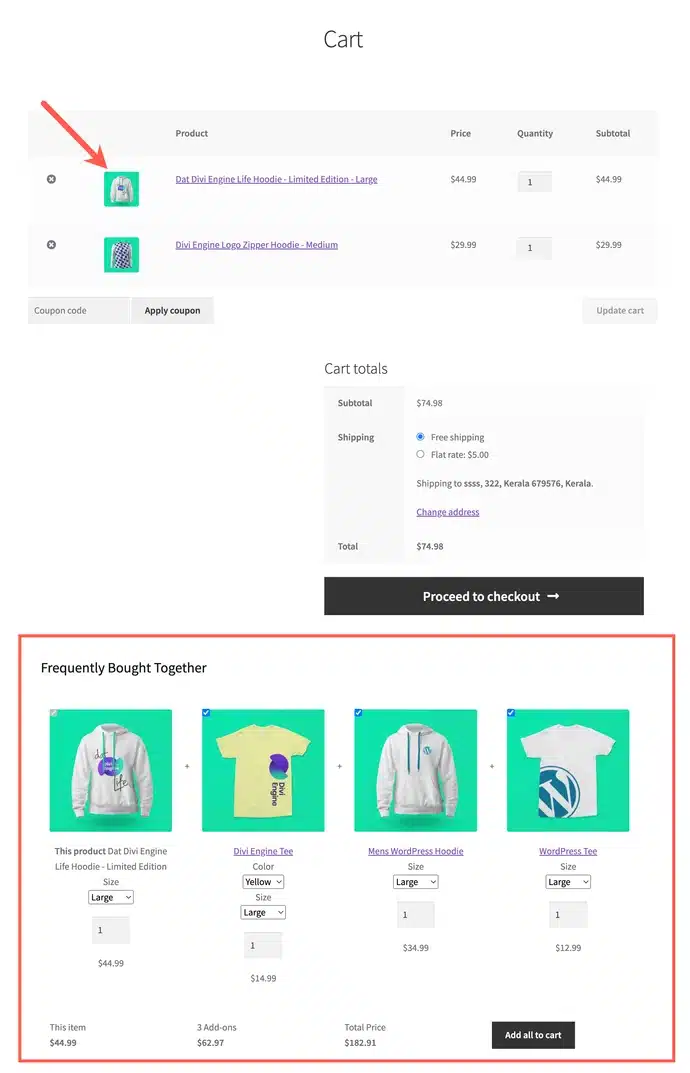
Frequently bought-together recommendations have become a widely used promotion strategy in recent days. This shows the products that customers are most likely to buy along with the item they are currently viewing, based on the store’s purchase history.
With the Frequently Bought Together for WooCommerce plugin by WebToffee, you can easily implement this feature. Not only can you display these recommendations for individual products, but you can also show them on the cart page. Let’s see how to do this.
To begin with,
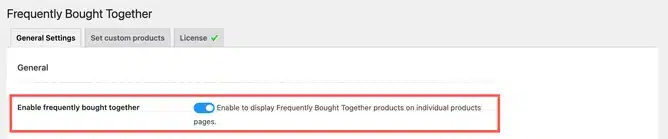
- From the WordPress dashboard, navigate to WooCommerce > Frequently Bought Together.
- Make sure you have enabled the options to display the FBT suggestions on the front end.
- Next, scroll down to the Display section.
- Under the Display section, enable the Show FBT in cart option.
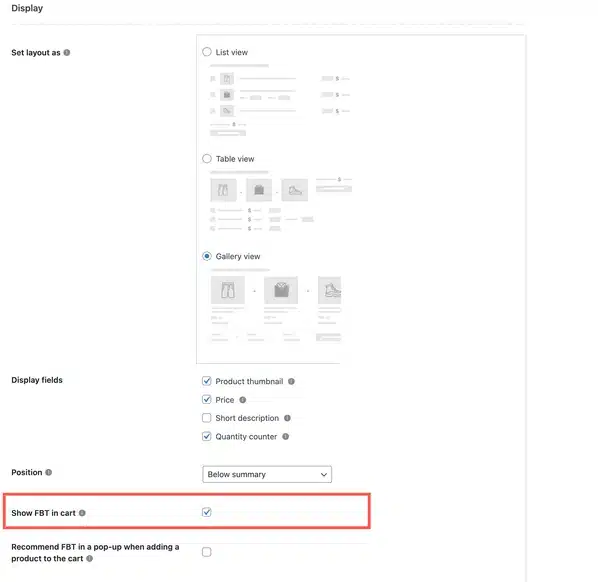
- Finally, click on Save Settings to save the new configuration.
We will add a frequently bought-together section to the cart page, as shown below.
Kindly note that the recommendation is generated solely based on the purchase history of the product that was added to the cart first. Recommendations will not be updated when adding multiple products. If the product added to the cart at first is removed, the recommendations will be updated based on the purchase history of the product that was added to the cart second and so on.