


Frequently Bought Together for WooCommerce plugin by WebToffee is a product recommendation plugin that allows you to recommend products with a higher chance of being purchased alongside the item the customer is currently viewing based on the purchase history of the store.
In addition to displaying frequently bought together (FBT) recommendations on the product and cart pages, this plugin also allows you to suggest Frequently Bought Together products on Add to Cart button click from any product page.

To enable this feature in your store, once the plugin is installed and activated:
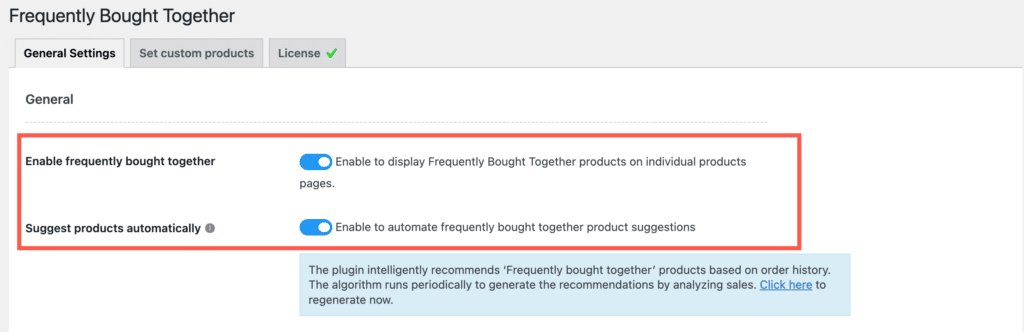
- From the WordPress dashboard, navigate to WooCommerce > Frequently Bought Together.
- Make sure you have enabled the options to display the FBT suggestions on the front and generate automatic recommendations.
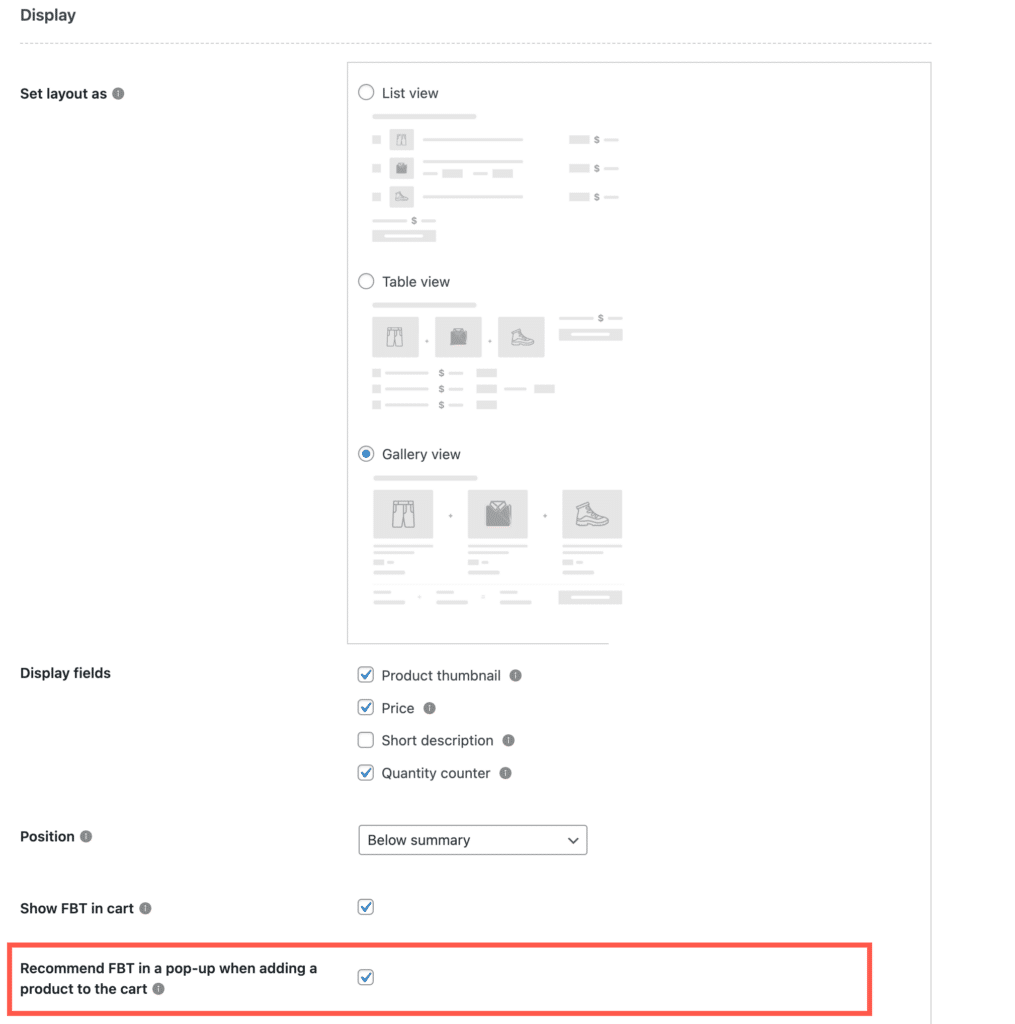
- Next, scroll down to the Display section.
- Under the Display section, enable the Recommend FBT in a pop-up when adding a product to the cart option.
- Finally, Save the changes.
Now, when a customer clicks on the Add to Cart button on the single product page, a popup will appear with the frequently bought together suggestions. The popup will also provide options to:
- Add all the listed products to the cart.
- Redirect directly to check out.
- Continue shopping without selecting any of the suggested products.
