


Using the free version of the WebToffee WooCommerce Product Feed and Sync Manager plugin, you can delete products from the Facebook catalog. When you delete products in the WooCommerce store, the synced products on Facebook will be automatically deleted.
Step 1: Choosing default catalog
To delete products from the Facebook catalog, you have to choose the catalog from which you have to delete the products. Follow the steps mentioned below to proceed.
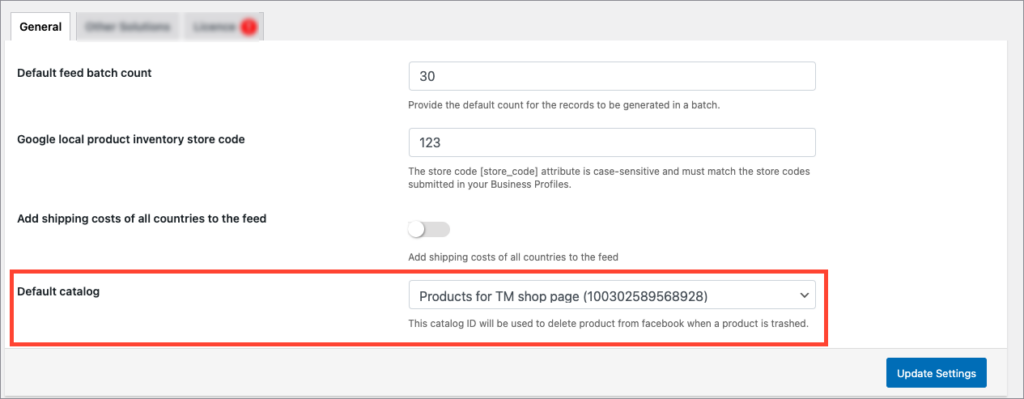
- From WordPress admin dashboard, navigate to WebToffee Product Feed > General Settings.
- Select the required catalog under Default catalog.
- Click on Update Settings to save the changes.
Step 2: Deleting products in Facebook catalog
Below is the image showing the Facebook catalog with synced products.
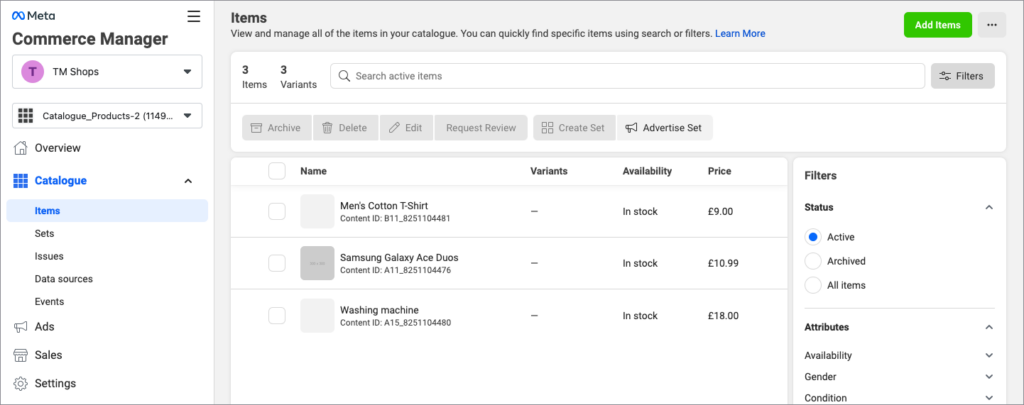
To delete products in the Facebook catalog:
- Navigate to Products > All Products from your WordPress admin dashboard.
- Click on Trash to delete the product. For example, consider deleting the product Washing machine from the WooCommerce store. You can also bulk delete the products using Bulk actions > Move to Trash.
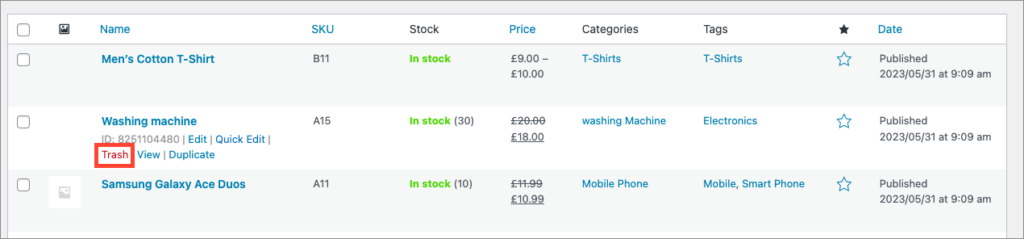
- Reload your Facebook catalog page to view the changes. As the products are synced to Facebook, this action will delete the products from the Facebook catalog as well. For example, on trashing the product Washing machine, it will get automatically removed from the Facebook catalog as shown below.
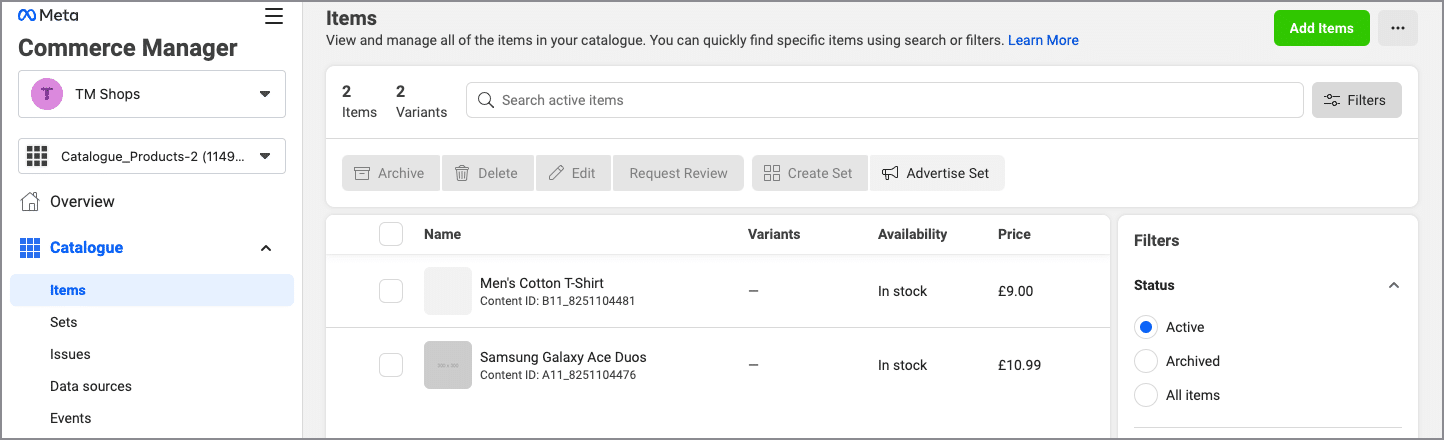
The deleted product will be automatically removed from the Facebook catalog since it is synced with WooCommerce.
