


A Google Product Reviews feed can be generated using the WebToffee WooCommerce Product Feed and Sync Manager plugin and submitted to Google Merchant Center to display product reviews in Google Shopping. This involves generating the feed in WooCommerce and configuring it in Google Merchant Center.
Quick steps:
- Create a Google Product Reviews feed in the plugin
- Generate the feed and copy the feed URL
- Add the feed in Google Merchant Center
- Configure scheduled fetch settings
Steps to generate Google product review feed
From the WordPress admin dashboard, navigate to WebToffee Product Feed > Create new feed.
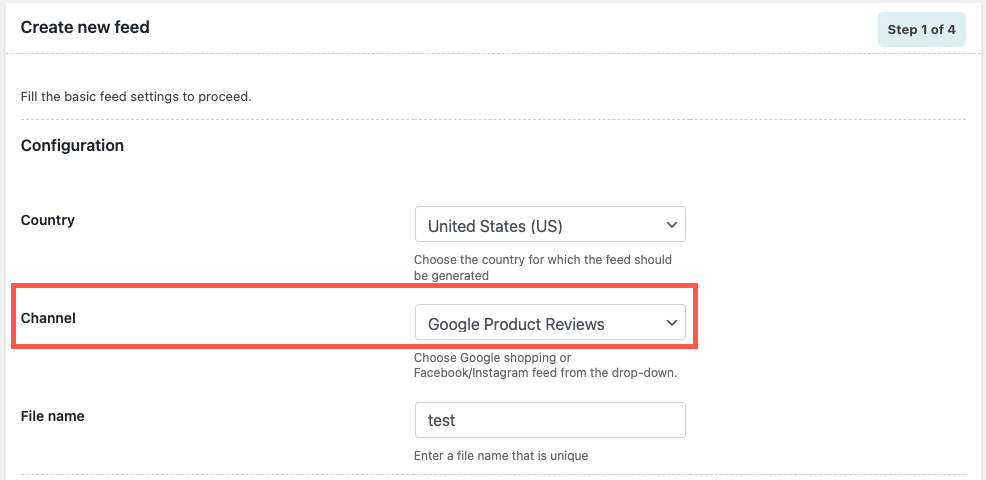
- Under Configuration, choose a country, select the channel as Google Product Reviews, and key in a unique file name.
- In step 2, map the attributes.
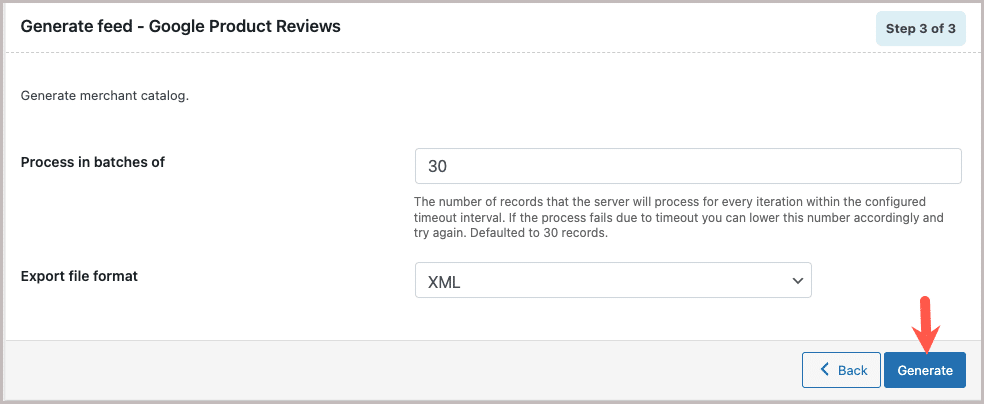
- In step 3, on Generate feed page, click on Generate.
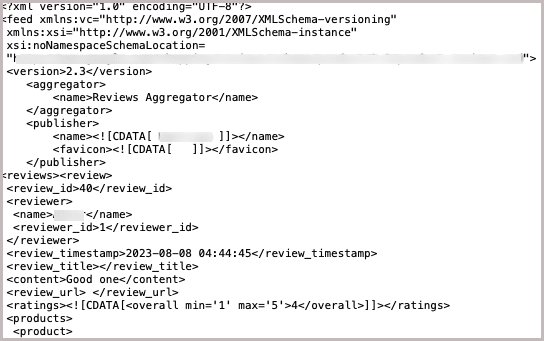
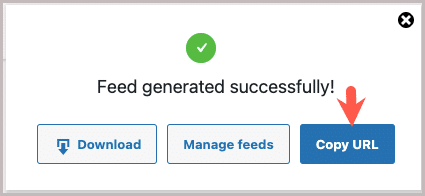
On successful feed generation, a pop-up will appear from where you can download/copy the generated feed.
- Click on Copy URL to collect the file URL.
Setting up product reviews feed in Google Merchant Center
To setup product review feed:
- Log into your Google Merchant Center account.
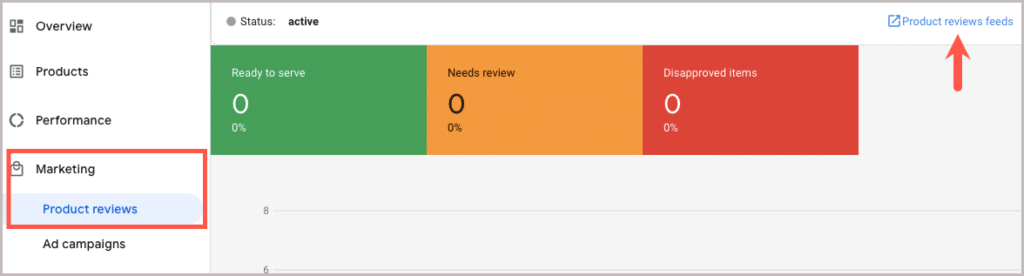
- Navigate to Marketing > Product reviews.
Note: The Product reviews tab won’t be there for those who haven’t signed up for the product review program. To enable the product review program, kindly fill out an interest form.
- Click on Product reviews feeds.
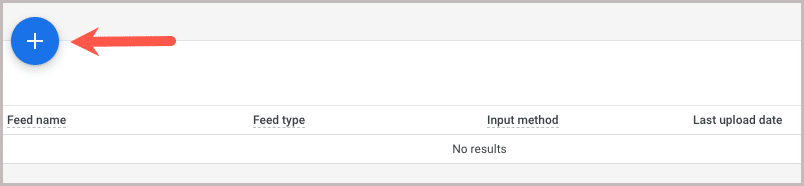
- Click on the + icon as shown below.
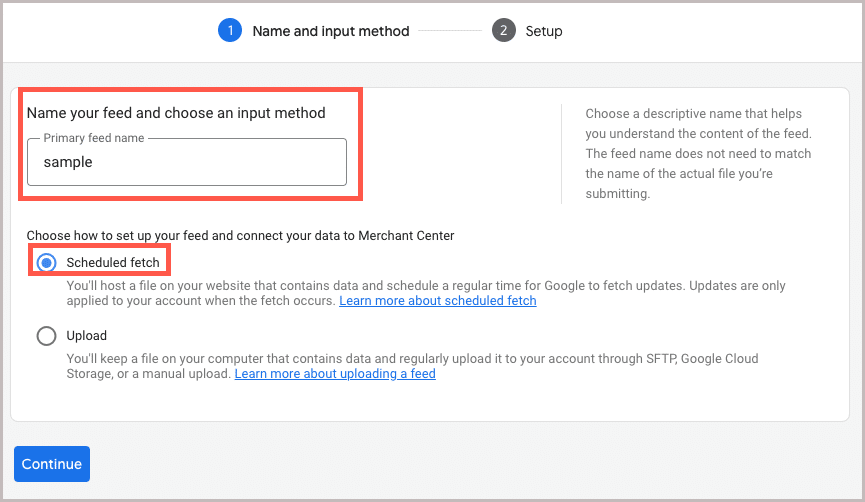
- Enter the primary feed name.
- Select the Scheduled fetch method and click on Continue.
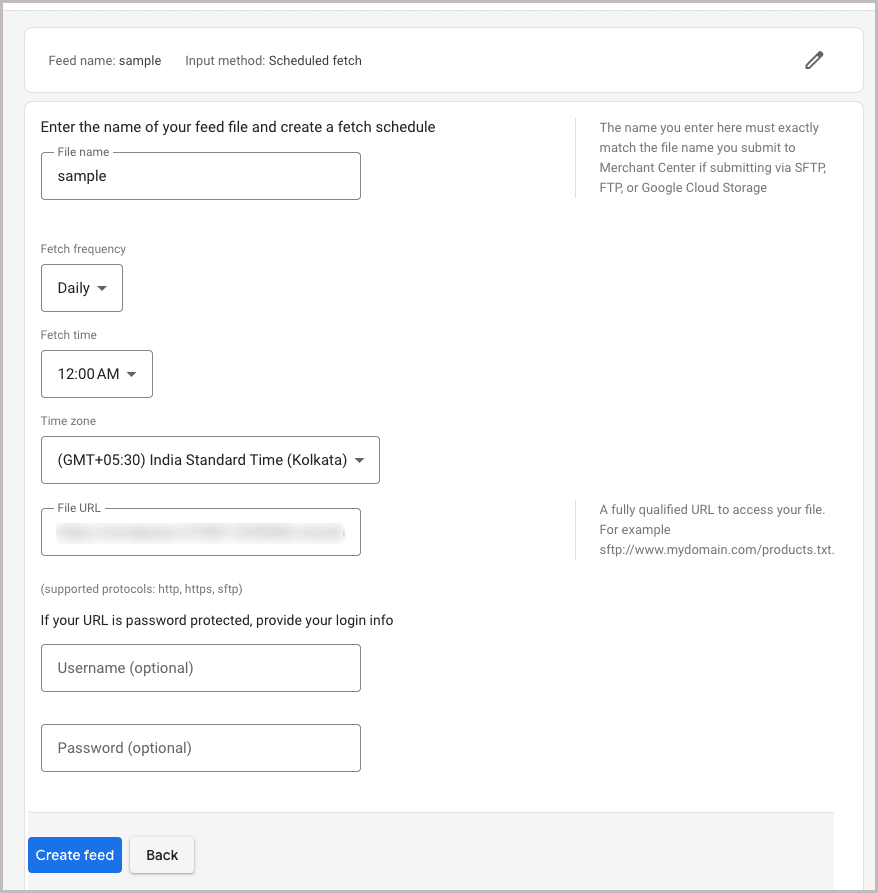
- Enter the name of your feed file and other fetch schedule details.
- Enter the copied file URL.
- Click on Create feed to finish.
The product review feed will be created as shown.

📚
