


The WebToffee URL Coupons for WooCommerce plugin allows you to create unique QR codes that automatically apply discounts and add products to the cart when scanned. To set this up, go to Marketing > Coupons in your WordPress dashboard and open the ‘URL options’ tab. Simply enter a unique identifier to generate your link, choose a redirect page (like the Cart or Checkout), and download the QR code image to use on your printed flyers, posters, or business cards.
Configuring the coupon:
- From the WordPress admin dashboard, navigate to Marketing > Coupons > Add coupon.
- Enter an appropriate coupon code and description.

- Set up the coupon and usage restrictions from Coupon data.
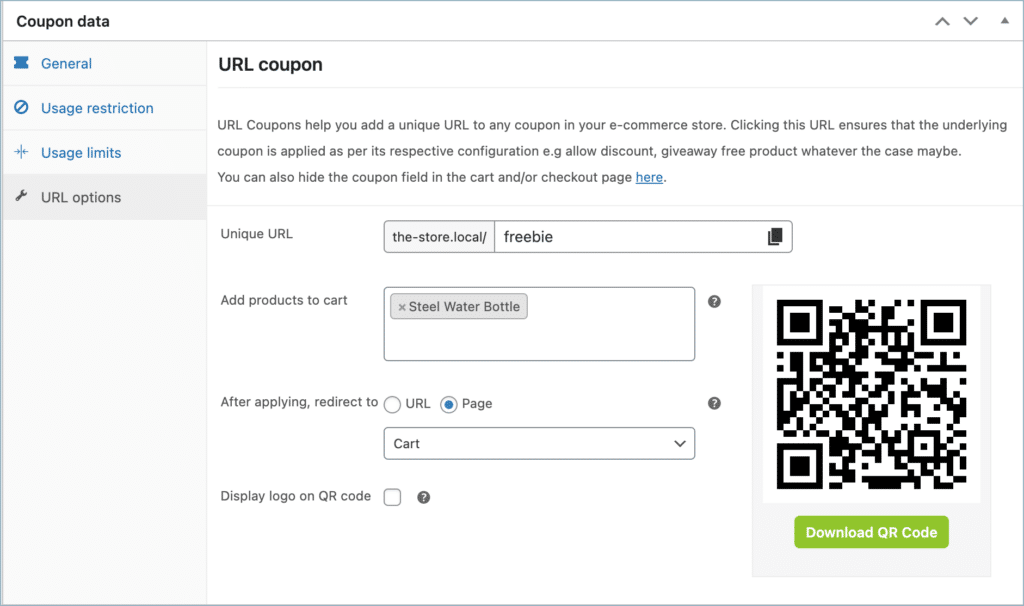
- Navigate to the URL options tab.
- In the Unique URL section, you can see your site URL. Enter a unique text to identify your coupon in the field next to the site URL.
- For example, consider the site http://www.mysite.com and the coupon GET50. On entering the unique text, get50 will create a Coupon URL in the form: http://www.mysite.com/get50
- From the Add products to cart section, search and select the product(s) you wish to add to the cart upon clicking the Coupon URL.
- From the After applying, redirect to section, select a page that you want to redirect the customer to after applying the coupon through the coupon URL.
- Upon entering the unique text, the system generates a QR code, which you can download using the download button.
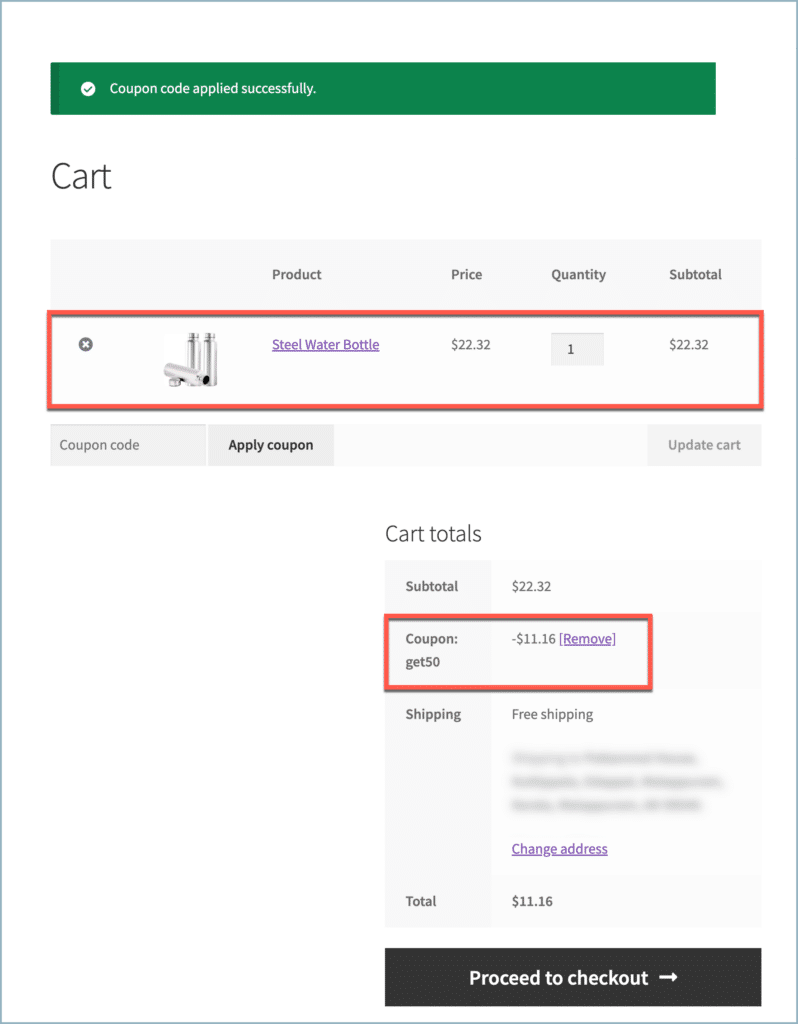
- Scanning the downloaded QR Code will redirect the user to the specified page, along with the embedded product and coupon.

Comments (3)
Arnaud
April 17, 2023
Hi ! Is it possible to create grouped coupons (1000 coupons and more) with a unique qrcode for each? And ensure that when the qrcode is scanned it is credited in money to the customer’s account (in his virtual wallet) so that he can use it later?
thanks in advance.
Arjun
April 19, 2023
Hi Arnaud,
Thank you for getting in touch with us. While it is possible to generate 1000 coupons, it’s not possible to generate a unique QR code for each of them at the moment. Additionally, even if you have a coupon with a QR code, the plugin only allows applying the coupon. It is not possible to credit that coupon as money in the customer’s wallet.
Arnaud
April 20, 2023
THANKS. On the other hand, with smart coupon, can I generate thousands of coupons that allow customers to have credit in store? And not an immediate reduction on the basket? And if so, don’t I need the “gift cards” plugin for that?