Share:


Table of Contents
An invoice is a formal document that requests payment from a buyer, detailing the sale and payment terms, while a receipt serves as proof of payment once the transaction is complete. Understanding the distinction between these two documents is crucial for effective financial management in eCommerce. This ensures accurate record-keeping, compliance, and customer satisfaction.
- An invoice is typically sent before payment is made, outlining the amount due and payment instructions.
- A receipt is issued after payment is received, confirming the transaction and providing proof of payment.
- Invoices initiate entries in Accounts Receivable, while receipts move funds to Cash/Bank.
- Different payment terms, such as "Due Upon Receipt" or "Net 30," dictate when payment is expected.
- Automation tools like the WooCommerce PDF Invoices plugin can streamline the generation of invoices and receipts, enhancing efficiency.
- Proper record-keeping of both documents is essential for tax compliance and financial audits.
An invoice asks a customer to pay. A receipt confirms that they already did. That is the core difference between the two documents. Most of the confusion around them comes from the fact that online stores often collect payment and send paperwork at the same moment.
For a shopper buying a single item at checkout, the line between the two barely matters. For a wholesale buyer on payment terms, an accountant closing the books, or a customer filing an expense claim, it matters.
This guide explains what each document is, how they differ, when your store should send one or the other, and how to automate them in WooCommerce with the WebToffee PDF Invoices, Packing Slips and Credit Notes plugin.
An invoice is a document a seller sends to a buyer listing what was sold, how much is owed, and when payment is due. It creates a record of the sale and a formal request for money.
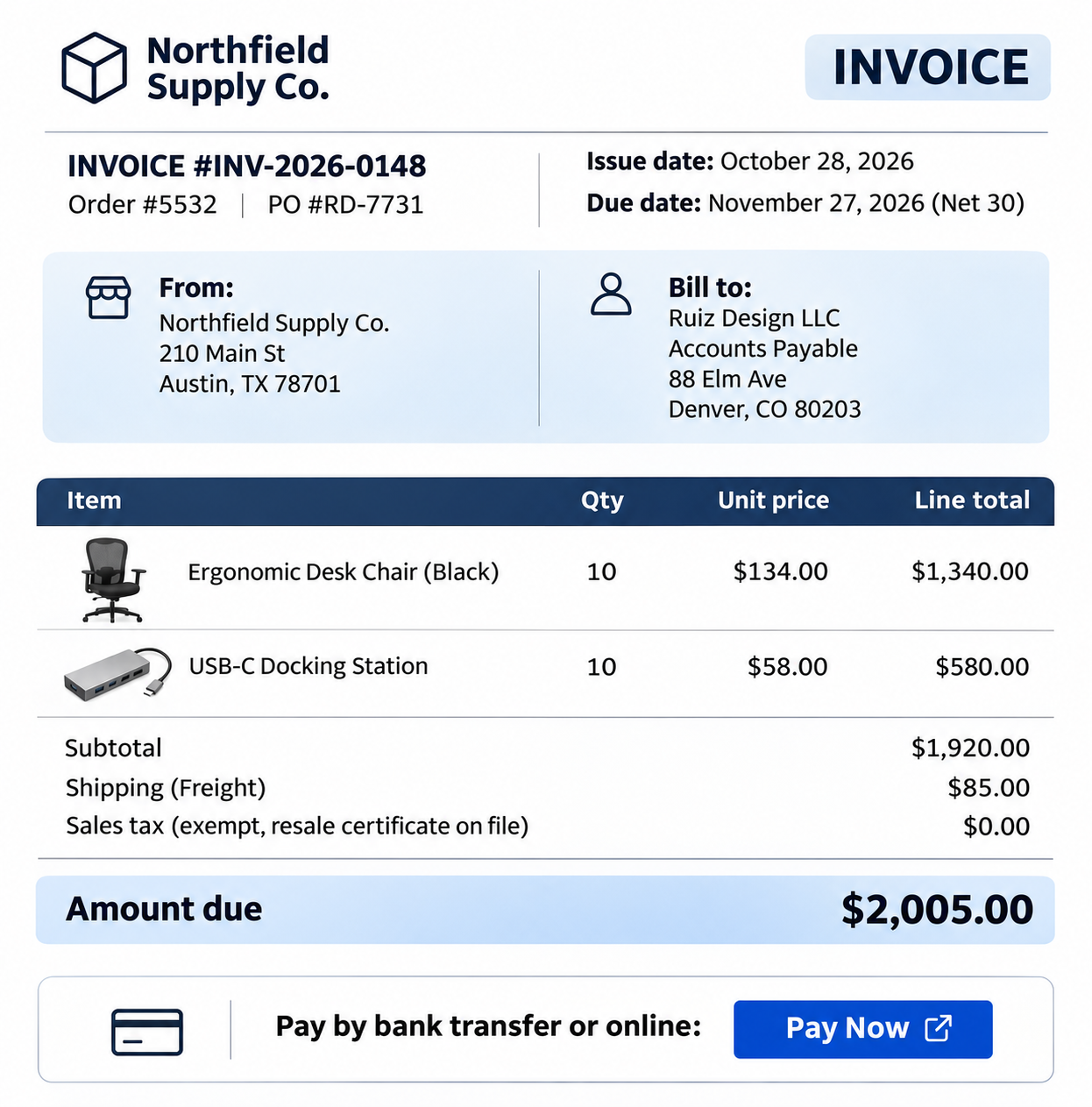
A typical invoice carries an invoice number, issue date, due date, seller and buyer details, line items, taxes, the total, and payment instructions. For a full breakdown, see our guide to the essential components of an invoice.
A receipt is proof that a payment was made. The seller issues it after the money arrives, and it closes the loop on the transaction. Customers use receipts to claim refunds, return items, submit expense reports, and support tax deductions.
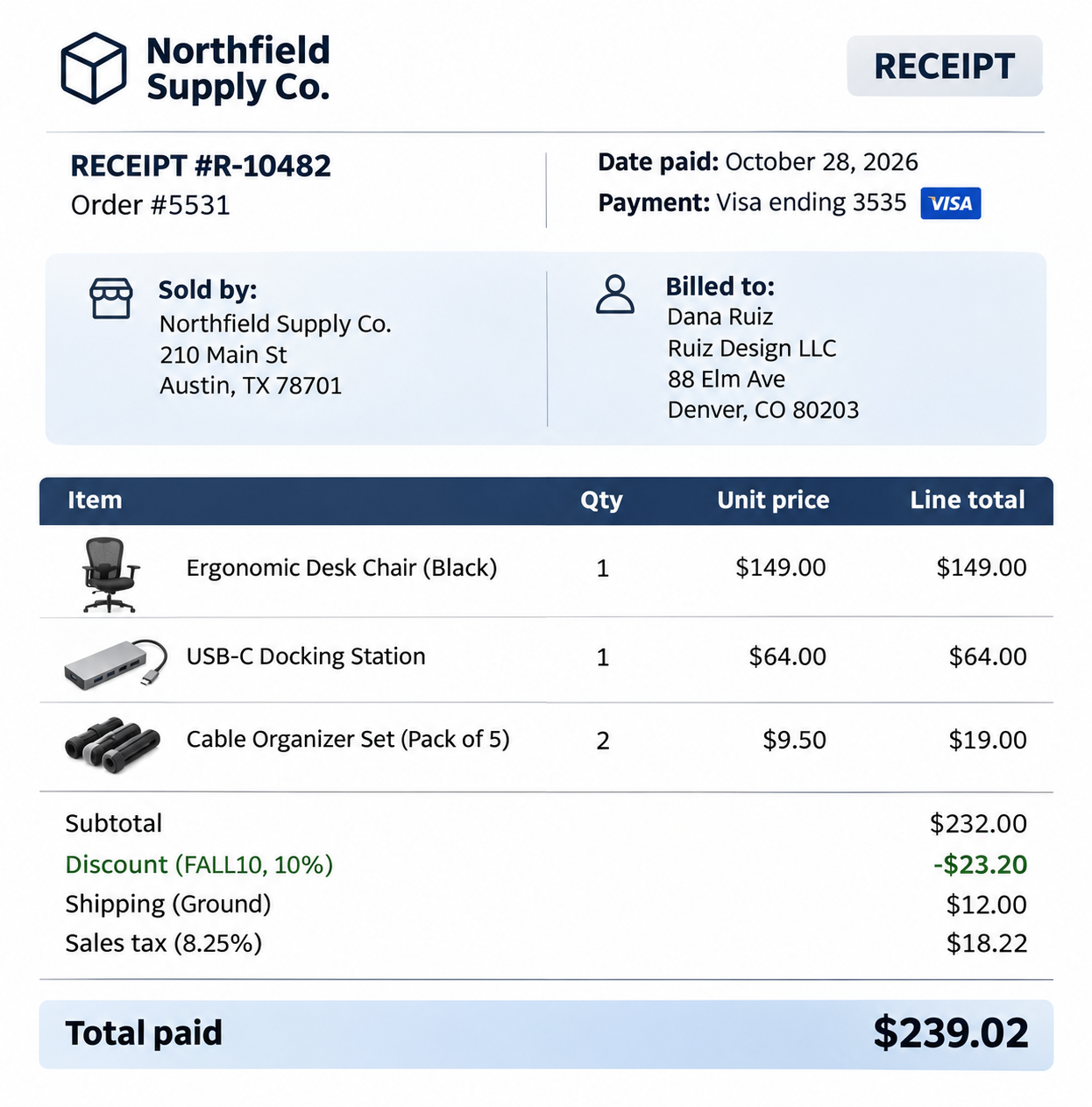
A receipt usually shows the date of payment, the amount paid, the payment method, what was bought, and a reference number that ties it back to the order or invoice.
What to Include on Each Document
A clear invoice should include:
- Your business name, address, and contact details
- The customer’s billing details
- A unique invoice number and the issue date
- A due date and payment terms
- Line items with quantities, unit prices, and tax
- The total amount due and how to pay it
A clear receipt should include:
- Your business details
- A receipt number, plus the matching order or invoice number
- The date of payment
- Items purchased and the amount paid
- The payment method (for example, Visa ending 0909)
- Any remaining balance, if payment was partial
Both documents describe the same sale, but they do different jobs at different points in the transaction.
| Feature | Invoice | Receipt |
| Purpose | An invoice requests payment. | A receipt confirms payment. |
| Timing | Goes out before the customer pays (or at the moment of sale). | Goes out after payment is complete. |
| Payment Status | An invoice shows an amount due. | A receipt shows an amount paid (partial payment receipt shows the remaining unpaid balance). |
| Payment Details | Lists how to pay, such as bank details or a payment link. | Lists how the customer did pay, such as a card type or a transaction reference. |
| Accounting Role | Initiates an entry in Accounts Receivable. | Moves funds from Accounts Receivable to Cash/Bank. |
| Tax Role | Used for GST/VAT and revenue recognition. | Used for audits, warranties, and product returns. |
No. An invoice on its own is not a receipt, because it only shows that money was requested. It says nothing about the customer actually paying. If a tax auditor asks for proof of payment, a plain invoice won’t be enough.
Can a paid invoice be used as a receipt?
Yes, in some cases. Once an invoice is marked as “Paid” and shows the payment date, method, and amount received, it can serve as proof of payment. Many small businesses work this way instead of producing a separate receipt. The document must clearly state the payment status. However, an invoice that still reads “amount due” does not count. In WooCommerce, you can do this with a payment received stamp on the invoice (covered below).
An invoice receipt, or paid invoice, is a single document that combines both roles. It contains the full invoice details along with confirmation that the order was paid in full.
This format suits most online stores because customers pay at checkout. The order is already paid when the paperwork is generated, so a single document that shows both the sale details and the payment saves you from sending two.
These are the most common receipts you’ll come across in eCommerce.
- Payment receipt: A general confirmation of money received, often sent when a customer settles an invoice after the sale, for example, a B2B buyer paying a Net 30 bill.
- Cash receipt: Issued when payment is made in cash, common for stores that also sell at markets, trade shows, or a physical counter.
- Digital receipt: A receipt sent by email or made available in the customer’s account instead of on paper. For most online orders, this is the default.
- Itemized receipt: A receipt listing every product, its quantity, price, and tax line by line, rather than a single total. B2B buyers often need itemized bills for expense claims.
The right document depends on when the customer “pays”.
- Send an invoice first when payment comes after the order. This covers wholesale and B2B orders on credit terms, custom or quoted orders (often preceded by a proforma invoice), pay later or bank transfer orders, and subscriptions billed in arrears.
- Send a receipt (or a paid invoice) when payment happens at checkout. Card, wallet, and PayPal orders are paid before you ship, so the document you send confirms the payment rather than asking for it.
What Does “Due Upon Receipt” Means on an Invoice?
“Due upon receipt” is a payment term meaning the customer should pay as soon as they get the invoice, with no grace period. It’s common for small orders and single-session jobs. Despite the wording, it has nothing to do with a sales receipt. Here “receipt” means the moment the invoice is received.
What Does Net 30 Mean on an Invoice?
Net 30 is a payment term that gives the buyer 30 calendar days from the invoice date to pay the full amount. If you issue an invoice on November 3, payment is due by December 3. It’s the most common credit term in B2B and wholesale trade, because it gives buyers time to receive and check the goods before paying.
These four terms get mixed up often, so here is how they relate.
- Invoice: Sent by the seller to request payment for a specific sale.
- Bill: The same document seen from the buyer’s side. When you receive an invoice from a supplier, it’s a bill you need to pay.
- Receipt: Sent by the seller after payment to confirm it was received.
- Statement: A periodic summary of all invoices, payments, and the outstanding balance on a customer’s account, usually monthly. It’s common in B2B relationships where a buyer places many orders on credit.
Both documents belong in your records, and they support different things. Invoices back up the income you report. Receipts, and the payment records behind them, show that money actually changed hands, which matters if a sale is disputed or a refund is claimed.
The IRS says you should keep records that support income or deductions until the period of limitations for that tax return runs out. For most businesses, that means at least three years, with longer periods in specific cases such as underreported income.
Storing invoices as PDFs tied to each order makes it far easier to pull them up years later. Keep a copy outside your store’s server too, so a hosting problem or a lost database doesn’t pose a compliance risk.
WooCommerce sends order emails out of the box, but it doesn’t produce a formal PDF invoice. The WooCommerce PDF Invoices, Packing Slips and Credit Notes plugin fills that gap and covers both scenarios in this guide.
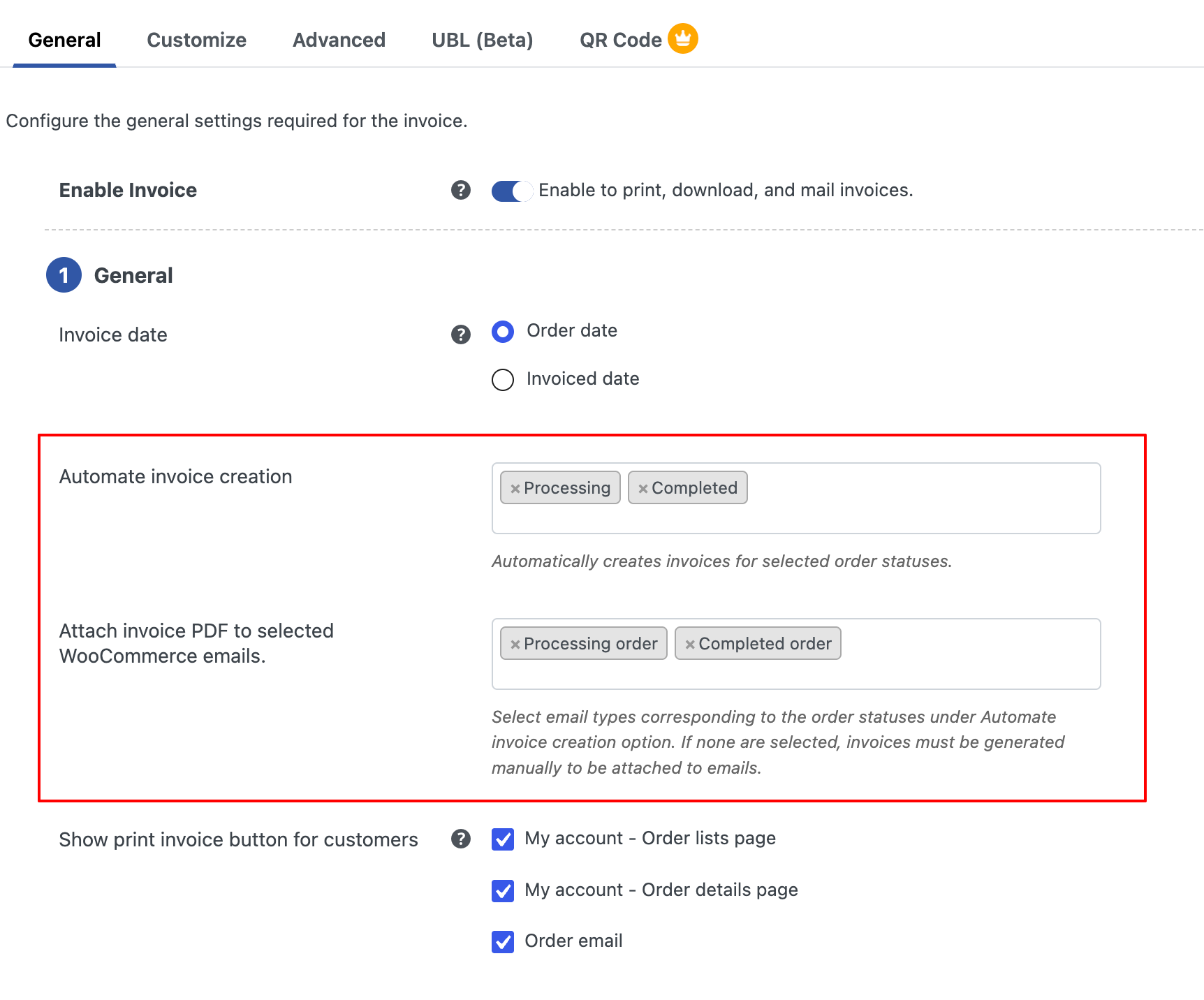
- Invoices created by order status: Choose the order status that triggers an invoice. For paid checkout orders, generating it once payment is confirmed gives the customer a document that records a completed sale.
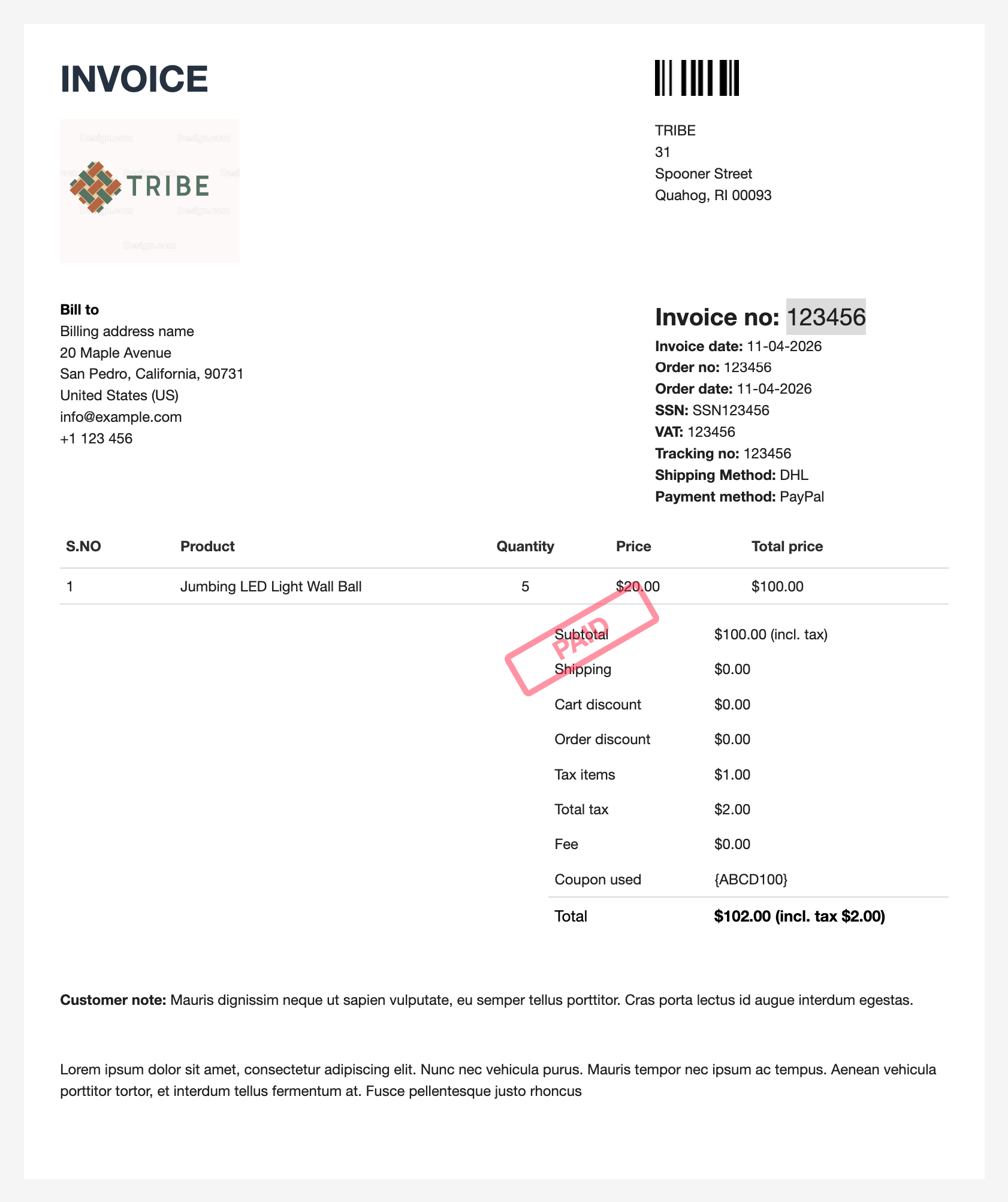
- Paid invoices that work as receipts: Add a “Payment received stamp” to invoices for paid orders and turn on the payment method display. Then add the payment date as a custom order meta field. The invoice now shows that the order was paid, how, and when, so one document serves as both an invoice and a receipt.
- Automatic email attachments: Attach the PDF invoice to WooCommerce order emails so customers receive it without you lifting a finger.
- Customer downloads: Customers can download or print their invoices from their account page, which cuts down on “can you resend my invoice” requests.
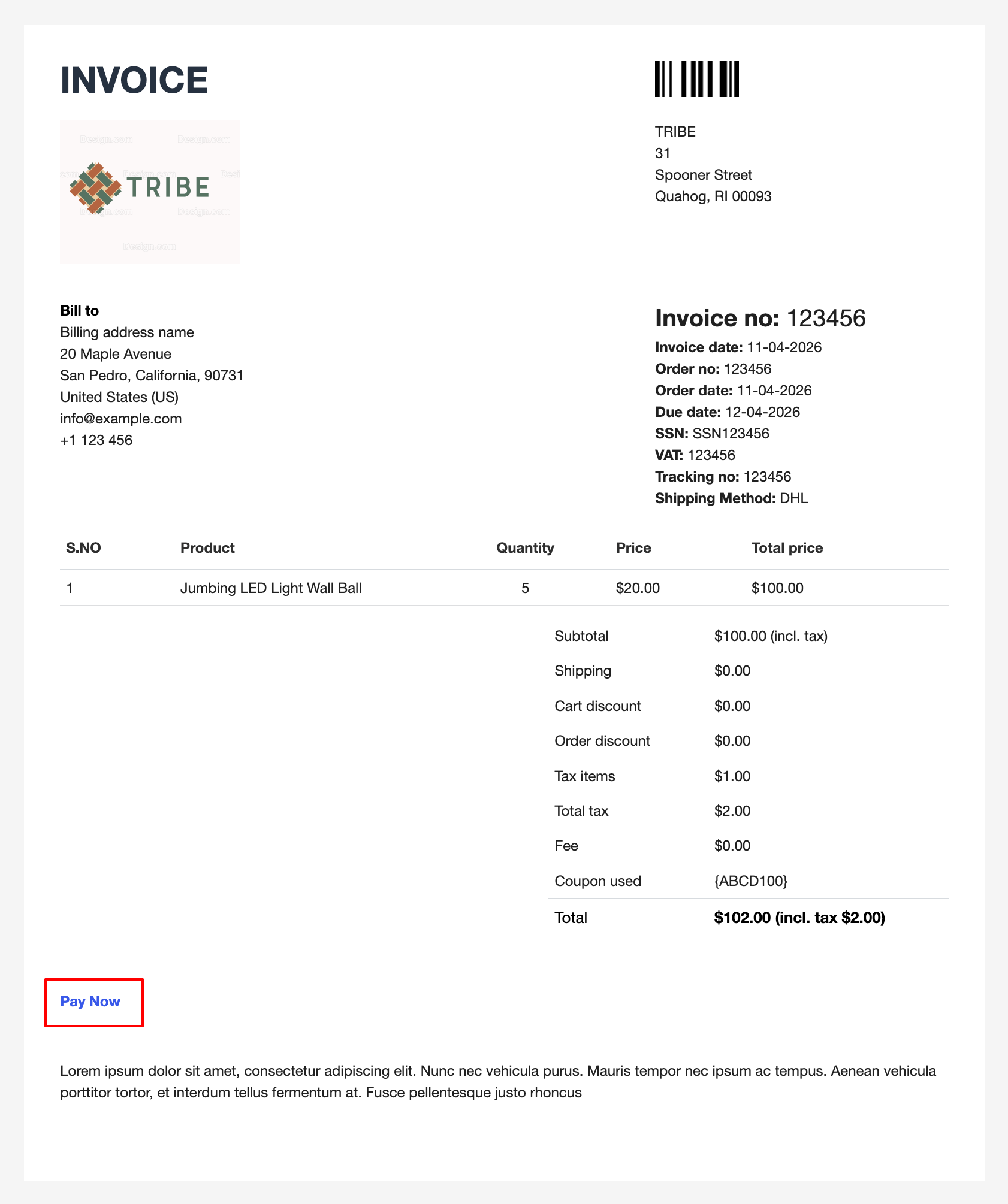
- Pay Now links for unpaid orders: For orders in Pending Payment, On Hold, or Failed status, add a payment link to the invoice so it works as a true request for payment.
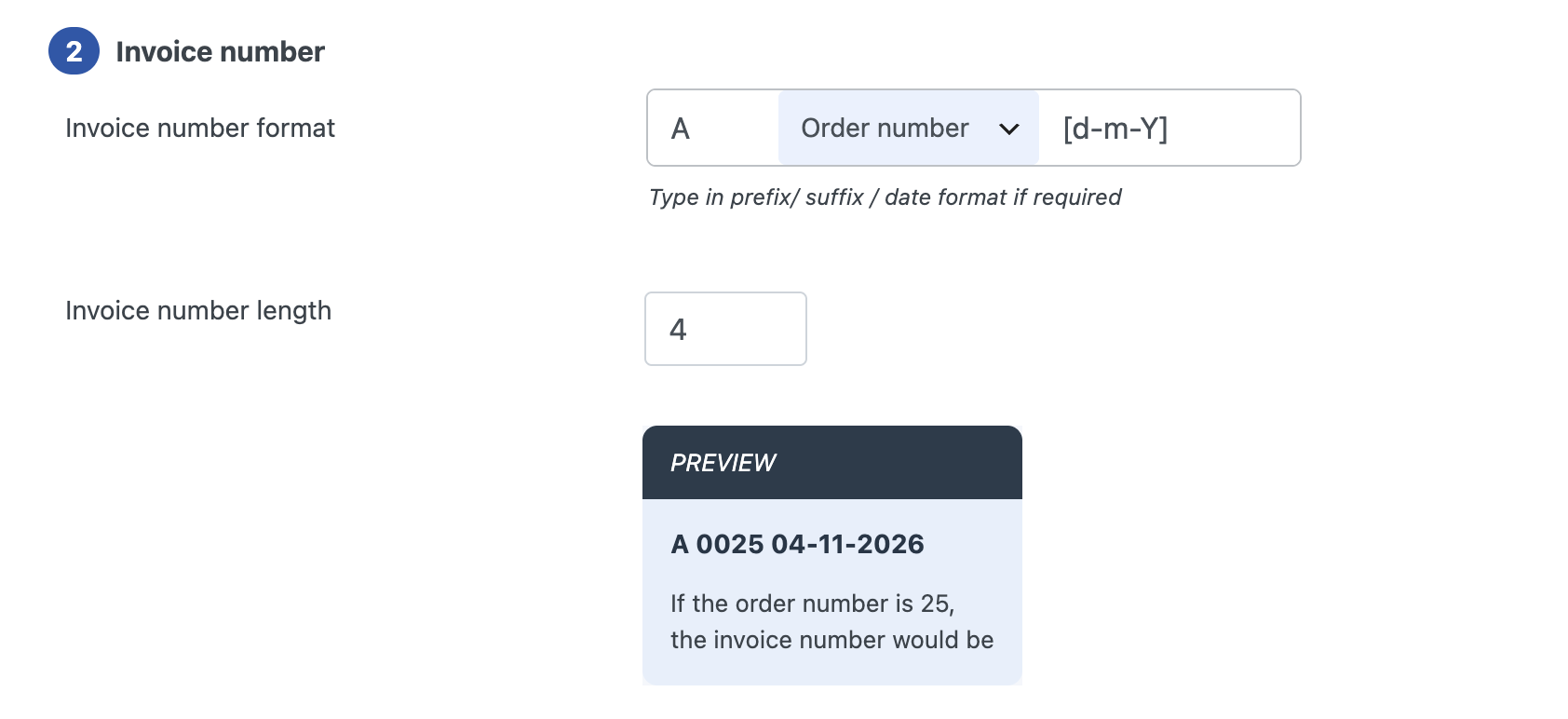
- Custom numbering: Set prefixes, suffixes, starting numbers, and yearly resets for clean, sequential invoice numbers.
- Tax details: Display VAT, GST, or other tax IDs, and show prices with tax, without tax, or both.
- Automatic backups: Back up your invoices, packing slips, and credit notes automatically to FTP, Dropbox, or Google Drive.
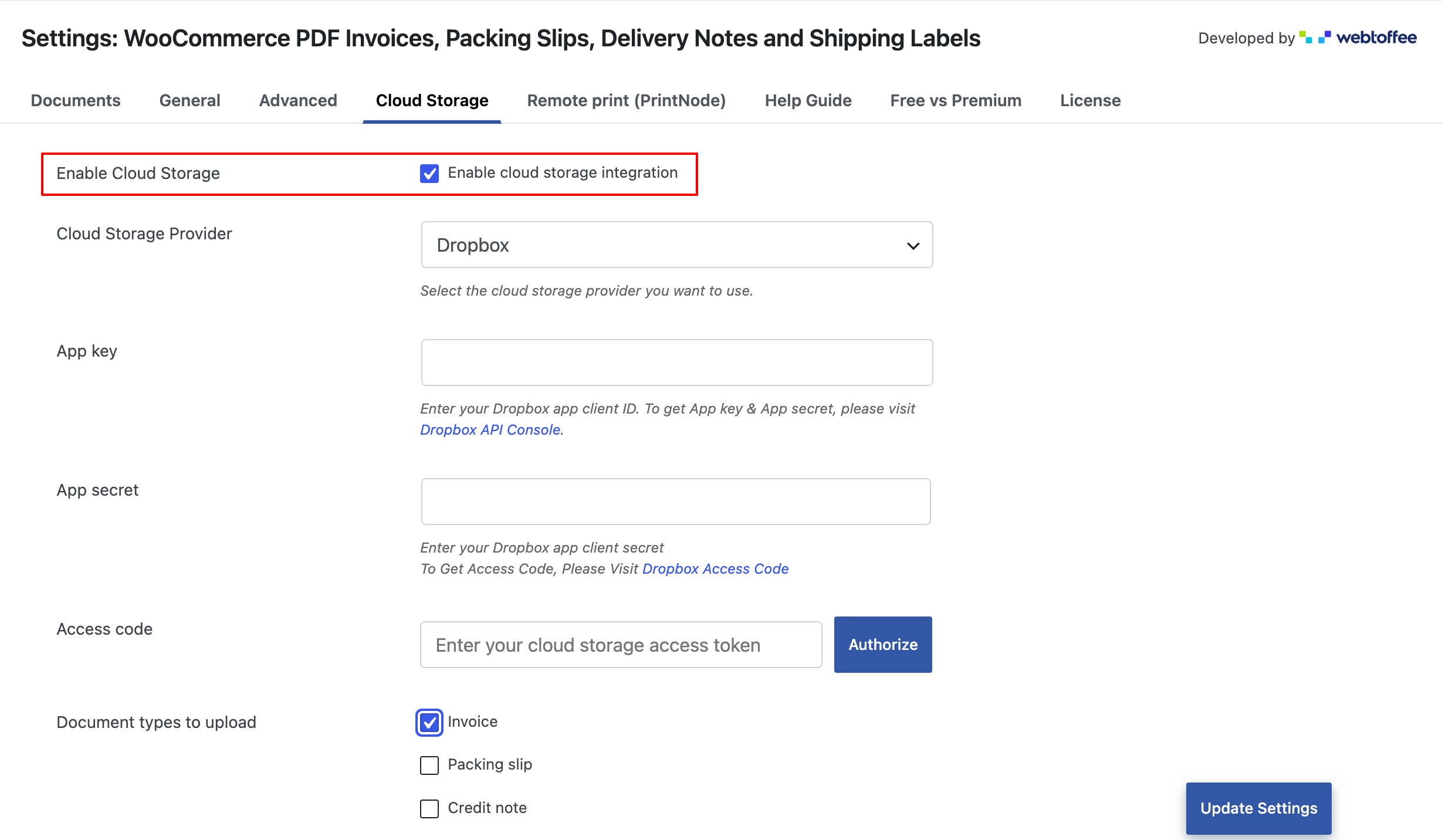
- Credit notes for refunds: When an order is refunded, a credit note is generated and sent automatically, keeping your paperwork consistent.
No. A receipt confirms a payment that already happened, while an invoice requests one.
If the customer paid at checkout, send a receipt or a paid invoice. If they will pay later, send an invoice with a due date and payment instructions.
A sales receipt is issued when payment is collected at the time of sale. An invoice is issued when payment will be collected later.
An invoice and a receipt describe the same sale from two points in time: before the money moves and after. Sending the right one helps customers file expenses, helps business buyers pay on schedule, and keeps your own books easy to reconcile.
For most WooCommerce stores, a professional PDF invoice auto-generated at the right order status covers both needs, and a payment link handles orders that are still open. If you want to automate that paperwork, the free WooCommerce PDF Invoices and Packing Slips plugin is a good place to start.


Subcribe to our newsletter