Share:


Table of Contents
Online shoppers expect more than just a list of products. They want suggestions that feel relevant and thoughtfully curated. That’s exactly what “Our Picks for You” product recommendations deliver. Instead of leaving customers to browse endlessly, this section highlights products that align with their interests and shopping behavior.
For WooCommerce store owners, it’s a simple yet effective way to improve product discovery, personalize the shopping experience, and boost conversions. In this guide, we’ll walk you through how to set up an “Our Picks for You” product recommendations section in WooCommerce and use it to guide shoppers toward products they’re more likely to love.
Key Takeaways:
- “Our Picks for You” product recommendations help WooCommerce stores guide shoppers toward relevant products, improving discovery, personalization, and conversions without overwhelming them.
- By using a dedicated product recommendations plugin, store owners can create flexible, rule-based widgets that display curated suggestions across key store pages.
- When set up thoughtfully, these recommendations feel helpful rather than sales-driven, leading to higher engagement, increased average order value, and repeat purchases.
In WooCommerce, “Our Picks for You” refers to a product recommendation section that displays curated or personalized product suggestions to shoppers. Instead of showing the same products to everyone, this section is designed to highlight items that are more likely to match a customer’s interests, preferences, or shopping behavior.
These recommendations can be created in different ways. Some stores manually choose products they want to promote, while others use rule-based or automated logic to suggest products based on factors like browsing history, purchase behavior, popular items, or related product categories. The goal is always the same: to make product discovery easier and more relevant for the shopper.
Adding an “Our Picks for You” section isn’t just about filling space on your store pages; it’s about guiding shoppers in a way that feels natural and helpful. When customers see relevant product suggestions, they’re more likely to stay engaged and continue browsing instead of leaving your store unsure of what to do next.
One of the biggest benefits is better product discovery. Many shoppers won’t explore multiple categories or pages, even if you have great products. “Our Picks for You” brings those products directly in front of them, increasing the chances that they’ll find something they like without extra effort.
This type of recommendation also helps increase average order value (AOV). By suggesting complementary or popular products, you gently encourage shoppers to add more items to their cart. Since the recommendations are relevant, they feel like useful suggestions rather than aggressive upsells.
Beyond conversions, it significantly improves the overall shopping experience. Personalized recommendations make your store feel more thoughtful and customer-focused. Over time, this builds trust, keeps visitors engaged longer, and increases the likelihood of repeat purchases, all with minimal manual effort once the setup is complete.
WooCommerce’s default setup offers very limited control over how product recommendations are displayed or customized. That’s why using a dedicated third-party product recommendations plugin becomes essential if you want more flexibility and personalization. In this guide, we’ll be using the WooCommerce Product Recommendations plugin by WebToffee.
Once you purchase the plugin, you’ll receive an email containing the downloadable ZIP file. Simply upload this ZIP file to your WordPress dashboard, install the plugin, and activate it to get started.
Now follow the steps below to set up “Our Picks for You” recommendations on your WooCommerce store.
Step 1: Create New Recommendation Widget
- From your WordPress dashboard, go to WooCommerce > Product Recommendations.
- Click on Create recommendation button to create a new recommendation widget.

- Choose a page to show the recommendation widget. We’ll choose a single product page for this guide.
- Select the “Our Picks for You” widget from the given recommendation template.
Step 2: Configure the Recommendation Widget

- Enter “Our Picks for You” as the recommendation title. This title will be displayed on the storefront above the recommended products.
- Under Display conditions, add filters if you want the recommendation to appear only on specific product pages. If no conditions are added, the “Our Picks for You” section will be shown on all product pages by default.
- Choose how products should be selected and sorted for this recommendation. In this example, products are sorted by Popularity, from high to low, based on all-time data. You can add additional filters if needed.
- Scroll down to Visual preferences to customize how the recommendation section appears on the storefront.
- Select the position of the recommendation, such as displaying it below the product meta on the product page.
- Set the total number of products to show in the “Our Picks for You” section. You can adjust this based on your store layout and preference.
- Once all settings are configured, click on the Create recommendation button to save and activate the recommendation widget.
And that’s it! You have created the “Our Picks for you” recommendation widget. Here’s how it will appear on your store front end.

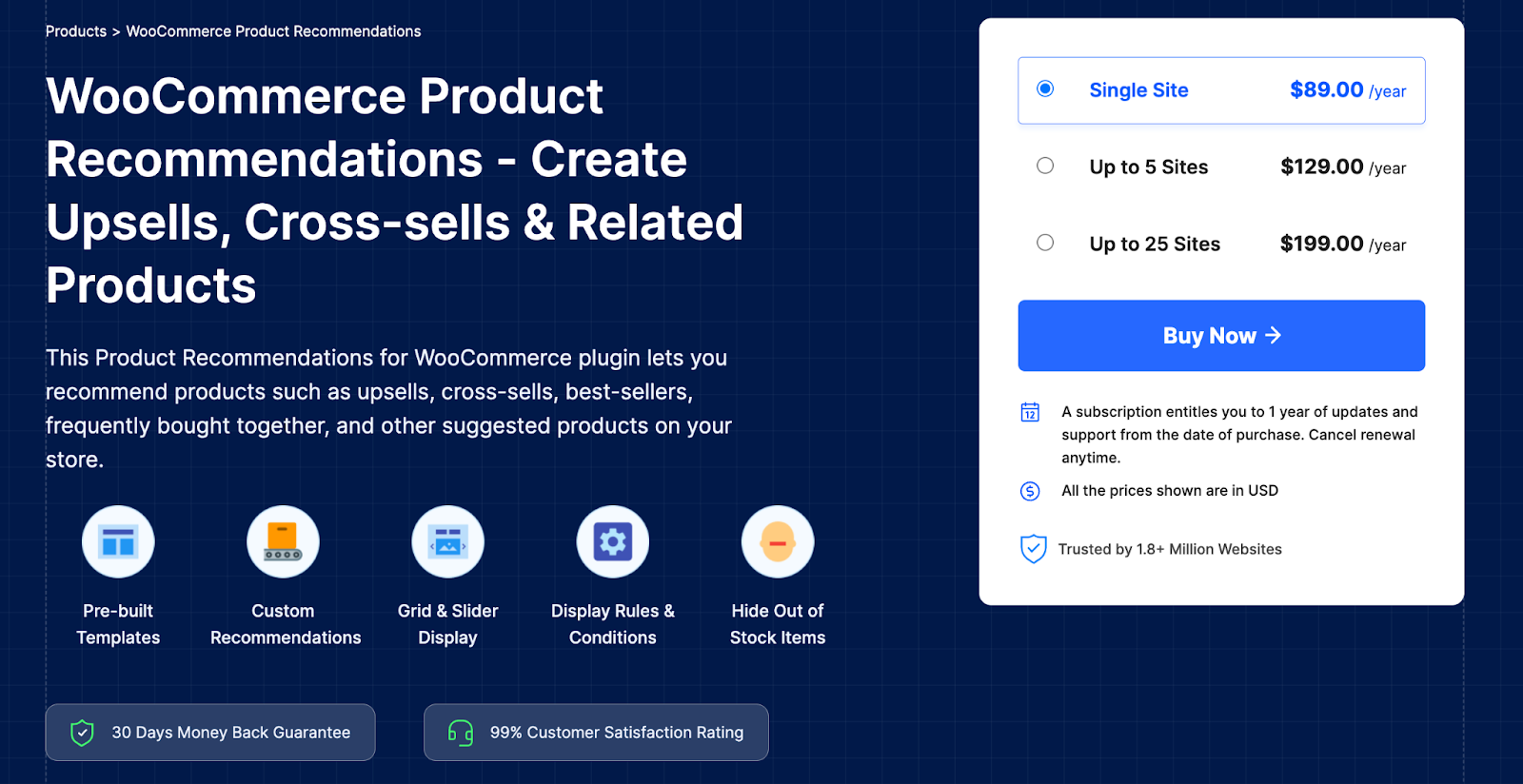
The Product Recommendations for WooCommerce plugin by WebToffee helps store owners create highly targeted upsells, cross-sells, and personalized product recommendation campaigns without complexity. Instead of relying on static or generic suggestions, the plugin lets you build dynamic recommendation widgets using pre-built conditions and flexible rules. This makes it easier to show shoppers products that actually match their interests and buying intent.
You can display product recommendations across multiple store pages, including the shop page, category pages, individual product pages, cart, checkout, and even the order received page. Whether you want to influence product discovery early or encourage add-ons at checkout, the plugin gives you complete control over where and how recommendations appear.
The plugin comes with ready-to-use recommendation templates such as bestsellers, top-rated products, frequently bought together, new arrivals, related products, and recently viewed items. It also allows full customization through display rules, sorting options, and layout choices. You can recommend any WooCommerce product type and automatically hide out-of-stock items, ensuring your recommendations stay relevant and conversion-focused at all times.
Key Features
- Create upsells, cross-sells, and custom product recommendation campaigns
- Display recommendations on shop, category, product, cart, checkout, and order received pages
- Set advanced display rules using products, categories, users, pricing, and more
- Use ready-made templates like bestsellers, top-rated, frequently bought together, and recently viewed
- Offer personalized, data-driven product recommendations
- Support for all WooCommerce product types, including variable, grouped, subscription, and affiliate products
- Display recommendations in grid or slider layouts
- Multiple product sorting options, such as popularity, ratings, price, and newest products
- Automatically hide out-of-stock products from recommendation displays
“Our Picks for You” is a product recommendation section that displays curated or personalized product suggestions to shoppers. These recommendations can be based on factors like popularity, browsing behavior, purchase history, or predefined rules, helping customers discover relevant products more easily.
No, WooCommerce’s default features offer very limited control over product recommendations. To create a fully customizable and personalized “Our Picks for You” section, you’ll need a dedicated WooCommerce product recommendations plugin.
Yes. With a product recommendations plugin, you can set display conditions to show the “Our Picks for You” section only on selected product pages, categories, or even based on specific rules. If no conditions are set, the recommendations can appear on all product pages by default.
Products can be selected using different methods such as popularity, ratings, price, newest products, or custom filters. You can also use predefined templates like bestsellers or frequently bought together, depending on how personalized you want the recommendations to be.
Setting up an “Our Picks for You” product recommendations section in WooCommerce is a simple yet powerful way to create a more personalized shopping experience for your customers. Instead of leaving visitors to browse endlessly, you guide them toward products that are relevant, popular, and aligned with their interests, making product discovery faster and more intuitive.
With the right product recommendations plugin, you can go beyond WooCommerce’s default limitations and take full control over how, where, and when recommendations appear across your store. From choosing the right products to customizing layouts and display rules, everything can be tailored to support your conversion goals.
When implemented thoughtfully, “Our Picks for You” doesn’t feel like a sales tactic—it feels like a helpful suggestion. Over time, this builds trust, keeps shoppers engaged, and encourages repeat purchases, making it a valuable addition to any WooCommerce store focused on growth and customer experience.


Subcribe to our newsletter