


Share:


Table of Contents
Are you seeing the error message “Unpaid order cancelled—time limit reached. Order status changed from pending payment to cancelled” on your WooCommerce store? No worries! This guide will help you understand what it is, why it happens, and how to resolve WooCommerce unpaid order cancelled errors.
Running an online store on WooCommerce can sometimes be tricky, especially when unexpected errors happen. One such error that many store owners encounter is the “Unpaid order cancelled-time limit reached. Order status changed from pending payment to cancelled” message.
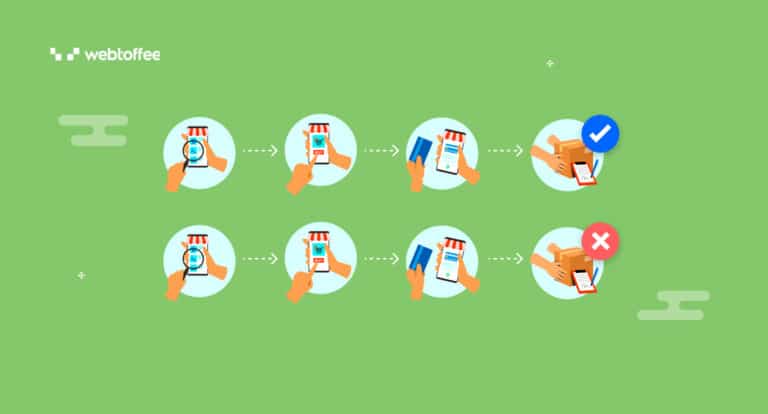
This error often appears when a customer places an order using PayPal but doesn’t complete the payment properly. As a result, the order is automatically marked as “cancelled,” which can lead to confusion and frustration, both for store owners and customers.
In this blog post, we’ll explain why this WooCommerce unpaid order cancelled error occurs, what triggers it, and, most importantly, how to resolve it. By the end, you’ll be able to ensure smooth transactions and minimize the risk of canceled orders due to this issue.
Key Takeaways:
- The “Unpaid Order Cancelled – Time Limit Reached” error is caused by a setting in WooCommerce that automatically cancels orders after a certain period.
- This problem is commonly seen with PayPal payments and WooCommerce’s default inventory settings.
- To fix the Unpaid Order Cancelled – Time Limit Reached error, modify the WooCommerce “Hold Stock” setting to prevent automatic cancellations.

The root cause of this problem lies in WooCommerce’s inventory management system, specifically the Hold Stock feature. This feature is designed to temporarily hold stock for customers who place an order but have not yet paid for it.
Here’s how the feature works:
- When a customer places an order, WooCommerce marks it as “pending” and holds the stock for that item.
- The system waits for the payment to be processed, which can take a few minutes.
- If the payment isn’t completed within a specific time frame, WooCommerce assumes the customer is no longer interested and automatically cancels the unpaid order.
By default, WooCommerce is set to hold stock for 60 minutes. If the payment isn’t received within that time, the order status is changed from “pending” payment to “cancelled,” and the system displays the message: “Unpaid order cancelled—time limit reached.”
While this feature can be helpful in preventing out-of-stock issues, it causes problems with payment gateways like PayPal, which might take slightly longer to complete a transaction than WooCommerce’s default 60-minute window allows.
When using PayPal as a payment method, there is often a delay between when the customer places the order and when the payment is confirmed. PayPal’s API may not immediately communicate the successful payment back to WooCommerce, causing the order to remain in “pending” status for longer than WooCommerce’s default hold time.
This happens due to the following reasons:
- For international transactions and transactions of new customers, PayPal may take a few extra minutes to process the payments.
- There will be some processing delays for the payments when there is a high volume of transactions.
- PayPal and WooCommerce might experience brief communication lapses, preventing the system from immediately marking the order as paid.
This becomes especially problematic when customers experience delays in completing their payment or when PayPal doesn’t immediately confirm the transaction.
Follow the steps below to fix the “Unpaid Order Cancelled – Time Limit Reached. Order status changed from pending payment to cancelled” error for canceled PayPal orders in WooCommerce.
Step 1: Go to the WooCommerce Inventory Settings Page
Go to the admin side of your WordPress store and navigate to WooCommerce > Settings > Products > Inventory.
Step 2: Delete the Hold Stock Time Limit
From the WooCommerce Inventory settings page, you can see that the Hold stock field is set to 60 minutes by default. If you are using WooCommerce stock management, you can disable this feature by leaving the field blank. Simply delete the value in the field and then save the changes.

This will ensure that there is no timeout when PayPal or any other payment tries to process the order automatically. Normally, the payment should be processed within a minute or two. PayPal and WooCommerce do not work very well together when the Hold Stock field has a value in it. So, it is better to leave the field blank.
If you’ve followed the above steps and are still encountering WooCommerce unpaid order cancelled issues with PayPal payments, there could be other underlying issues affecting the payment process.
In that case, we recommend:
- Checking your PayPal settings: Make sure your PayPal account is properly connected to WooCommerce and that there are no issues on PayPal’s end.
- Contact WebToffee support: If you’re using the WooCommerce PayPal plugin by WebToffee and the issue persists, contact our support team for further assistance.
Our support team is always available to help troubleshoot and resolve any problems you might be experiencing with WooCommerce and PayPal integration.
The “Unpaid Order Cancelled – Time Limit Reached. Order status changed from pending payment to cancelled” error occurs when WooCommerce’s hold stock feature automatically cancels orders that remain unpaid for more than 60 minutes. This is often problematic for PayPal transactions, which may take a little longer to process.
To resolve this error, simply remove the time limit on holding stock in WooCommerce’s inventory settings. This will allow orders to remain in pending status long enough for PayPal payments to be confirmed, avoiding cancellations.
We hope this guide helped you resolve the issue. If you’re still having trouble or want to improve your PayPal integration in WooCommerce, check out our PayPal plugin for WooCommerce.
If you found this article helpful, we’d love to hear from you! Please share your thoughts in the comments below.
Frequently Asked Questions
An unpaid order is an order that was placed but not successfully paid for. It occurs when a customer selects a payment method but does not complete the payment process.
A cancelled order means the transaction was voided, either by the customer or automatically by the system. Cancelled orders will not be processed or fulfilled.
The set time limit for completing payment has expired, and the system automatically canceled the unpaid order.
Order time limit refers to the maximum time allowed for a customer to complete payment after placing an order. If payment isn’t made within this period, the order may be automatically cancelled.

Got any query? Please leave a comment or reach out to our support
Got any query? Please leave a comment or reach out to our support

Subcribe to our newsletter





Comments (23)
Cad
July 15, 2022
Bonjour, A propos de l’extension woo commerce, à quoi correspond l’annulation d’une commande ? J’en ai faite une à la demande d’un client. Pensant, qu’elle était supprimée, mais apparemment, elle n’annule pas le paiement, j’ai été surprises de lire que, 8 jours après, le client a eu le prélèvement de cette commande effectuée alors que je l’avais annulée. Comment cela se fait-il ? Merci pour votre explication.
Alan
July 21, 2022
Hi,
Can you please reach us via support and share the PayPal log file of the transaction and brief us on how you cancelled the order?
Naganagoud
June 17, 2022
Thank u so much………………..
Rakesh Kumar
April 13, 2021
Show in status cancelled
Angela
October 19, 2020
Thanks very much for this! I had the same problem with Stripe, so it’s not just a PayPal thing.
Fuuki
September 8, 2020
Hi, i think i’m experiencing something similar. I got a notification that i received a payment, but the order status is ‘CANCELLED’
The payment hasn’t been tallied up though, has the customer paid or not?
What should i do…
Mark
September 10, 2020
As this is a woocommerce related issue, please reach out to their support forum.
Abhishek
June 1, 2020
After getting payment receiving mail and payment received by PayU.
The following error comes
Unpaid order cancelled – time limit reached. Order status changed from Pending payment to Cancelled. and also did not show the Payment successful message payu id, Transaction ID on order notes.
Mark
August 7, 2020
If you are still experiencing any issues, please submit a ticket here.
hgf
December 19, 2019
An impressive share! I have just forwarded this
onto a colleague who has been conducting a little homework on this.
And he in fact ordered me lunch simply because I found it for him…
lol. So allow me to reword this…. Thank YOU for the meal!!
But yeah, thanks for spending time to talk about this topic
here on your website.
lashman
June 19, 2019
Hello, plz am having a cancel order this i created my store and i dont no how to go abt this….
Mark
June 20, 2019
Hi,
Canceled order may come due to many reasons. Are you sure that this is not just an order that the user canceled during paymeent? Do you have cancelled orders in your site regularly?
T Price
April 16, 2019
If a user adds an item to the cart and chooses the Affirm payment option, but does not finish the application process with Affirm, you will receive a cancelled order. If you do not see an authorization with a canceled order, most likely the applicant did not finish the process. If you see an authorization with a time limit expired message, make sure the hold stock feature is clear. When you do this, the pending order will remain until you change the status to processing. This does not however, mean the customer finalized the Affirm payment. Check your Affirm dashboard to see if payment has been received. If not, the customer most likely received an authorization but did not approve payment.
Giovanni
November 29, 2018
Is possible to restore a recurring payment after WooCommerce has canceled it? Or I have to recall my customer to do any manual action?
I have WooCommerce Subscriptions and WooCommerce Memberships integrated and they were work fine till last month.
From this month 2nd and others recurring payment of my customers start to be canceled… I need to restore the recurring payment…
Thank you in advanced.
Mark
November 29, 2018
Hi,
Please try contacting woocommerce support. They will be able to help you with this. We are unable to say about the behaviour of woocommerce subscriptions as we are not the developers of said plugin.
erica alberti
November 26, 2018
Hello there,
do you might know how to correct this error I received all time for new order?
SHA Error: 8918824F5D92F3EDB28E96CF58F08CA706D452F8 == F0D7433F339460889F156050F1B90685E94C0E0A Order status changed from Pending payment to Cancelled.
Mark
November 27, 2018
Hey,
Please mention which payment gateway plugin you are using.
Hitesh Bhasin
October 21, 2018
Thanks a lot for this. This simple setting made me lost 12 or more orders. 🙁
Mark
October 23, 2018
Hi Hitesh,
Glad to know that you found the article helpful!
Sherissa
August 16, 2018
My client is also having this problem with orders being cancelled. Sometimes the order is cancelled after payment has gone through and other times order is cancelled, payment not received.
Consecutive orders.
Safwana
August 17, 2018
Hi Sherissa,
This seems like a WooCommerce related issue. Please contact the WooCommerce Support team regarding this issue.
E Covey
June 21, 2018
I did delete the contents of the “hold stock” box, which sort of makes sense, but after doing that 2 more orders were canceled. This has never happened until the latest Woocommerce update, but now happens so often that I am going to lose business. Any thoughts on what is going on?
Jwalin Shah
June 23, 2021
I’m facing the same issue, did you find any solution on this?