Share:


Table of Contents
- Shopify Agentic Storefronts allow merchants to sell products through AI shopping channels without the need for separate storefronts.
- The feature connects existing product data and checkout systems to AI platforms, facilitating seamless customer interactions.
- Merchants must meet eligibility requirements, including maintaining a publicly accessible storefront and adhering to Shopify's policies.
- Not all products are eligible for agentic checkout, with restrictions on subscriptions, bundles, and certain digital goods.
- Performance analytics are available to help merchants track sales, conversion rates, and product discoverability across AI channels.
- Regular audits and optimizations of product listings are crucial to ensure visibility and competitiveness in AI-driven searches.
According to Shopify’s Q1 2026 commerce data, AI-driven traffic to Shopify stores grew 8x year over year, while orders from AI-powered searches increased nearly 13x.
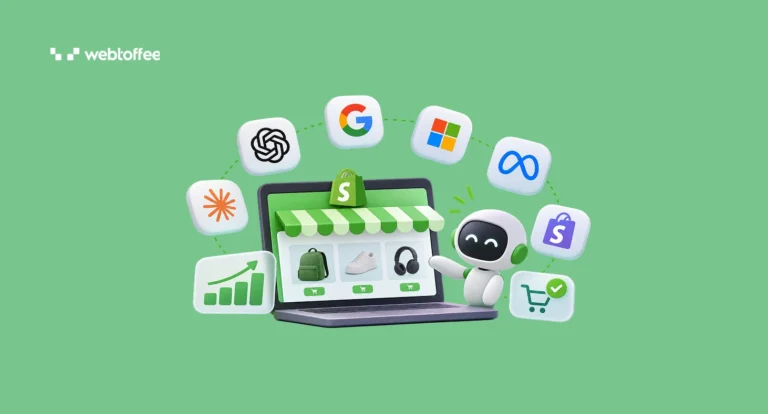
Shopify Agentic Storefronts help merchants tap into this growing agentic commerce ecosystem by making their products discoverable and purchasable through AI shopping channels.
In this guide, we’ll look at how to manage these channels, what they cost, and how to improve your chances of getting your products recommended by AI assistants.
Shopify Agentic Storefronts is a built-in sales channel feature that enables customers to discover and purchase eligible Shopify products through AI-powered shopping platforms.
Instead of browsing multiple online stores, shoppers can describe what they need to an AI assistant and receive relevant product recommendations.
For example, a customer could ask ChatGPT to find waterproof hiking boots under $150 suitable for winter conditions. The AI assistant can surface products that match these requirements and guide the customer toward checkout.
For merchants, this creates an additional product discovery and sales channel without the need to build separate storefronts for each AI platform.
Shopify connects your existing product data and checkout infrastructure with participating AI shopping platforms.
The process involves four stages:
- Product data distribution: Eligible product information, including descriptions, prices, images, and availability, is shared through Shopify Catalog or channel-specific product feeds.
- Product discovery: AI assistants evaluate customer queries and recommend relevant products using available data sources.
- Checkout: Customers purchase through agentic checkout where supported or complete their orders through the merchant’s online store.
- Order fulfillment: Merchants manage Shopify-processed orders, shipping, refunds, and customer service through their existing workflows.
Technologies such as the Universal Commerce Protocol (UCP) help connect AI agents with commerce systems, enabling supported shopping and checkout interactions.
Shopify supports several AI shopping channels, but their checkout capabilities and geographical availability differ.
| AI channel | Product discovery source | Checkout experience | Buyer market |
|---|---|---|---|
| ChatGPT | Shopify Catalog | Merchant’s online store checkout (in-app browser or new browser tab) | United States |
| Google AI Mode and Gemini | Google & YouTube channel or Google Merchant Center | Agentic checkout where available | Rolling out in the US, Canada, and Australia |
| Microsoft Copilot | Shopify Catalog | Shopify-powered agentic checkout | United States |
| Meta AI and Muse | Shopify Catalog | Agentic checkout where available | 11 supported countries |
| Shop | Shopify Catalog | Based on Shop channel settings | Subject to Shop availability |
Shopify’s AI shopping partnerships continue to evolve. Availability can differ based on your store’s eligibility, customer location, and the rollout status of individual channels.
Check the Agentic Storefronts documentation and your Shopify admin before planning campaigns around a particular AI channel.
You don’t necessarily need a US-based business to participate. However, several AI channels require you to sell to customers in supported markets, particularly the United States.
Store and Product Eligibility
To participate, your business generally needs to:
- Be on the Shopify Starter plan or higher, or the dedicated Agentic plan.
- Meet Shopify Catalog’s eligibility and account-standing requirements.
- Maintain a publicly accessible storefront, except where Agentic plan provisions apply.
- Complete your terms of service, privacy policy, and return and refund policy.
- Accept Shopify’s Agentic Storefronts Supplemental Terms of Service.
Products must have an identifiable URL, a title, at least one image, a price greater than zero, and an eligible publication status.
Certain regulated and restricted product categories are excluded from Shopify Catalog.
Which Products and Checkout Features Are Unsupported?
Not every product that can be sold through a regular Shopify store can be purchased through agentic checkout.
| Product or feature | Limitation |
|---|---|
| Subscription-only products | Unsupported in Google, Copilot, and Meta agentic checkout |
| Products with optional subscriptions | One-time purchases are supported; subscription selection is unavailable in these checkouts |
| Product bundles | Unsupported in Google, Copilot, and Meta agentic checkout |
| Customizable products | Unsupported in these agentic checkouts |
| B2B-only products | Unsupported in Agentic Storefronts |
| Digital products | Eligibility depends on product classification and channel requirements |
| Local delivery and store pickup | Unsupported in Google, Copilot, and Meta agentic checkout |
| Checkout customization blocks | Some or all blocks may be unavailable, depending on the channel |
| Custom tracking pixels | Unsupported in Google, Copilot, and Meta agentic checkout |
These restrictions do not necessarily prevent every affected product from being discovered through AI platforms or purchased through your regular online store.
Can B2B and Wholesale Merchants Participate?
Shopify Agentic Storefronts are designed for direct-to-consumer sales. Stores operating exclusively as B2B businesses are ineligible for Shopify Catalog.
If you operate a combined retail and wholesale store, review how wholesale-only products and prices are restricted.
Pay particular attention if you use third-party apps to hide wholesale pricing. Do not assume that a price hidden from your storefront is also excluded from every external product data source.
Shopify Agentic Storefronts do not require a separate feature subscription for eligible Shopify merchants.
Currently, Shopify lists no additional selling fees for ChatGPT or agentic checkout through Google AI Mode, Gemini, Microsoft Copilot, and Meta. Standard payment processing fees and other applicable Shopify charges still apply.
However, Shopify’s supplemental terms allow channel-specific fees to be introduced. Check the pricing information displayed in your Shopify admin before enabling a channel.
What Is the Shopify Agentic Plan?
The Shopify Agentic plan allows businesses to sell through AI shopping channels without migrating their existing eCommerce website to Shopify.
- Monthly subscription: $0
- US online card processing rates: From 2.9% + $0.30
- Third-party payment provider charges: Where applicable
- Paid apps and additional services: Charged separately
Businesses can import their existing product catalog, verify their domain, and configure payments, shipping, and taxes.
You will need a paid Shopify subscription if you want to publish a traditional Shopify online store.
Shopify Agentic Storefronts are enabled by default for eligible stores, so most merchants don’t need to activate the feature manually. However, it’s worth checking your eligibility, active AI channels, and product-sharing preferences.
From your Shopify admin, navigate to Sales channels > Agentic to access the Agentic Storefronts dashboard.
Here’s what you should review:
- Store and product eligibility: Check whether your store qualifies for Shopify Catalog and how many products are included.
- Active AI channels: Review which AI platforms have access to your products and whether agentic checkout is enabled.
- Channel management: Choose between automatic and manual management based on how much control you want over product sharing and checkout.
- Product data mapping: Ensure your product information is correctly mapped to Shopify Catalog.
- Knowledge base: Review your shipping, return, warranty, and other store information available to AI platforms.
How to Manage or Turn Off Agentic Storefronts
By default, the Allow Shopify to manage for me setting enables all available channels, activates agentic checkout where supported, and automatically enrolls your store in new channels and features.
To manage these settings yourself, open the channel settings in the Agentic dashboard and switch to Manual.
You can then disable Shopify Catalog access for supported individual channels, turn off agentic checkout where available, or prevent automatic enrollment in new channels.
Turning off Shopify Catalog access can take up to seven days to take effect. However, AI platforms may still discover your products by crawling and indexing your publicly accessible storefront.
Google product discovery and Shop visibility are managed through their respective channel settings. Businesses using the dedicated Shopify Agentic plan must complete additional onboarding and manually activate agentic checkout for eligible channels.
For detailed instructions, refer to the official Shopify Help Center
Being included in the Shopify Catalog does not guarantee that AI assistants will recommend your products.
AI shopping queries often combine several requirements, such as product features, price, compatibility, and availability. Your listings need enough accurate information to help AI platforms identify whether your products meet those requirements.
Here’s how to prepare your catalog.
1. Write Descriptive Product Titles and Descriptions
A generic product title may not provide enough context for an AI assistant.
Consider the following example:
| Product field | Before optimization | After optimization |
|---|---|---|
| Title | Trail Explorer | Trail Explorer 30L Waterproof Hiking Backpack |
| Description | A durable backpack for outdoor adventures. | A 30L waterproof hiking backpack with adjustable shoulder straps, a padded back panel, and a 15-inch laptop compartment. |
The optimized listing provides information that matches specific shopping requirements.
Include relevant specifications, dimensions, materials, intended use, care instructions, and compatibility details. Only include claims you can verify.
2. Complete Product Attributes, Variants, and Metafields
A customer might search for running shoes in US size 10, a stainless steel water bottle with a one-liter capacity, or a cotton shirt in navy blue.
Missing attributes make it harder to match your products to these queries.
Use descriptive variant names, complete relevant category metafields, and include accurate product identifiers such as SKUs and GTINs where applicable.
If important specifications are stored in custom metafields, review your Shopify Catalog mapping to ensure key listing fields use the appropriate data sources.
3. Improve Product Images and Reviews
Provide clear images showing different angles, product details, and available variations.
For example, a furniture listing could include front and side views, close-ups of its finish, and an image showing its scale in a room.
Encourage genuine customer reviews through post-purchase emails. Shopify’s listing insights consider ratings and reviews verified by trusted sources when evaluating listing quality.
4. Maintain Accurate Prices and Inventory
Incorrect pricing or stock information can result in recommendations that customers cannot purchase.
Regularly review product and variant availability, remove outdated promotional prices, and synchronize inventory across connected sales channels.
Avoid using placeholder stock quantities or inaccurate availability information simply to keep products discoverable.
5. Keep Your Store Policies and Knowledge Base Updated
AI shopping assistants may be asked whether a product can be returned, how quickly it ships, or whether a warranty is included.
Replace vague policy statements with specific, accurate information. For example, instead of saying “Easy returns available,” explain your return window, eligible product conditions, and who pays return shipping.
Ensure your knowledge base and published policies remain consistent.
6. Audit and Update Product Data in Bulk
Reviewing hundreds or thousands of Shopify listings individually can take considerable time.
With StoreRobo – Shopify Import Export App, you can audit and update your product catalog using CSV or Excel files. This makes it easier to update product titles, descriptions, pricing, variants, and metadata across multiple products, helping you maintain a consistent and well-organized catalog for AI-powered product discovery.
Shopify Agentic Storefronts Optimization Checklist
Before reviewing your AI shopping performance, check whether:
- Product titles clearly identify the item.
- Descriptions answer common purchasing questions.
- Relevant product specifications and attributes are complete.
- Variants have descriptive names and accurate availability.
- Product images represent the item accurately.
- Prices and inventory are up to date.
- Shopify Catalog mappings use the appropriate data sources.
- Shipping and return policies are complete.
- Knowledge base information is accurate.
Repeat this audit periodically, particularly after adding new products or updating existing collections.
If your products aren’t appearing in ChatGPT, Copilot, or other AI shopping platforms, investigate the following issues:
- Your store or products are ineligible: Review your Shopify Catalog eligibility in the Agentic dashboard. Ensure your store meets Shopify’s requirements and that your products do not fall under restricted categories.
- Your product data is incomplete: Missing or vague product information can affect AI discoverability. Ensure your product titles, descriptions, images, attributes, and variants are accurate, detailed, and relevant to customer search queries.
- Shopify catalog access is disabled: Check your Agentic Storefronts settings to ensure the relevant AI channels have access to your Shopify Catalog.
- Your product feed contains errors: If your products aren’t appearing in Google AI Mode or Gemini, review Google Merchant Center for missing attributes, data inconsistencies, feed errors, or disapproved listings.
- Buyer’s location is unsupported: AI shopping channels have different geographical eligibility requirements. Check whether the platform supports product discovery and purchases in your target markets.
- Your products are unlisted: Products marked as Unlisted may be excluded from Shopify Catalog. Review your product status, publication settings, and visibility across relevant sales channels.
- Your products aren’t ranking competitively: Being included in Shopify Catalog doesn’t guarantee AI recommendations. Review your listing insights regularly and improve product data quality, completeness, and relevance to increase your chances of appearing in AI search results.
Shopify’s search preview tool can help you evaluate how your products might rank within Shopify Catalog for particular queries.
However, AI platforms apply their own recommendation criteria. Catalog search results should be treated as an optimization signal rather than a guarantee of placement in an AI-generated answer.
Traditional eCommerce stores use product recommendations, cart upsells, and frequently bought together offers to increase average order value.
Agentic checkout can change this purchasing journey.
For example, a customer buying a camera through an AI assistant might complete the purchase without visiting the retailer’s product or cart page, missing recommendations for memory cards, camera bags, and spare batteries.
Checkout upsell blocks may also be unavailable in Google and Microsoft Copilot’s agentic checkout, while Meta’s agentic checkout doesn’t support checkout blocks.
To protect your average order value:
- Make complementary products independently discoverable through detailed listings.
- Test supported automatic discounts and discount codes.
- Compare average order value across AI channels and traditional storefront sales.
- Review whether online store checkout is better suited to products requiring extensive customization or add-ons.
For AI-referred customers who continue shopping on your website, StoreFrog Product Recommendations for Shopify lets you display upsells, cross-sells, related products, and frequently bought together recommendations. This helps you capture additional sales opportunities when shoppers interact with your existing storefront.
Storefront recommendation widgets should not be assumed to appear within third-party AI conversations or agentic checkout interfaces.
Shopify provides dedicated analytics to help merchants evaluate the performance of their agentic storefronts.
To access these reports, go to Sales channels > Agentic in your Shopify admin.
Shopify provides reports covering sales, orders, online store sessions, and online store conversion rates. You can also review search queries where your products appeared and use listing insights to identify potential improvements.
For a more complete performance assessment, track:
| Metric | What it tells you |
|---|---|
| Sales and orders | Whether AI channels generate revenue |
| Online store sessions | How much referral traffic AI channels provide |
| Online store conversion rate | Whether referred visitors complete purchases |
| Average order value | Whether AI-generated orders differ from regular orders |
| Product discoverability | Which listings may need further optimization |
Compare performance over consistent reporting periods rather than drawing conclusions from a handful of orders.
Shopify’s agentic storefront performance analytics are currently unavailable for headless stores.
There is no separate subscription fee for Agentic Storefronts on eligible stores. Standard processing fees and applicable Shopify charges still apply.
Yes. Eligible Shopify stores participate by default. Businesses using the Agentic plan must manually configure and activate agentic checkout.
Eligible Shopify products can be discovered and recommended through ChatGPT using Shopify Catalog. Customers can then complete their purchases through your online store checkout, accessed via ChatGPT’s in-app browser or a new browser tab.
Yes. The Shopify Agentic plan allows businesses to participate in supported AI shopping channels without migrating their existing online storefront to Shopify.
Yes. Go to Sales channels > Agentic in your Shopify admin and disable the Allow Shopify to manage for me option to manage individual channels manually. You can turn off Shopify Catalog access, disable agentic checkout where supported, and prevent automatic enrollment in new channels.
However, disabling Catalog access does not prevent AI platforms from discovering your products through web crawling.
Shopify Catalog provides structured product information to participating platforms. Agentic Storefronts manage AI channel participation, checkout capabilities, and performance reporting.
Conclusion
Start by checking your Shopify Catalog eligibility and reviewing which AI channels are enabled for your store.
Next, audit your product data and determine whether agentic checkout supports your existing sales strategies.
Monitor product discoverability, conversion rates, and average order value to understand how AI shopping contributes to your business before expanding your participation.
Also Read: Agentic Commerce: What You Need to Know


Subcribe to our newsletter