


Share:


Table of Contents
With no shortage of WooCommerce customer support tools promising faster responses, happier customers, and an all-in-one solution, it’s easy to approach new options with a fair amount of skepticism. Many platforms sound great on paper but deliver only part of what they promise, often locking essential features behind higher-tier plans.
ThriveDesk, at first glance, appears to be another player in this crowded space. However, it manages to stand out in a few meaningful ways. While it’s not without its limitations, which will be explored in detail, it offers features and workflows that feel thoughtfully aligned with the real-world needs of WooCommerce store owners.
In this review, we’ll take a closer look at what ThriveDesk brings to the table, how it performs in practice, where it stands out, where it falls short, and whether it truly deserves consideration as one of the best helpdesk solutions for WooCommerce.
Key Takeaways
- As your WooCommerce store grows, managing support through email and spreadsheets quickly becomes chaotic and inefficient.
- ThriveDesk simplifies everything. It combines ticketing, live chat, automation, and WooCommerce integration into one streamlined support system.
- ThriveDesk stands out for its pricing, ease of use, and practical feature set. It offers strong value for small- to mid-sized WooCommerce stores, though it has some limitations.

This is a fair question. Many WooCommerce store owners start with simple tools, such as Gmail, a basic contact form, or even a shared spreadsheet to track customer queries. And in the early stages, that approach works. When you’re handling a handful of support requests each day, there’s little need for anything more complex.
However, as your store grows, so does the volume and variety of customer interactions. What starts as a few emails can quickly turn into dozens of messages daily along with live chat conversations, order-related questions, refund requests, and shipping concerns. At that point, a standard inbox can become difficult to manage, not because it’s ineffective, but because it wasn’t designed for that level of operational complexity.
This is where a dedicated WooCommerce helpdesk plugin becomes valuable. Instead of scattered conversations, it brings all customer interactions into a single, organized workspace.
Key benefits:
- Centralized communication: All customer interactions in one place
- Order-linked support: Access order data directly within tickets
- Better collaboration: Teams can work together efficiently
- No missed requests: Track and respond to every query on time
This matters because it brings much-needed structure to your support process, making it easier to manage and streamline customer interactions. It improves visibility into ongoing requests and creates clear accountability within your team. As your business grows, the system scales effortlessly with your needs, all while helping you deliver a consistent and reliable customer experience.
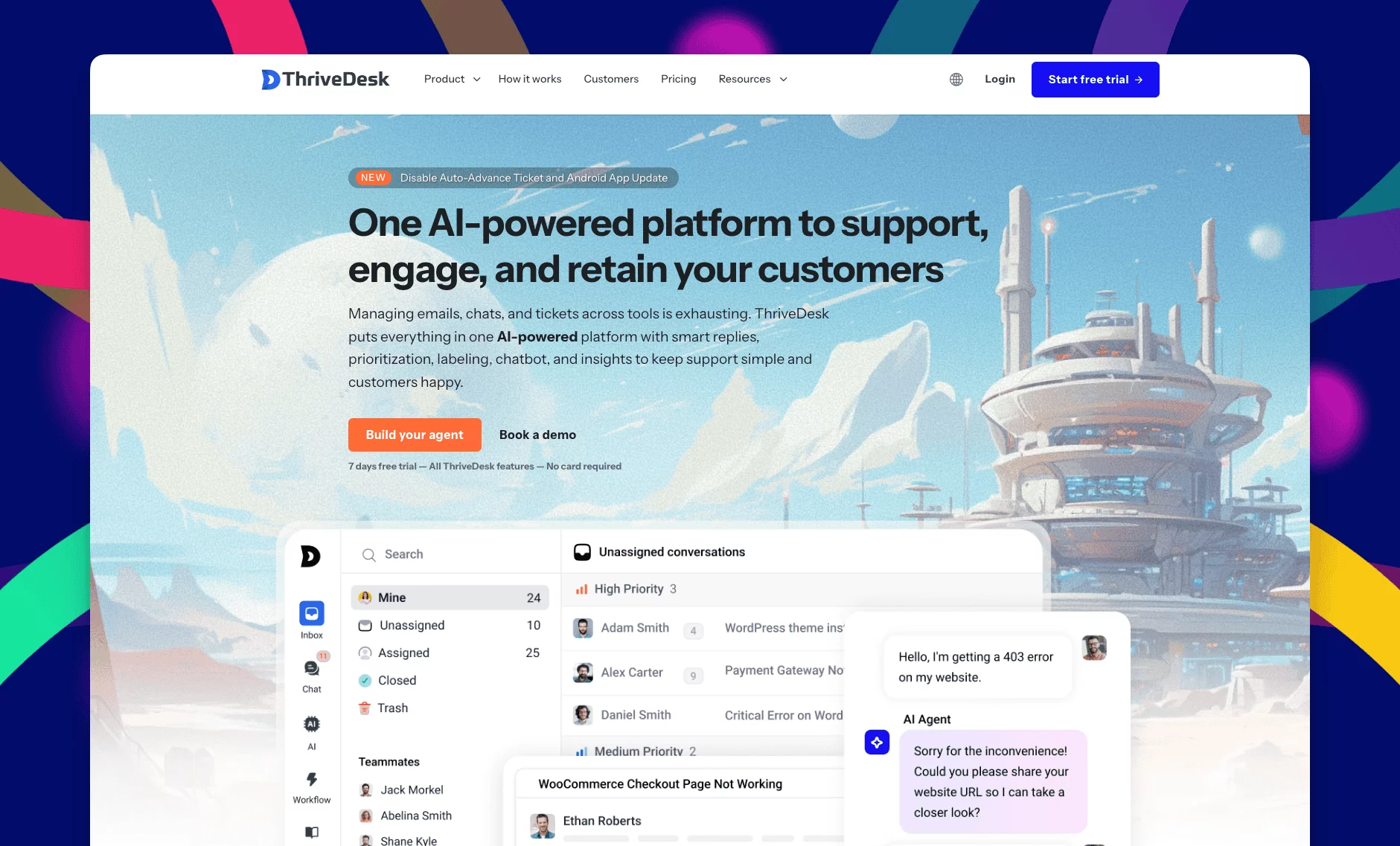
ThriveDesk is a customer support platform built for small and growing eCommerce businesses.
It started because the founders were personally frustrated with the options that existed. Either the tools were too expensive, or they were so complicated that you needed a dedicated IT person just to set them up. Or both.
So they built something different. A single product emerges that unites live chat capabilities with shared inbox systems and ticketing platforms, workflow automation, and AI-driven help center functionality.
The developers established native integration between their system and WooCommerce, allowing store owners to view order information in their support chats without opening multiple browser tabs.
The WooCommerce helpdesk plugin ThriveDesk provides a basic interface that hides numerous powerful features operating in the background. The team faces a tough challenge to achieve this equilibrium, yet they manage to handle it effectively.
1. Live Chat for WooCommerce

This is one of ThriveDesk’s more underrated features. Its live chat isn’t just a simple widget added to your site; it provides real-time visibility into visitor behavior. Your team can see which page a customer is on and what they’re doing, which opens up opportunities to engage at the right moment.
For example, if someone lingers on the checkout page without completing a purchase, your team can step in proactively and offer help before they leave.
What makes it particularly useful for WooCommerce stores:
- View the exact product or page a visitor is browsing, even before they initiate a chat
- Trigger conversations automatically based on user behavior
- Access chat history linked with customer profiles and order data
- Fast-loading widget that doesn’t impact site performance
For stores focused on improving conversions, this feature can have a direct impact. A quick interaction at the right time, such as clarifying shipping details, can turn hesitation into a completed purchase, making the value of live chat both practical and measurable.
2. Powerful Workflow Automation

Automation features may not sound exciting at first, but their impact becomes clear once support volume starts to grow. When your team is manually sorting tickets, assigning them, and sending routine replies all day, it quickly becomes time-consuming and inefficient.
This is where automation proves its value. ThriveDesk can handle several repetitive tasks without any manual input:
- Tickets containing keywords like “refund” can be automatically tagged and assigned to the appropriate team member
- Messages received outside business hours can trigger instant replies, setting clear expectations for response times
- Unresolved tickets can be automatically flagged or escalated after a set period, ensuring nothing is overlooked
Instead of spending time on administrative tasks, your team can focus on resolving customer issues. As your WooCommerce store grows and support requests increase, this kind of automation shifts from being a convenience to an essential part of maintaining efficiency and consistency.
3. Shared Inbox

The shared inbox is one of the features that makes an immediate difference, especially for teams with two or more members.
A common challenge for growing support teams is a lack of coordination. For instance, a customer sends in a query. One team member sees it but gets pulled away. Another teammate later assumes it hasn’t been handled and replies as well—resulting in duplicate or even conflicting responses.
ThriveDesk’s shared inbox helps eliminate these issues by creating a centralized view of all conversations.
What it helps prevent:
- Duplicate replies with collision detection that shows when a teammate is already responding
- Missed tickets by making all conversations visible to the entire team
- Loss of context with complete conversation history attached to each thread
- Ownership confusion through clear ticket assignments
Individually, these may seem like small improvements. But together, they significantly streamline team collaboration. Once a team becomes accustomed to working from a shared inbox with these safeguards in place, returning to separate email accounts can feel inefficient and difficult to manage.
4. Helpdesk and Ticketing System

At its core, a helpdesk system is built around tickets, and ThriveDesk handles this fundamental function effectively. Every customer interaction is converted into a ticket that can be tracked, assigned, prioritized, and resolved in a structured way.
Here’s what the ticketing system offers at a glance:
- Clear status views (Open, Pending, Closed) so you always know where each request stands
- Agent assignments to define ownership and accountability
- Priority levels to ensure urgent issues are addressed first
- Complete conversation history for full context on every customer interaction
- Tags and custom fields to organize tickets by issue type, product, or category
While the system doesn’t rely on flashy features, it delivers where it matters most: consistency and reliability. And in a support environment, having a system you can depend on often matters more than having one that simply looks impressive.
5. AI-Powered Help Center

This one is genuinely impressive and probably the most underrated part of ThriveDesk.
The help center uses AI to understand what a customer is asking and surface relevant articles from your knowledge base before they need to contact anyone. A customer types “how do I change my delivery address” into the widget, and instead of waiting for a reply, they are immediately directed to the right article. No ticket created. No wait time. Customer sorted.
The more articles you publish, the more questions the AI can handle on its own. Over time, that meaningfully reduces incoming ticket volume. And as a WooCommerce customer support plugin, every repetitive question the AI handles is one your team doesn’t have to.
Who benefits most from this feature:
- Stores with high ticket volume and a small support team
- Stores that get the same 10 questions asked repeatedly every week
- Stores that want 24/7 support coverage without hiring overnight staff
By enabling faster, self-service support, the AI help center improves both operational efficiency and the overall customer experience.
6. Private Notes for Team

This feature may not seem particularly exciting at first, but its impact on team collaboration is significant.
Handling complex customer requests often requires internal discussion before responding. In many setups, this means switching between tools – Slack messages, emails, or quick conversations – while the actual customer thread remains separate. As a result, important context can get lost, and the next team member handling the ticket may not have the full picture.
ThriveDesk addresses this with private notes that exist directly within the ticket. These notes are visible only to your team, keeping internal discussions in the same place as the customer conversation.
The result is simple but powerful:
- Team members have full context without needing to check multiple tools
- Decisions and discussions stay documented within the ticket
- Handoffs between team members become smoother and more efficient
It’s a small feature on the surface, but for teams dealing with more complex or sensitive support cases, it can make a noticeable difference in how effectively they collaborate.
7. AI and Efficiency

Beyond the help center, ThriveDesk uses AI in a few other ways that speed up day-to-day work:
- Smart reply suggestions help agents respond faster without starting from scratch every time
- AI chatbot handles routine questions during off-hours, so customers aren’t left waiting
- Automated ticket categorization means less manual tagging and sorting
For WooCommerce stores that frequently receive questions like “Where is my order?” or “Can I return this?”, these AI-driven features can handle a significant portion of repetitive interactions in the background.
This allows your support team to focus on more complex or sensitive issues that require human judgment, creating a more efficient and balanced workflow overall.
8. eCommerce and SaaS Integrations

This is where ThriveDesk earns its reputation as the best WooCommerce helpdesk plugin more than anywhere else. The WooCommerce integration is native, meaning it’s built into the core product, not an add-on or a paid extension.
What the WooCommerce integration actually does:
- Pulls order details directly into the support conversation view
- Shows purchase history alongside every customer profile
- Displays shipping status so agents can answer “where’s my order” instantly
- Eliminates the need to switch between WooCommerce admin and your helpdesk
9. Assistant Widget

The assistant widget appears as a floating button on your website, giving customers quick access to support without interrupting their browsing experience. From a single, user-friendly pop-up, they can search your knowledge base, start a live chat, or create a support ticket, all without leaving the page.
The widget is also fully customizable, allowing you to match its colors and branding with your store’s design. While this may seem like a minor detail, it helps create a more cohesive and professional customer experience, rather than feeling like a third-party add-on.
In terms of performance, the widget is lightweight and loads quickly, ensuring it doesn’t impact your site’s speed. It stays unobtrusive while remaining easily accessible, making it a practical way to offer support exactly when customers need it.
10. Help Center and Self-Service Knowledge Base

A lot of your customers do not actually want to talk to support. They just want an answer, fast. A good knowledge base gives them that without creating a ticket.
ThriveDesk provides a comprehensive knowledge base builder with article creation, category organization, and search functionality. Combined with the AI assistant that understands what’s inside your knowledge base, you get a self-service support layer that handles a surprising volume of questions without any human involvement.
What a well-built ThriveDesk knowledge base can do for your store:
- Reduce incoming ticket volume by handling common questions automatically
- Give customers instant answers at 2 am when your team is offline
- Free up your agents for more complex, high-value conversations
- Improve customer satisfaction by giving people the control to find their own answers
Other Features Worth Mentioning
ThriveDesk also packs in a handful of extras that are easy to overlook but genuinely useful once you start using them:
- Canned responses for saving pre-written replies to common questions. Insert in one click and move on
- Tags and custom fields to organize and filter conversations any way you need
- Reporting and analytics to track response times, ticket volume, and team performance over time
- Multi-language support for stores selling to customers in different countries
- Brand customization so the helpdesk looks like yours, not like a generic tool
- Community forum where customers can ask and answer questions publicly, taking some load off your team entirely
Pros and Cons of ThriveDesk
What Thrivedesk Gets Right:
ThriveDesk is fairly priced, especially compared to tools that charge per team member and can quickly get expensive. The interface is clean, and most teams can figure it out in a day or two.
The WooCommerce integration also works the way you’d expect. Everything, live chat, shared inbox, ticketing, automation, and AI, is in one place, so you’re not juggling multiple tools or paying for separate subscriptions.
Their support team is worth mentioning, too. They respond fast and actually help, which is exactly what you’d hope for from a company building a support tool. They also seem to listen to users and regularly improve the product. Features get added over time based on feedback, which is always a good sign.
Where It Could Improve:
ThriveDesk has a few areas for improvement.
The mobile experience, while functional, isn’t as refined as the desktop version. Teams that rely heavily on mobile devices for support may find it less smooth than those that do not.
Social media integrations are another gap. At present, platforms like Facebook, Instagram, and Twitter aren’t supported, so businesses that handle a significant portion of customer queries through social channels will need to use additional tools.
Finally, while ThriveDesk effectively meets the needs of most WooCommerce stores, it doesn’t offer the same level of advanced customization and reporting as enterprise solutions like Zendesk. For small to mid-sized businesses, this is unlikely to be a limitation, but larger or more complex operations may require more flexibility over time.
| Plan | Monthly Price | Team Size |
|---|---|---|
| Basic | $29/month | 2 teammates |
| Standard | $69/month | 5 teammates |
| Unlimited | $129/month | Unlimited teammates |
For context: some enterprise alternatives charge $50 or more per agent per month. A team of five on one of those platforms can easily cost $500 or more every month. ThriveDesk’s Unlimited plan gives you the whole team for $129. That is not a typo.
For small- and mid-sized WooCommerce stores, that math makes the decision much easier. You get a proper, full-featured WooCommerce helpdesk plugin at a price that leaves real budget room for everything else your store needs.
A free trial is also available with no credit card required. You can test it in your real store with your real team before committing to anything.
ThriveDesk has received strong ratings from users, with 4.8 out of 5 on G2 and 4.7 out of 5 on Capterra. These scores generally reflect consistent performance and user satisfaction rather than just effective marketing.
Many users highlight how easy the platform is to set up, as well as the convenience of WooCommerce order details being accessible directly within support conversations. Automation features are also frequently mentioned, particularly for the time they save in managing repetitive tasks.
The support team behind ThriveDesk receives positive feedback as well, with users noting quick response times and helpful assistance—an important factor for a product focused on customer support.
That said, some users have pointed out areas for improvement. The mobile experience is one, and there’s also demand for broader integrations with external platforms. These are valid concerns, though the product appears to be evolving, with regular updates addressing user feedback.
If you’re currently managing WooCommerce support through Gmail, spreadsheets, or a mix of disconnected tools, ThriveDesk is definitely worth exploring. It brings structure and efficiency to a process that often becomes difficult to manage as your store grows, while still keeping pricing reasonable.
That said, no tool is a perfect fit for everyone. ThriveDesk works particularly well for small to mid-sized WooCommerce businesses, offering a strong set of features without unnecessary complexity. However, if your workflow depends heavily on social media support or requires advanced, enterprise-level reporting, you may encounter some limitations over time.
The best way to evaluate it is through its free trial. Test it with your actual support workflow, your team, and real customer queries. That will give you a much clearer picture than any feature list or review.
And if it fits your needs, there’s a good chance you’ll find it hard to go back to your previous setup.


Subcribe to our newsletter


