


Share:


Table of Contents
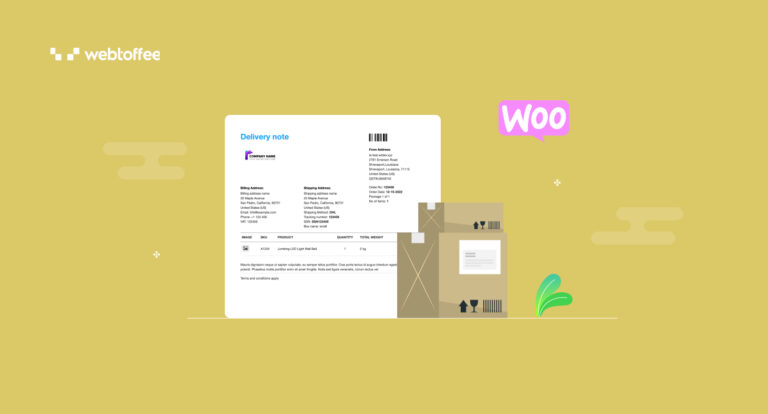
A delivery note is a document that store owners include with every shipment they send to customers. This delivery note outlines the products and their quantities, helping both parties confirm that the correct items have been delivered. Delivery notes help prevent disputes, support inventory tracking, and improve customer satisfaction.
This guide explains what a delivery note is and why you should use them. You’ll also learn how to create one easily in WooCommerce using free delivery note templates available with the WebToffee Delivery Notes plugin.
Key Takeaways
- A delivery note or delivery slip confirms the shipment and receipt of goods, listing item details for both sender and recipient.
- Delivery notes serve as proof of shipment when dispatching products to customers or other recipients.
- WooCommerce store owners can easily generate delivery notes using the WebToffee’s free delivery notes plugin.
- Delivery notes help avoid disputes, support inventory tracking, and improve customer satisfaction.

A delivery note, also known as delivery slips or shipping notes, is a document sent with goods to confirm what’s included in a shipment. It outlines item descriptions, quantities, and order references, and may include a space for a delivery signature form.
Delivery notes are crucial for maintaining transparency, accountability, and accurate record-keeping throughout the supply chain and are especially valuable in instances where formal proof of delivery is required, such as in international trade or when goods are being transported between different parties.
A well-structured delivery note serves as an essential reference for both the sender and the recipient. It ensures that everyone involved in the shipping and receiving process is on the same page. Here’s a delivery note sample to get a more detailed look at the information typically found on a delivery note:

1. Sender and Recipient Information – This section of the delivery slip template lists the full name, address, and contact details of both the company sending the goods and the person or business receiving them. It ensures accurate delivery and allows for easy communication in case of any issues or clarifications.
2. Date of Dispatch and Expected Delivery – Including the date when the goods are sent out and the expected arrival date helps both parties track the timeline of the shipment. This part of the delivery note format is required for coordinating deliveries, scheduling inventory checks, or meeting compliance timelines.
3. List of Items Included in the Shipment – Including a detailed inventory of all products being delivered is crucial in a delivery note. This typically includes the item name, SKU (Stock Keeping Unit), and any relevant product codes. It ensures that the recipient knows exactly what to expect in the package.
4. Quantity and Description of Each Item – Beside each item listed in the delivery note, the exact quantity and a brief description are provided. This helps confirm whether the right amount and correct versions of each item were delivered, and makes checking off items during unpacking quick and easy.
5. Order or Reference Numbers – Delivery notes usually reference the corresponding sales order, invoice, or purchase order number. These identifiers connect the delivery to the original transaction, aiding in record-keeping and simplifying any post-delivery follow-ups.
6. Space for Recipient’s Signature or Stamp – The delivery signature form, a designated area for the customer or warehouse staff to sign or stamp upon receiving the goods, acts as official proof of delivery. It confirms that the shipment was received in the condition and quantity noted on the document.
7. Additional Notes or Special Instructions – This section in delivery note template can include any extra information, such as handling instructions (e.g., “fragile”), delivery time preferences, or remarks on partial deliveries. It helps ensure that specific requirements are communicated and followed.
Delivery notes are not compulsory, but they hold substantial value in business transactions and are therefore recommended. While there might not be a strict legal requirement in every situation, using delivery notes is a common practice to ensure accurate record-keeping, provide proof of delivery, and establish a clear communication trail between sellers and buyers.
Especially in industries like logistics and trade, delivery notes help prevent disputes, support efficient inventory management, and contribute to a smooth exchange of goods. While their use might vary, recognizing the benefits of delivery notes can greatly enhance the reliability and professionalism of any business operation.
Delivery notes are necessary for several reasons in business transactions, especially in the context of goods delivery and supply chain management. Here’s why delivery notes hold significance:
- Proof of Delivery: A delivery note documents the goods have been successfully delivered to the intended recipient. They provide a clear record of the transaction, reducing disputes and ensuring accountability.
- Accurate Record Keeping: Delivery notes help maintain accurate records of all outgoing shipments. This is crucial for tracking inventory, managing stock levels, and reconciling orders with deliveries.
- Customer Satisfaction: Delivery notes provide transparency to customers, showing them what items they should expect to receive. This helps build trust and enhance customer satisfaction.
- Point of Reference: If there are any discrepancies between the ordered goods and the received items, the delivery note can be used as a reference point to resolve disputes between the consignor (sender) and the consignee (receiver).
In essence, a well-formatted delivery notes contribute to transparency, accuracy, and efficiency in the movement of goods, ensuring that the right products reach the right recipients in a timely and organized manner.
Delivery notes do not typically hold inherent legal power on their own, but they play a significant role in establishing evidence and documentation in business transactions. The legal significance of a delivery note often depends on the context, the laws and regulations of the jurisdiction, and how the delivery note is used in conjunction with other documents and agreements.
Here are some key points to consider regarding the legal status of delivery notes:
- Evidence of Transaction: A properly executed delivery note can serve as evidence of the completion of a transaction and the delivery of goods. It can help resolve disputes by demonstrating that the goods were delivered as agreed upon.
- Compliance with Regulations: In certain industries or jurisdictions, there may be legal requirements for maintaining proper documentation, including delivery notes, for tax, regulatory, or customs purposes.
- Supporting Legal Actions: While a delivery note itself may not have the power to initiate legal action, it can support legal proceedings or claims. For example, delivery notes can be used as supporting documentation in cases of non-payment, breach of contract, or other disputes.
A delivery note can be issued in various formats – printed on paper, shared digitally via email, or auto-generated through eCommerce platforms like WooCommerce.
Traditionally, companies use pre-printed delivery slips (paper format) included with the shipment. These are either handwritten or printed manually based on order details. You can easily get ready-made printed delivery notepads from stationery shops or online.
Nowadays, businesses send electronic delivery notes via email, either before the shipment arrives or along with the tracking notification. There are also free, editable delivery note templates available online. This is efficient but still requires manual entry unless integrated with a system.
For WooCommerce store owners, using the WebToffee WooCommerce Delivery Notes plugin automates this entire process. You can generate professional delivery notes for each order and even attach a printable delivery note PDF to order confirmation emails. This saves time, reduces chance of errors, and ensures every shipment leaves with a clear and complete delivery invoice.
If you own a WooCommerce store, you can easily create delivery notes using the WooCommerce delivery notes plugin by WebToffee. It can help you create delivery notes that suit your store’s custom needs and automate delivery note creation for every order placed.
Follow the steps below to create professional delivery notes for your WooCommerce store using a free plugin:
- Install and activate the WooCommerce PDF Invoices and Delivery Notes Plugin.
- After activation, the plugin will add an Invoice/Packing menu to your WordPress dashboard.
- Go to Invoice/Packing > Delivery Note to configure the general settings required for the delivery note.
- Choose whether to include product images, customer notes, and a footer in the delivery note template.
- Click on Update Settings to apply the delivery note customizations.
That’s it! You have now automated delivery note creation in WooCommerce using a free plugin. Now in order to print delivery note in WooCommerce, go to WooCommerce > Orders page, open the order you need, scroll to the Invoice/Packing meta box, and click the print delivery note icon.
Now as you saw, the free delivery note generator only offers limited features. For advanced customizations, you need to purchase the premium add-on: WooCommerce Shipping Labels and Delivery Notes Plugin.
Next, let’s explore how to customize delivery note templates in WooCommerce.
Step 1: Install and Activate WebToffee Shipping Labels and Delivery Note Plugin
To begin with, you need to install the premium Delivery Notes for WooCommerce Add-on.

Bonus Tip:
If your WooCommerce store lacks professional invoice PDFs and other shipping documents, these plugins can help you. It lets you generate different types of order fulfillment documents like packing lists, proforma invoices, and more.
Step 2: Configure WooCommerce Delivery Note Settings
After activating both these plugins,
- Go to the Invoice/Packing menu from the WordPress sidebar and select Delivery note.
- Enable the Group products by ‘Category’ checkbox to group products in the delivery notes based on their categories.
- Choose a sort order for the products from the dropdown menu.
- Select whether to show variation data under each product.

- If you want to add any order or product-related meta fields or attributes, choose them from the respective options.
- Once you have selected the meta fields, choose the order emails to automatically attach the delivery note PDF copy.
- Then enable the Show print delivery note button checkbox to add a print button in the order email.
- Click on Update Settings to save the settings.

Step 3: Customize Delivery Note Template
- Go to the Customize section at the top.
- Click on Change layout and select the delivery note template you want to further customize.

- Now, you can edit, delete, or modify different elements in the delivery note template. You can change the color, font size, text, alignment, etc.

- After making the necessary changes, click on Save and activate to make the changes live.
Here is a preview of a delivery note sample generated by the plugin.

That’s it! You have successfully generated delivery notes for WooCommerce that gets automatically attached with your order confirmation emails.
For more advanced delivery note customization options and a drag-and-drop PDF invoice builder, check out WebToffee’s add-on: Customizer for PDF Invoices and Packing Slips.
Frequently Asked Questions
It’s highly recommended, especially for business orders or bulk shipments. Delivery notes help confirm what was shipped and received, which is useful for both parties in case of discrepancies or returns.
No, a delivery note is not the same as an invoice. While an invoice requests payment for goods or services provided, a delivery note serves as proof that goods have been delivered and does not indicate payment.
Yes, it is advisable to keep copies of all delivery notes for at least five years. This practice helps maintain control over delivered products and provides documentation in case of disputes or claims.
If a customer refuses to sign due to missing or damaged items, the delivery note should include a note about the issue. This documentation can help you resolve the problem and serve as a record of the attempted delivery.
Yes, in many cases. A packing slip and a delivery note often include similar itemized details. However, make sure the document serves the intended purpose and meets any specific requirements your business or customers may have.
A delivery note, whether printed, emailed, or generated through your WooCommerce store, is more than just a shipping note. It confirms what was sent, simplifies inventory checks, and provides clarity for both you and your customers. While not legally mandatory, delivery notes help prevent disputes, support smooth fulfillment, and build trust.
By using tools like the WebToffee WooCommerce Delivery Notes plugin, you can automate and customize delivery slips to match your store’s workflow. Incorporating delivery notes into your order process is a simple step that leads to more efficient shipping and better customer experiences.

Got any query? Please leave a comment or reach out to our support
Got any query? Please leave a comment or reach out to our support

Subcribe to our newsletter





Comments (4)
Natalie
May 8, 2024
Thanks for the article!
Small question: should a delivery note be signed by the SENDER’S rep, when goods are being shipped? Or not necessarily, these days.. and a position/surname of the sales rep (for ex.) would be sufficient?
Sanjai Valsan
May 10, 2024
Hi Natalie,
Thanks for reaching out!
In most cases, a signature by the sender’s representative is not necessarily required for a delivery note. However, including the position or surname of the sales representative can provide sufficient identification and acknowledgment of the sender.
Peol Solutions
April 17, 2024
Clear explanation of delivery notes. Appreciate the simplicity and usefulness of the information provided. Great resource for businesses!
Sanjai Valsan
April 18, 2024
Hi,
Thank you for your kind words and feedback! We’re delighted that you found the explanation of delivery notes clear and helpful. If you have any more questions or need further information, please don’t hesitate to reach out to our customer support team.