


If you’ve just installed WebToffee’s WooCommerce PDF Invoices, Packing Slips, Delivery Notes, and Shipping Labels plugin, but already have completed WooCommerce orders without invoices, don’t worry, you don’t need to create them manually. The plugin lets you automatically generate invoices for past orders in just a few clicks. This guide will walk you through how to enable this option and quickly create invoices for your previous orders. The brief steps for the same are as follows:
- Select order statuses under “Automate invoice creation”.
- Enable the “Generate invoices for existing orders” option.
- Update Settings to make the changes.
Auto-generate invoices for past orders
Below are the detailed steps:
- Navigate to Invoice/Packing > Invoice > General from the WordPress dashboard.
- Under the General section, find the Automate invoice creation option.

- From the dropdown, select order statuses for which you wish to generate invoices automatically.

- Scroll down to the Others section, and enable the Generate invoices for existing orders option.
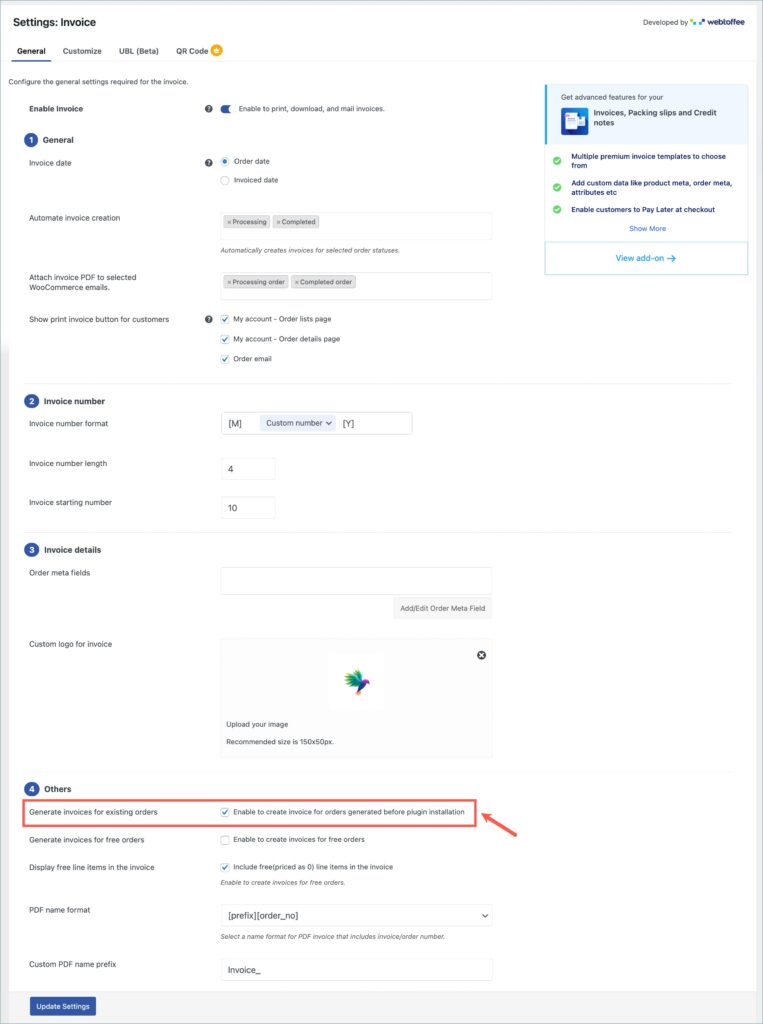
- Finally, click on Update Settings to save the changes.
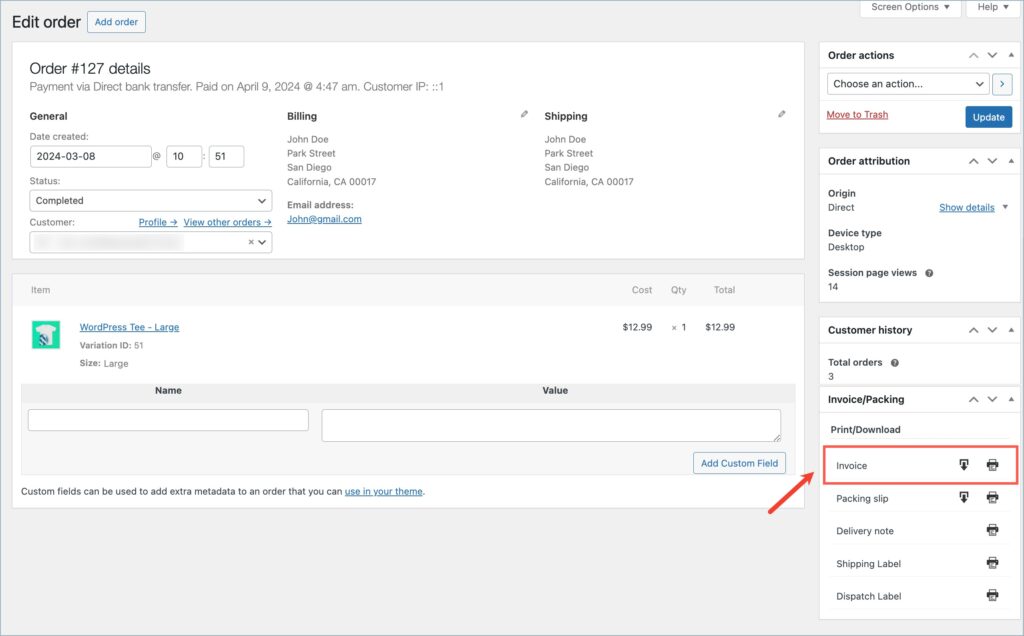
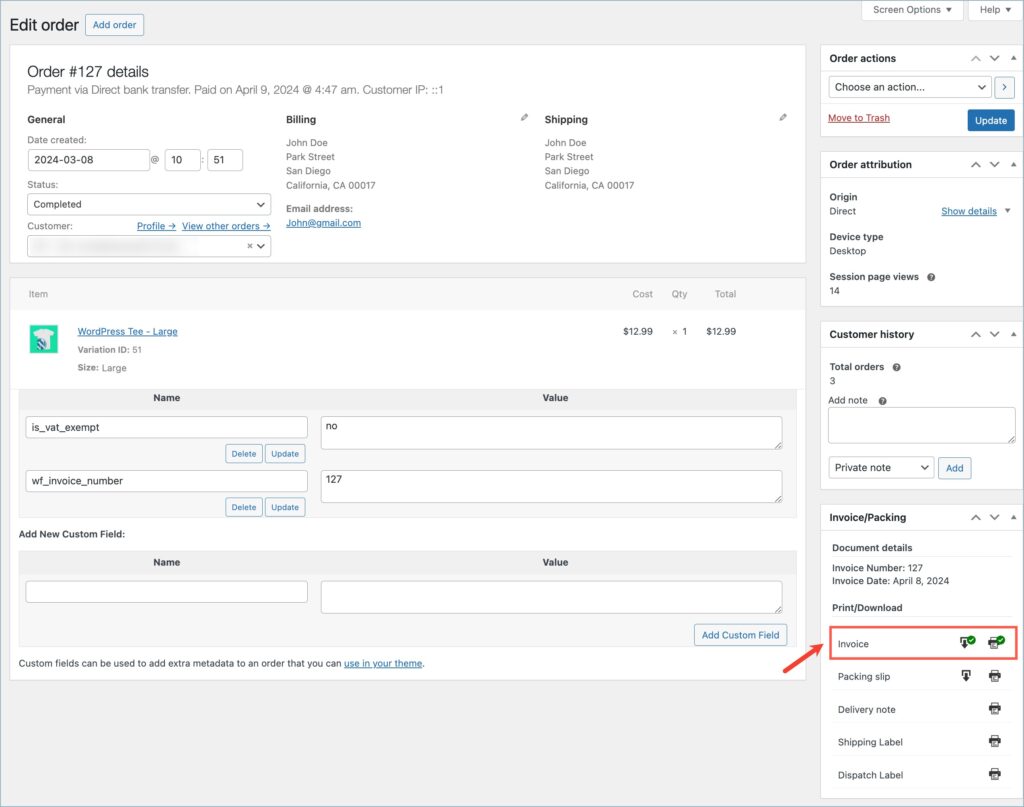
As you can see from the images below, following the above steps automatically generates invoices for older orders in the store.
In conclusion, WebToffee’s plugin lets you quickly generate invoices for past WooCommerce orders without manual work. By enabling the automation settings, invoices are created instantly, saving time and keeping your records consistent.
