


Store credit acts like a virtual wallet within an online store, where customers accumulate refunded amounts instead of receiving cash or returning funds to their original payment method. Customers can then spend this balance on future purchases.
With the WebToffee Gift Cards for WooCommerce plugin, you can email store credit as gift cards to customers or anyone else. Recipients then apply the gift card code at checkout to pay for their purchases. To send a gift card, follow these steps:
- Install and activate the plugin.
- From the dashboard, go to Gift Cards.
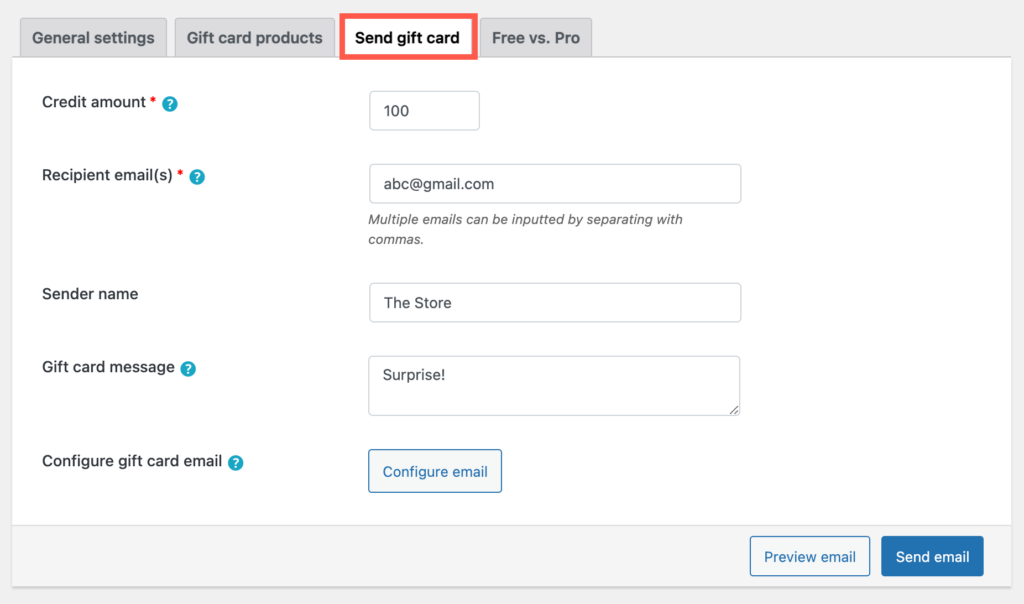
- Navigate to the Send gift card tab.
- Enter the gift card value in Credit amount.
- Enter the recipient’s email address in Recipient email(s). To send the gift card to multiple people, separate the email addresses with commas.
- Optionally, enter your name or your store’s name in Sender name, and add a personal message in Gift card message. The plugin keeps the line breaks in your message across the email preview, the email, and the PDF gift card (if you attach one).
- Click Preview email to check how the email looks.
- Click Send email to share the gift card with the user.
The recipient now receives the gift card by email. The plugin creates the gift card code using the prefix, suffix, and length you set in Gift Cards > General settings. The email and PDF also show the redemption text from the Additional text in email field, which you can edit in the same settings page under Configure gift card email.
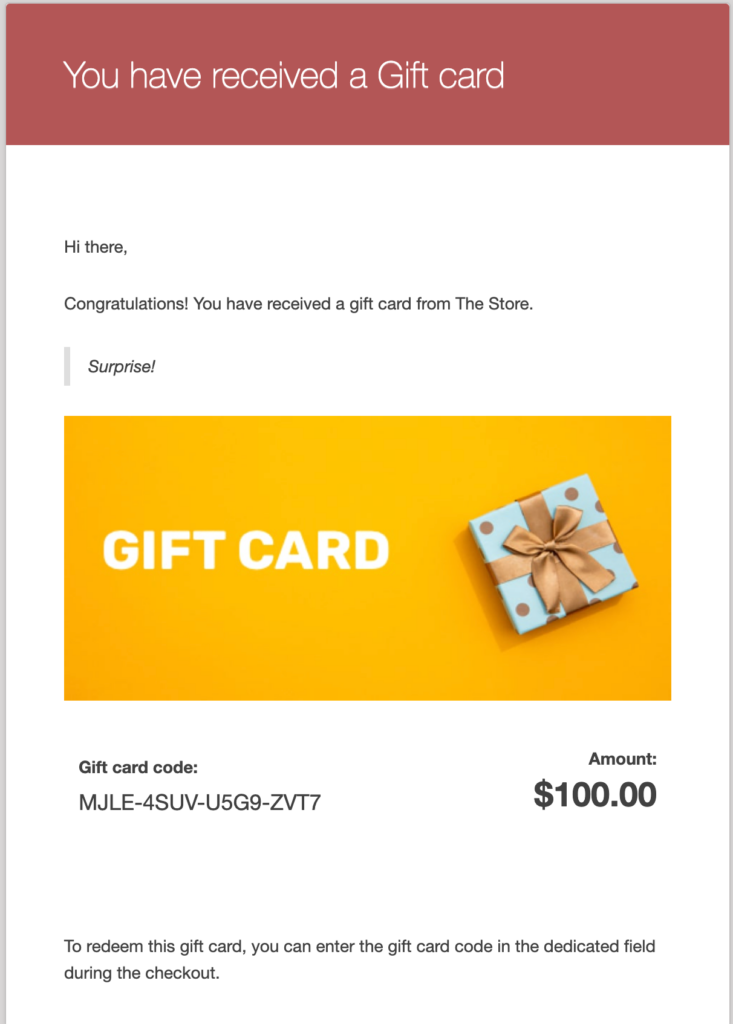
The user can apply this gift card during checkout, just like a coupon, to redeem store credit. If the order value is less than the gift card value, the user can use the gift card again for future purchases until they use up its full value.

