


The PayPal Express Checkout Payment Gateway for WooCommerce plugin allows you to accept payments using PayPal Smart Buttons. However, to integrate PayPal Smart Buttons on your site, you will need the PayPal Client ID and Secret.
Video Tutorial: Getting the Client ID and Secret from a PayPal Business Account
Steps to get a Client ID and Secret
If you have an existing PayPal business account, log in to the account. Otherwise, sign up and create a new business account.
- From the Activity tab, select API Access.
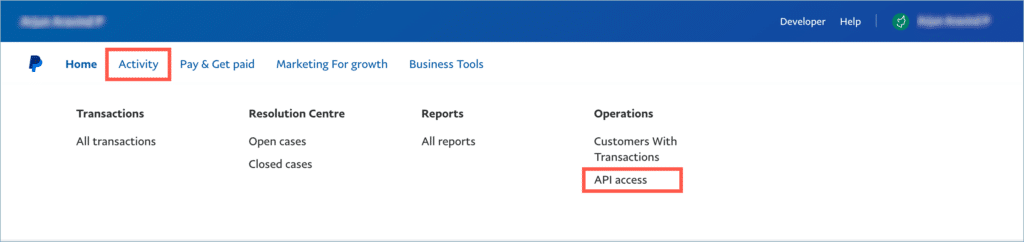
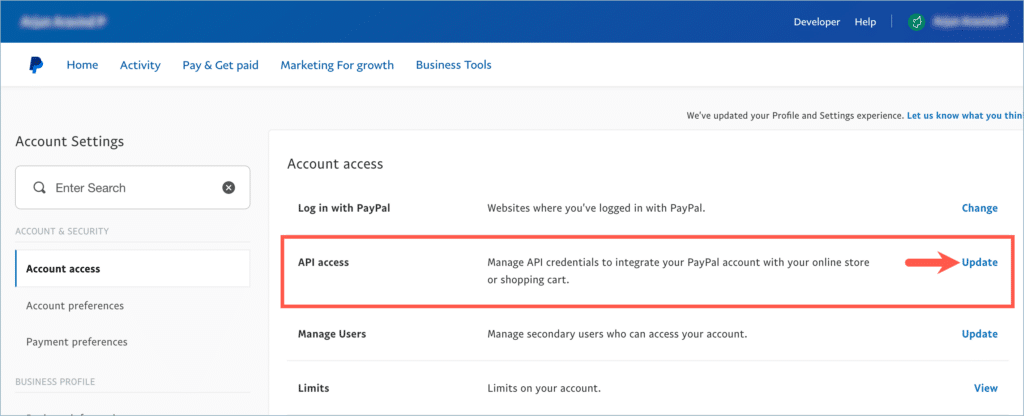
Alternatively, from the profile tab, navigate to the Account settings.

From Account settings, click on View/Update inline to the API access bar.
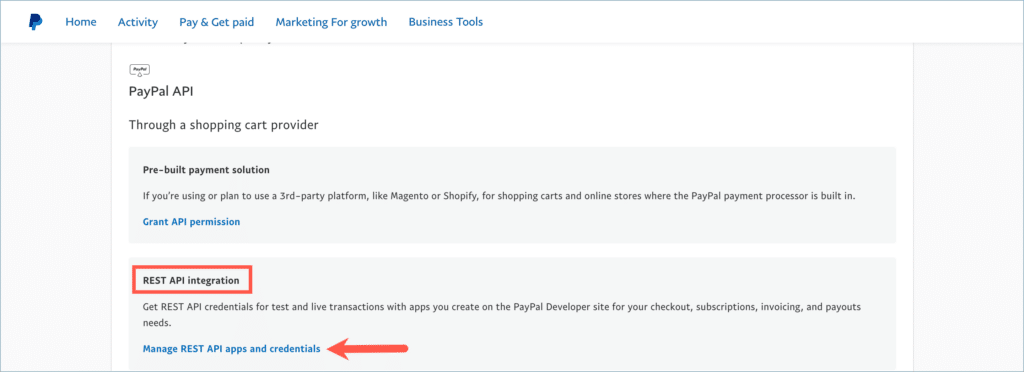
2. From the API credentials page, scroll down to the REST API Integration section and click Manage API apps and credentials.
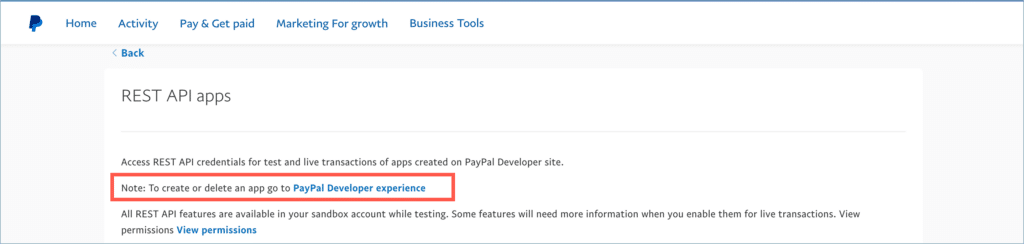
3. The REST API apps window opens up. Click on the PayPal Developer experience link to create or manage apps.
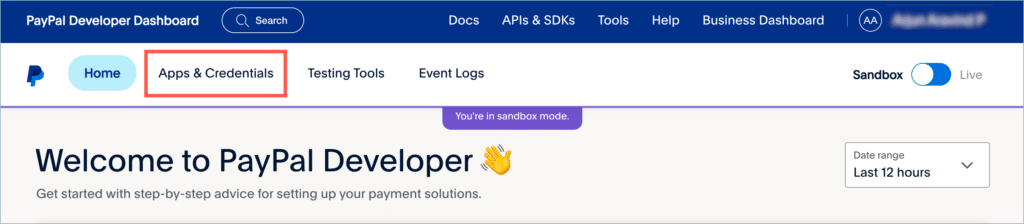
4. From the dashboard, click on Apps & Credentials.
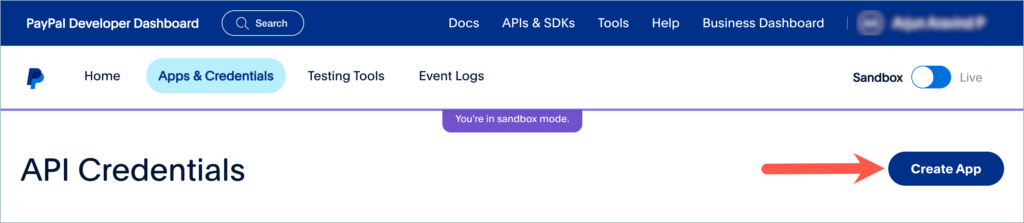
5. Next, click on the Create App.
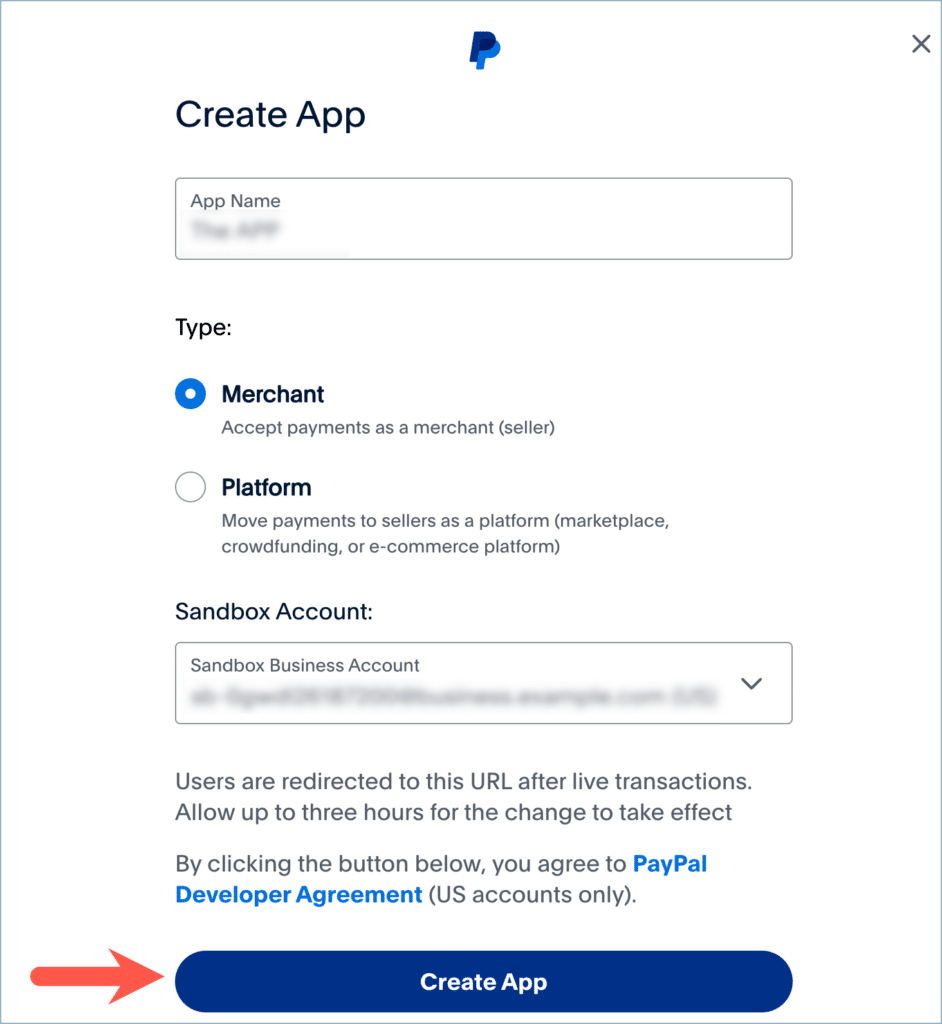
6. In the form that just came up, input the application details and click on Create App.
7. Now the Credentials are generated. Copy the Client ID and Secret.
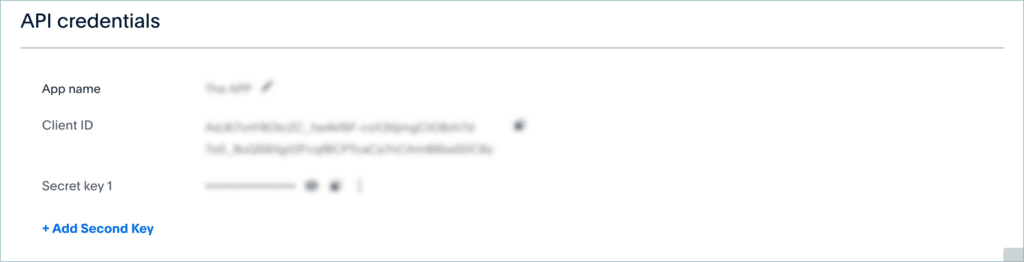
8. Paste the credentials in the respective fields of the plugin.

To learn more about the PayPal smart button, check out the following article: PayPal Smart Button and Customization.

Mziyanda
September 12, 2025
Hepl
Hema
September 15, 2025
Hello Mziyanda,
thanks for reaching out. Kindly contact our customer support team for getting your urgent query resolved.
Paul
March 10, 2023
Well, it doesn’t work with live.
Create API sandbox credentials, no problem.
Try to move slider to LIVE, it just moves it right back to sandbox. Paypal admin pages really are a dog’s breakfast. No error messages. No info why this happens.
Hema
April 17, 2023
Hello Paul,
Thanks for reaching out to us. The error doesn’t seem to be caused by our plugin. We insist you to give us more information through the support page to identify the root cause.
Pete Winter
February 17, 2022
My Rest API integration area is missing in paypal. See https://markuphero.com/share/gFFJGmY6WUHMrbHkQxgT – Any idea why?
Alan
February 22, 2022
Hi,
We would like to let you know that this is handled by Paypal itself. Can you please try contacting the Paypal support team to know more about this?
Jakub Michalski
September 8, 2022
I have the same issue.
Mike
September 24, 2022
Hi Jakub,
As the issue is more related to your PayPal account, we can’t give you an exact resolution. You may reach out to PayPal support regarding the same.