


Share:


Table of Contents
- Shopify enables subscription box businesses through its free Subscriptions app and various third-party apps for enhanced features.
- Profitability hinges on careful management of product costs, shipping, and customer retention strategies.
- There are three primary subscription models: curated boxes, build-a-box options, and replenishment subscriptions, each with unique operational challenges.
- Setting the right subscription price is crucial to cover costs and achieve long-term profitability, especially when accounting for customer acquisition expenses.
- Effective inventory management and fulfillment strategies, whether in-house or through third-party logistics, are essential for operational efficiency.
- Testing the customer experience before launch ensures a smooth subscription process and helps identify potential issues early on.
Starting a subscription box business is a great way to generate recurring revenue instead of relying only on one-time purchases. Whether you’re planning to sell monthly snack boxes, beauty products, coffee, or hobby kits, Shopify provides the tools to get started.
Yes, you can sell subscription boxes on Shopify. You can use Shopify’s free Subscriptions app for basic recurring deliveries or a third-party app for advanced features like build-a-box customization, product swapping, and customer retention.
However, setting up subscriptions is only one part of running a successful business. You also need to consider product costs, shipping, fulfillment, pricing, and customer retention.
In this guide, we’ll explain how to start a subscription box business on Shopify, calculate potential profits, compare subscription apps, and manage recurring orders. We’ll focus on practical costs and features to help you choose what works best for your business.
Yes. Shopify supports subscription-based selling through its free Shopify Subscriptions app and third-party apps available in the Shopify App Store.
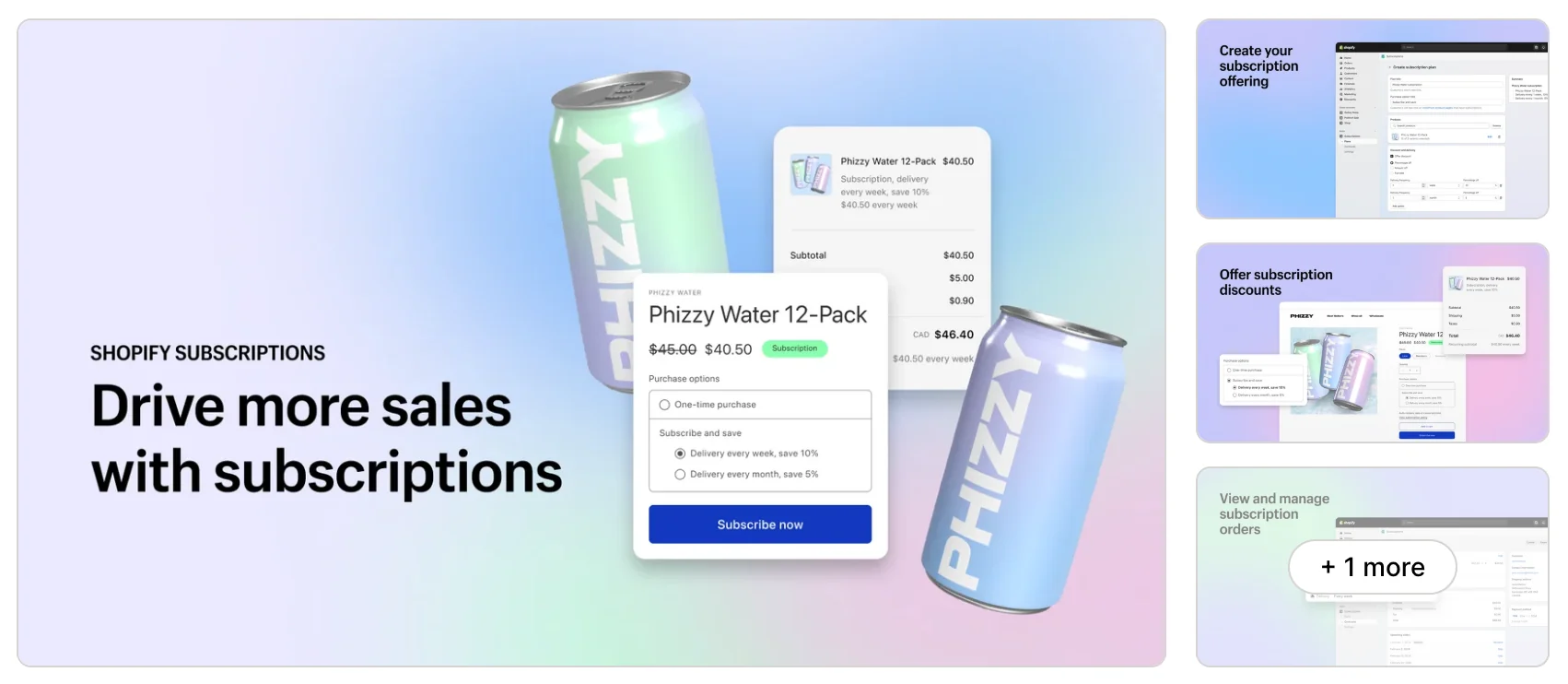
Shopify’s free app lets you create weekly, monthly, or yearly subscription plans, offer recurring discounts, and automatically generate orders when subscriptions renew. Customers can also manage their subscriptions, including skipping deliveries, pausing subscriptions, updating payment details, and canceling orders.
For example, if you sell coffee, you could offer a monthly subscription that automatically delivers two bags of coffee every four weeks.
However, Shopify’s free app has limitations when it comes to customizable subscription boxes. It doesn’t natively support build-a-box experiences where customers select multiple products to create their own recurring boxes. Shopify’s standard Bundles app is also incompatible with the first-party Subscriptions app.
For features like customizable boxes, advanced product swapping, personalized cancellation offers, and detailed retention analytics, you’ll generally need a third-party subscription app.
Yes, subscription boxes can be profitable, especially when customers stay subscribed for several months. However, profitability depends on your product costs, shipping expenses, subscription pricing, and customer retention.
For example, let’s say you’re selling a monthly self-care subscription box for $49.
| Expense | Cost per box |
|---|---|
| Products | $18.00 |
| Packaging | $2.50 |
| Shipping | $7.00 |
| Picking and packing | $3.00 |
| Payment processing | $1.72 |
| Subscription app fee (1%) | $0.49 |
| Total variable costs | $32.71 |
| Contribution per box | $16.29 |
These are illustrative costs, assuming Shopify Basic’s standard US online card rate and a hypothetical 1% subscription app fee.
In this example, you retain $16.29 per box before fixed operating expenses, marketing, and taxes. That’s a contribution margin of approximately 33.2%.
However, you also need to consider the cost of acquiring subscribers. If you spend $20 to acquire a customer, their first box would generate a $3.71 loss after acquisition costs. You would need that customer to renew to recover the initial investment.
You can also calculate how many subscribers you need to cover your monthly fixed expenses:
Break-even subscribers = Monthly fixed costs ÷ Contribution per subscriber
For example, with $1,500 in monthly fixed expenses and $16.29 contribution per box, you’d need approximately 93 active monthly subscribers to break even, assuming no additional acquisition costs.
This is why pricing your boxes correctly and retaining subscribers are essential for long-term profitability.
Before setting up your Shopify store, decide what kind of subscription experience you want to offer. There are three common models, each with different benefits and operational challenges.
1. Curated Subscription Boxes
Curated boxes contain products selected by the store owner. Customers know the general theme but may not know exactly what they’ll receive.
For example, a monthly self-care box could contain skincare products, candles, and wellness accessories. This model works well for product discovery and gives you control over sourcing and packaging.
However, you’ll need to regularly introduce interesting products to keep customers excited about upcoming deliveries.
2. Build-a-Box Subscriptions
Build-a-box subscriptions let customers select the products they want in each delivery.
For example, a snack subscription business might allow shoppers to choose six items from a catalog of 30 snacks. This gives customers more control and creates a personalized experience.
The challenge is fulfillment. Instead of preparing identical boxes, you may need to assemble different product combinations for each subscriber. You’ll also need an app that supports customizable recurring boxes.
3. Replenishment Subscriptions
Replenishment subscriptions regularly deliver products customers use and replace.
Common examples include coffee, pet food, skincare essentials, and household supplies. For example, customers could subscribe to receive their favorite coffee beans every four weeks.
This model can be easier to manage because customers know what they’re receiving. However, flexible delivery frequencies are important so customers don’t accumulate products they haven’t used.
Which Subscription Box Ideas Are Most Profitable?
Coffee and tea, pet products, beauty products, snacks, and hobby kits are all worth exploring.
However, no single category guarantees the highest profits. The best opportunities usually combine repeat demand, affordable sourcing, manageable shipping costs, and good customer retention. Here’s a quick comparison:
| Model | Complexity | Margin potential | Suitable apps |
|---|---|---|---|
| Curated boxes | Low–Medium | Depends on sourcing | Shopify Subscriptions, Appstle |
| Build-a-box | High | Depends on fulfillment costs | Loop, Appstle, Bristm |
| Replenishment | Low | Benefits from repeat demand | Shopify Subscriptions, Appstle |
| Premium themed boxes | Medium | Depends on pricing and sourcing | Loop, Smartrr, Casa |
Choose a niche based on customer demand and realistic costs rather than popularity alone.
The cost of running a subscription box business on Shopify depends on your Shopify plan, subscription app, product sourcing, packaging, shipping, and marketing expenses.
Shopify Plan and Payment Processing Fees
Most beginners can start with Shopify Basic, which costs $29 per month when billed annually and charges 2.9% + $0.30 for online card transactions.
As your business grows, you can upgrade to the Grow plan at $79 per month with a processing fee of 2.7% + $0.30, or the Advanced plan at $299 per month with a lower rate of 2.5% + $0.30. These are Shopify’s standard US rates, with the plan prices based on annual billing.
Shopify Basic costs $39 per month if you choose monthly billing instead of annual billing. For example, on a $100 subscription box sale, Shopify Basic’s standard US online card processing fee is $3.20 ($100 × 2.9% + $0.30). This leaves $96.80 before product, shipping, and other expenses.
Additional transaction fees may apply if you use a third-party payment provider instead of Shopify Payments.
Subscription App and Other Operating Costs
Shopify’s free Subscriptions app lets you offer basic recurring deliveries without additional app fees. However, third-party subscription apps may charge monthly fees, transaction fees, or both.
You’ll also need to consider:
- Product sourcing: The cost of purchasing products for each subscription box.
- Packaging and shipping: Boxes, packing materials, shipping labels, and delivery charges.
- Fulfillment: Labor for assembling boxes or fees charged by a third-party logistics provider.
- Marketing: Advertising, influencer partnerships, and other customer acquisition expenses.
Your actual costs will depend on the products you sell, the number of subscribers, and whether you handle fulfillment yourself.
Quick Tip: Before launching, calculate your total cost per box, including recurring app fees and shipping. This will help you set a subscription price that leaves enough room for profit.
Now that you understand the costs and subscription models, let’s walk through how to launch your first subscription box.
For this example, we’ll create a monthly coffee subscription.
Step 1: Pick Your Niche and Validate Demand
Start by identifying a specific audience and a product they’d want delivered regularly.
For example, instead of selling general coffee subscriptions, you could focus on specialty coffee lovers interested in discovering new roasts.
Research competing subscriptions, compare prices, and read customer reviews to understand what shoppers like and dislike. You can also create a landing page, collect email signups, or offer a small preorder batch to test demand before purchasing large quantities of inventory.
Step 2: Install a Subscription App
Next, choose an app that supports your subscription model.
For basic recurring deliveries, you can install the free Shopify Subscriptions app from the Shopify App Store. After installing it, open the app from the Apps section in your Shopify admin.
If you want customers to build personalized boxes or swap products, consider a third-party app such as Appstle or Loop. Before choosing, check whether the app supports your payment gateway, delivery schedule, and customization requirements.
Step 3: Create Subscription Box
Next, add your subscription box as a product. For example, you could create a product called Monthly Specialty Coffee Box, priced at $39 per delivery, containing two 250g bags of coffee.
Write a clear description explaining what customers will receive, how often deliveries arrive, and whether box contents change. Add product photographs and set up your shipping, refund, privacy, and subscription cancellation policies.
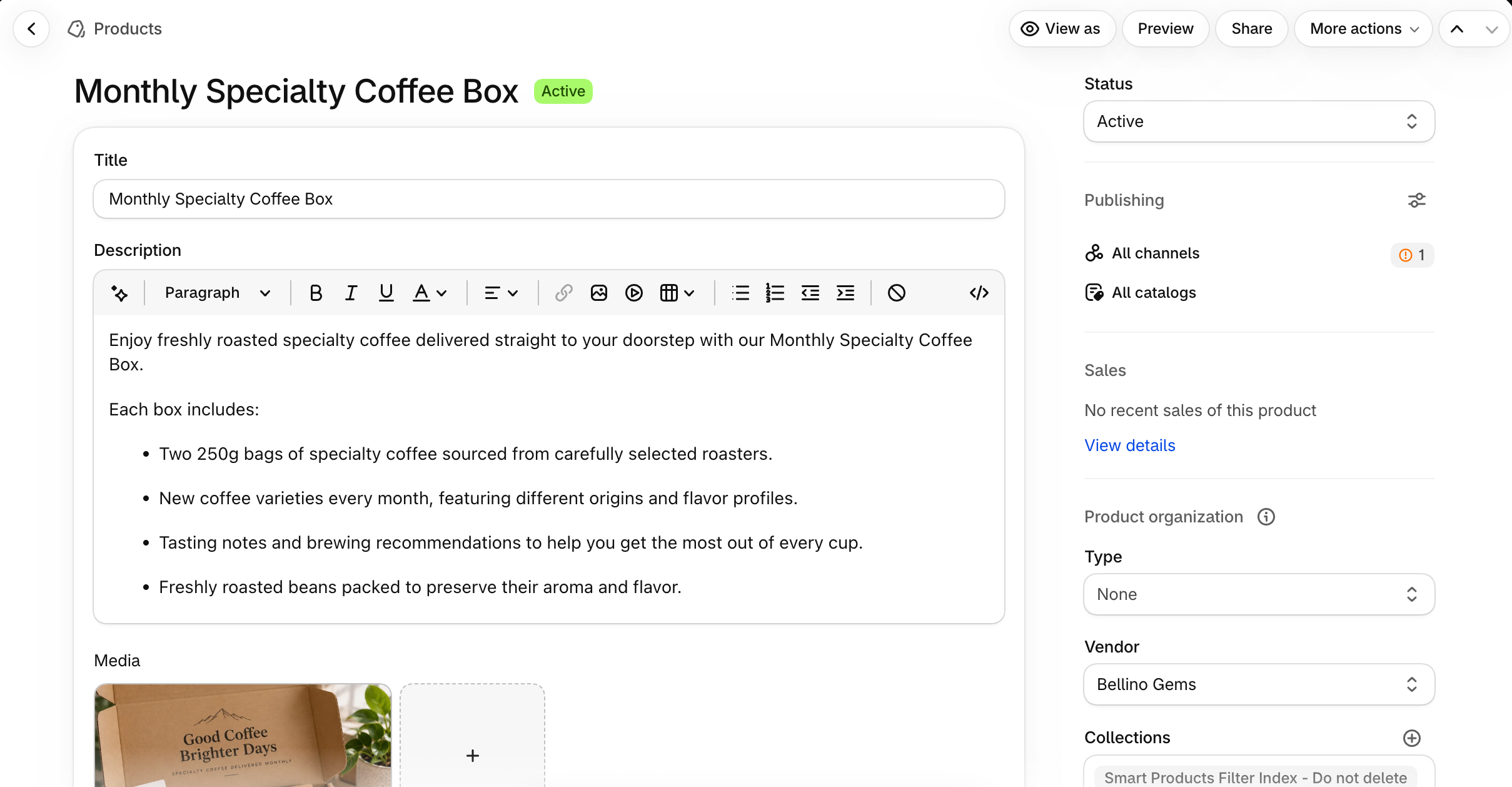
If you’re selling curated boxes, use representative product photos to help customers understand what they’re paying for.
Step 4: Create Your Subscription Plan
If you’re using Shopify Subscriptions, go to Apps > Subscriptions > Plans and select Create plan.
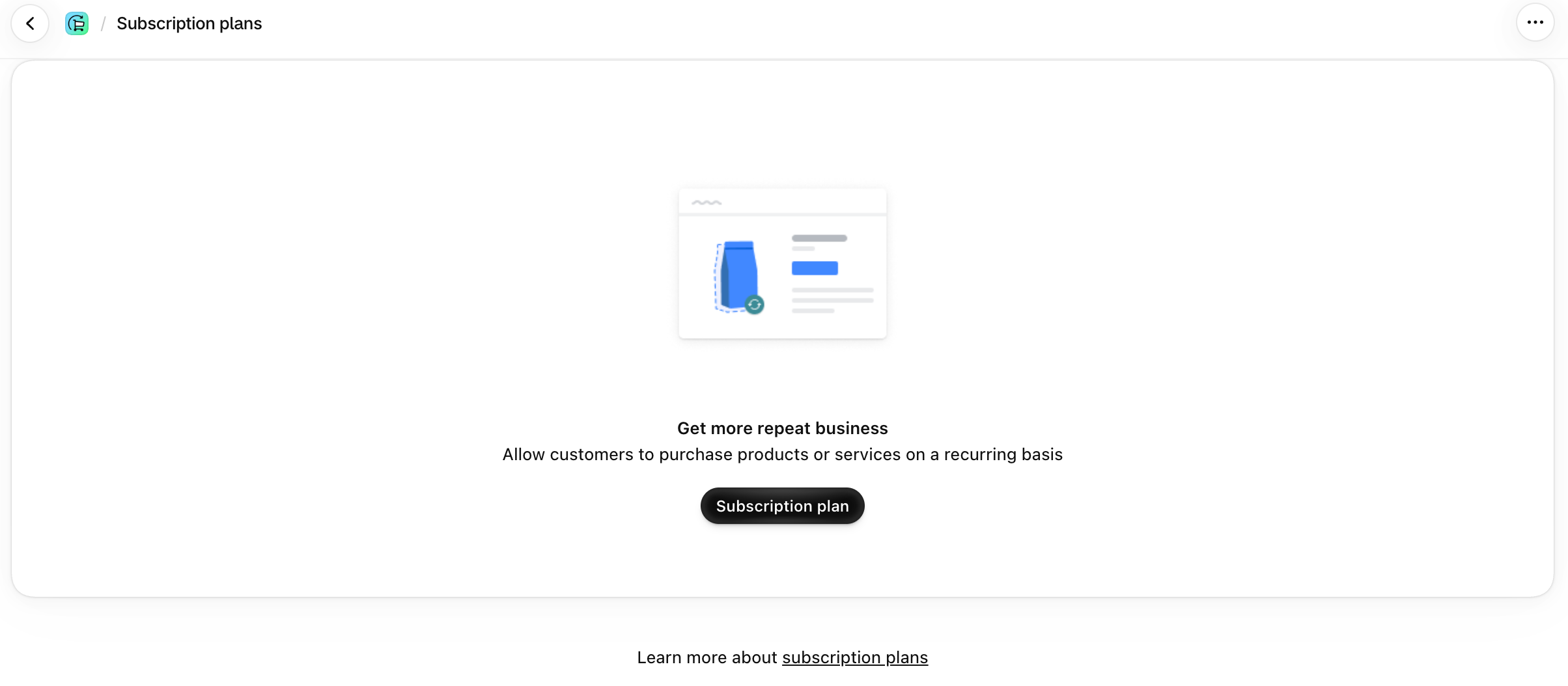
Enter a plan name, choose the products you want to offer, and configure the delivery frequency. For example, you could create a Monthly Coffee Subscription that delivers every month for $39.
You can also offer different subscription options for the same product, such as monthly or every two months. Shopify uses selling plan groups to organize these recurring purchase options, but the subscription app manages the technical setup.
Step 5: Configure Pricing, Billing, and Shipping
Decide how frequently customers should receive deliveries and when payments should be collected. For example, you could offer monthly deliveries for $39 or premium monthly boxes for $59.
You should also decide whether shipping is included in the subscription price or charged separately. If you’re shipping curated boxes in batches, consider setting a common billing and dispatch schedule. This can simplify inventory purchasing and fulfillment.
However, make sure your subscription app supports your preferred billing and delivery arrangement.
Step 6: Set Up the Customer Portal
The customer portal lets subscribers manage their recurring purchases.
Depending on the app, customers may be able to skip deliveries, pause subscriptions, change shipping addresses, update payment information, or cancel. Advanced subscription apps may also allow product swaps and changes to box contents.
Make subscription management easy to find through customer accounts or your store’s navigation. A flexible subscription experience can help reduce cancellations when customers want a temporary break rather than ending their subscription entirely.
Step 7: Test Your Subscription Checkout
Before launching, test the complete customer journey.
Place a test subscription order and verify that the correct price, delivery frequency, shipping charges, and recurring payment terms appear at checkout. Check whether confirmation emails work and customers can access their subscription management options.
Also test renewal handling, payment failures, and how subscription orders appear in your fulfillment workflow. Shopify recommends using a supported payment gateway in test mode for subscription testing. Its generic Test payment gateway doesn’t support subscription products.
Step 8: Launch Your Subscription Box
Once everything works correctly, prepare your launch.
Confirm that you have enough inventory and packaging materials for your first batch of orders. Make sure your shipping timelines and cancellation policies are clearly displayed. You can then begin promoting your subscription through email, social media, and other marketing channels.
Start with a manageable number of subscribers so you can identify problems with packing, delivery, and customer experience before scaling.
Choosing the right subscription app depends on your budget, subscription model, and the features your customers need.
Here’s how several options compare.
| App | Starting price | Additional app transaction fees | Build-a-box | Customer portal | Best for |
|---|---|---|---|---|---|
| Shopify Subscriptions | Free | None | No | Yes | Simple recurring deliveries |
| Loop Subscriptions | Free; paid from $99/mo | 1% on Starter | Yes, paid plan | Yes | Growing subscription brands |
| Appstle Subscriptions | Free; paid from $10/mo | 0% on listed paid plans | From $30/mo | Yes | Budget-conscious stores |
| Smartrr | $99/mo | 1% of subscriber GMV | Supported; confirm tier | Yes | Brands prioritizing subscriber engagement and loyalty programs |
| Cratejoy | From $24.99/mo | 1.25% + $0.10, plus marketplace referral fees | Separate platform | Yes | Marketplace discovery |
| Casa Subscriptions | Free to install | 3.5% on free plan | Yes, custom setup | Yes | Customized subscriptions |
| Bristm (formerly Utterbond) | Free; paid from $19/mo | 2% on free, 0% paid | From $29/mo | Yes | Affordable build-a-box |
Pricing is based on publicly listed plans in October 2026 and may change. Shopify and payment processing fees are additional. Cratejoy is a separate subscription-commerce marketplace rather than a directly comparable Shopify subscription app.
Don’t choose an app based only on its features. Calculate the total cost at your expected subscription revenue and check which features are included in each pricing tier.
Once subscribers start placing orders, you need a reliable way to prepare and ship their boxes.
You can handle fulfillment yourself or outsource it to a third-party logistics (3PL) provider.
In-House Fulfillment
With in-house fulfillment, you store products, assemble boxes, and arrange shipping yourself. This gives you greater control over packaging, product selection, and quality. It’s often a practical option when you’re starting with a small subscriber base.
However, packing hundreds of boxes every month can become time-consuming as your business grows.
Third-Party Logistics (3PL)
A 3PL provider handles storage, picking, packing, and shipping on your behalf. This can reduce manual work and eliminate the need for dedicated warehouse space, but you’ll pay for fulfillment services and potentially additional storage or handling.
There’s no fixed subscriber count at which outsourcing becomes necessary. For example, if in-house fulfillment costs $150 per month plus $4.50 per box, while a 3PL charges $450 per month plus $3 per box, both options cost the same at 200 boxes per month.
Beyond that volume, the assumed 3PL pricing becomes cheaper. Actual costs depend on your provider and packaging requirements.
Plan Inventory Around Subscription Dates
Inventory planning is especially important when many boxes ship together. For example, if your monthly boxes ship on the 10th, you could set the 1st as the cutoff date for product changes, use the following days for preparation, and dispatch orders on the 10th.
For customized boxes, forecast inventory based on the individual products subscribers have selected. Shopify’s inventory management tools can help you monitor stock and prepare for upcoming orders.
Related reading: Shopify Inventory Management: How to Set Up, Track & Manage Stock.
Yes, subscription boxes can be profitable when pricing covers product sourcing, packaging, shipping, fulfillment, marketing, and operating expenses. Customer retention also matters because longer subscriptions provide more opportunities to recover acquisition costs and earn a profit.
On Shopify Basic, a standard US online card transaction using Shopify Payments has a published processing rate of 2.9% plus $0.30. That’s $3.20 on a $100 sale. Additional fees may apply depending on the payment provider, subscription app, and transaction type.
Yes. Shopify supports recurring subscriptions through its free Shopify Subscriptions app and third-party apps. Merchants can create subscription plans, collect recurring payments, and manage subscription orders.
There’s no single subscription box category that consistently earns the highest profit. Coffee, pet care, beauty, snacks, and hobby kits can all be viable. Profitability depends on customer demand, product costs, shipping, pricing, and retention.
Customers can usually manage their subscriptions through their store’s customer account or subscription management portal. Depending on the app and merchant settings, they can pause, skip, or cancel upcoming subscriptions and update payment details.
Final Thoughts
Starting a subscription box business on Shopify doesn’t have to be complicated.
You can begin with a simple curated box, use Shopify’s free Subscriptions app to manage recurring orders, and handle fulfillment yourself while your subscriber base is small. As your business grows, you can explore customizable boxes, advanced subscription apps, and outsourced fulfillment.
The most important thing is to validate demand, calculate your margins, and make subscriptions convenient for customers.
Start with one clearly defined product, test your pricing with a small group of subscribers, and focus on delivering an experience that keeps customers coming back.
Planning to use WooCommerce instead? Check out our guide on how to create a subscription box in WooCommerce for step-by-step instructions.


Subcribe to our newsletter


