


Because the withdrawal form is customer-facing and often publicly accessible, it can become a target for spam submissions or automated abuse bots submitting fake withdrawal requests, or bad actors attempting to flood your admin notifications.
The reCAPTCHA feature (PRO) adds Google reCAPTCHA v3 protection to the withdrawal form, filtering out non-human traffic before a request is even submitted.
Without spam protection, a publicly visible withdrawal form is vulnerable to automated abuse which can clutter your Requests dashboard, trigger unnecessary email notifications, and in worst cases, be used to probe for valid order numbers. Enabling reCAPTCHA is especially recommended if:
- Your withdrawal button/shortcode is placed on a public page (not behind a login).
- You’ve noticed unusual or repeated withdrawal request activity.
How It Works
WEbtoffee’s EU withdrawal button for WooCommerce plugin allows to enable reCAPTCHA v3, which runs invisibly in the background as customers fill out the withdrawal form, scoring the interaction based on behavior patterns rather than requiring a visible challenge (like clicking images). Submissions that fail this check can be blocked before they reach your Requests queue.
Setup Steps
Step 1: Open Advanced Settings Go to WooCommerce → Withdrawals → Settings → Advanced.
Step 2: Enable reCAPTCHA Toggle on reCAPTCHA under the Advanced tab.
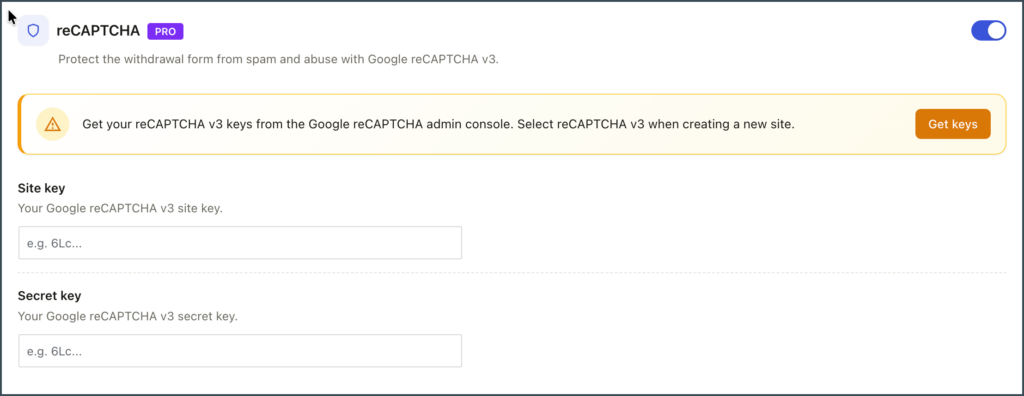
Step 3: Add Your Google reCAPTCHA Keys Once enabled, you’ll need to supply your Site Key and Secret Key from your Google reCAPTCHA account to complete the connection.
