


Share:


Table of Contents
Optimizing a WooCommerce product feed for Black Friday sales is essential for maximizing visibility and driving conversions during this critical shopping period. A well-prepared product feed ensures accurate, attractive listings across multiple marketplaces, which is crucial as millions of shoppers compare deals online. By focusing on data accuracy, compelling product descriptions, and real-time inventory management, WooCommerce stores can significantly enhance their performance and capture more sales.
- A flawless product feed is vital for visibility and sales during high-traffic events like Black Friday.
- Accurate product data, including titles, descriptions, and inventory levels, prevents costly listing errors.
- High-quality images and optimized pricing strategies are key to attracting customers and encouraging purchases.
- Real-time syncing of inventory and pricing helps avoid overselling and maintains customer trust.
- Utilizing dynamic pricing and promotional strategies can keep your offerings competitive and appealing.
- Continuous testing and optimization of product listings can lead to improved click-through rates and conversions.
Black Friday is the biggest shopping day of the year, and you don’t want your WooCommerce store to miss out. To stand out in that crowd, your WooCommerce store needs more than great discounts. It requires a flawless product feed.
In 2024 alone, online shoppers spent over $10.8 billion in the U.S., with millions browsing marketplaces like Google Shopping, Meta, and Amazon for the best deals.
During such a high-traffic season, every detail matters. A missing price, outdated stock count, or poor product title can cost you valuable sales opportunities. That’s why preparing your WooCommerce product feed before Black Friday is crucial. It ensures your listings are accurate, attractive, and performing at their best.
In this article, you’ll get a complete WooCommerce product feed checklist to help you optimize every detail from product data and pricing to feed validation, so your store is ready to capture the Black Friday rush.
Let’s dive in!
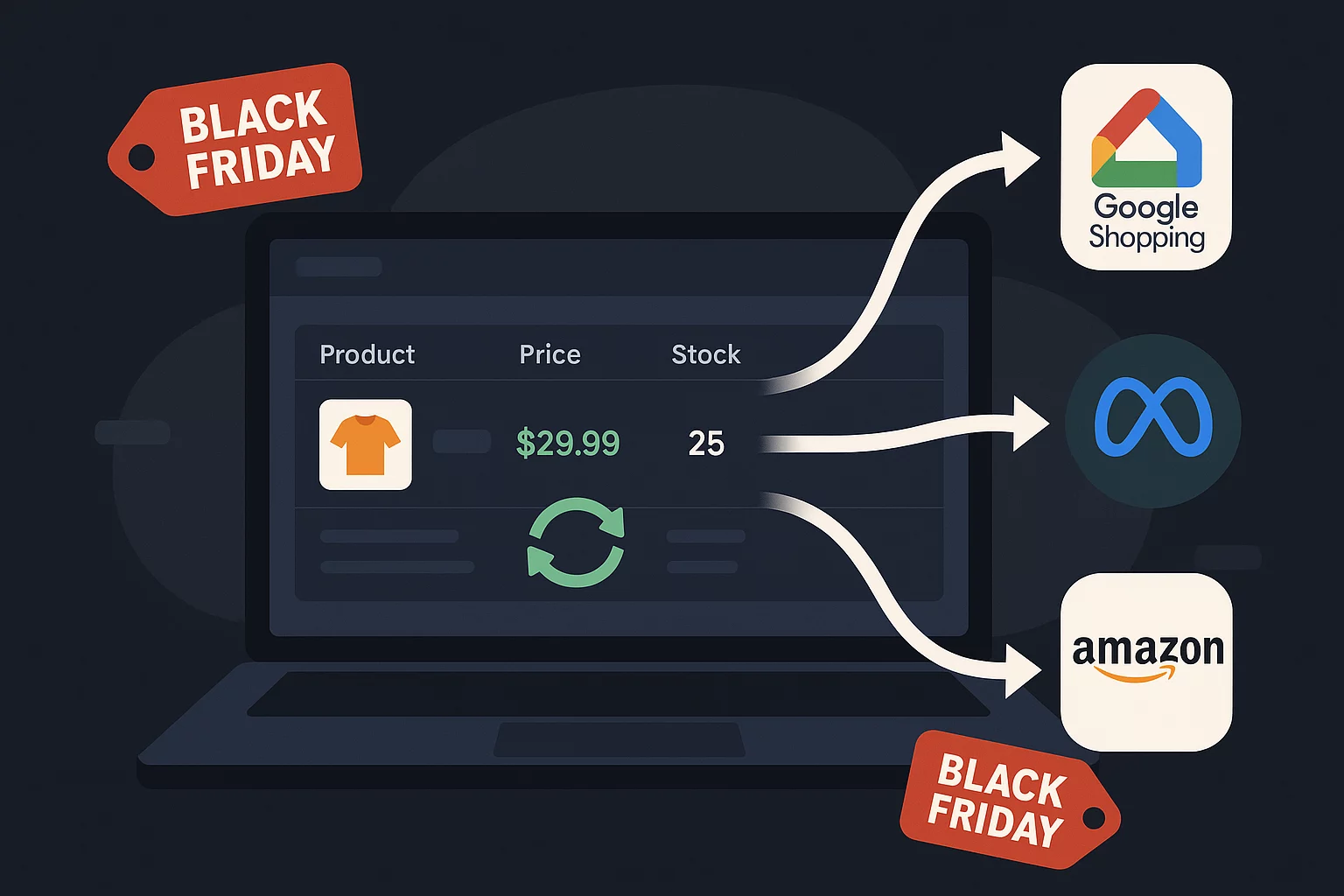
Black Friday is a high-stakes sales event, and your product feed is what determines whether your WooCommerce products get seen or stay buried. Product feeds act as the engine behind dynamic ads, marketplace listings, and price comparison tools, ensuring your products appear with the correct title, image, price, and stock information across all channels. If you haven’t built your feed yet, see our guide on how to generate a WooCommerce Google product feed first.
During Black Friday, when millions of shoppers are hunting for the best deals, speed and accuracy are everything. Most online shoppers compare prices across several platforms before making a purchase, so even a small mismatch or error in your feed, like an outdated price or incorrect stock count, can cost you a sale.
A well-optimized product feed helps you stay ahead of the competition by automatically updating your listings in real time, ensuring your products appear in relevant searches, and reflecting accurate discounts and stock availability everywhere you sell.
In short, your product feed is the foundation of your Black Friday visibility and performance. Get it right, and your store is primed for success.

1. Verify Product Data Accuracy
Before optimizing or promoting your products, it’s crucial to make sure your product data is accurate, complete, and consistent. Even small errors like a missing SKU or mismatched attribute can lead to listing issues, disapprovals, or poor visibility on marketplaces.
Here’s how to ensure your data is in top shape:
- Double-check product details
Review all titles, descriptions, and SKUs to ensure they’re correct and up to date. Incorrect SKUs or typos can cause duplicate listings or sync failures.
- Fix duplicates and missing entries
Scan your catalog for duplicate product entries or missing information. A single incomplete record can break your feed or cause errors during import.
- Verify and map attributes properly
Make sure product attributes like color, size, brand, and material are clearly defined and mapped according to each platform’s standards (e.g., Google Shopping, Meta, or Amazon). Proper mapping ensures products appear in relevant searches and categories.
- Keep formatting consistent
Use consistent naming conventions. For instance, always use “Color” instead of alternating between “Colour” and “Color.” Consistency improves data quality and feed readability.
2. Optimize Product Titles and Descriptions
Your product titles and descriptions are key to getting your products noticed, both by shoppers and search engines. During Black Friday, when marketplaces are overflowing with deals, well-optimized titles and descriptions can make all the difference between getting seen and getting skipped.
Start by crafting titles that are clear, descriptive, and keyword-rich. Think about what your customers are searching for and include relevant details like:
- Brand name
- Product type
- Key feature
- Size or color
- Seasonal keywords such as “Black Friday Deal,” “Limited Offer,” or “Holiday Discount.”
For example: Instead of “Bluetooth Speaker,” use “Portable Bluetooth Speaker – Black Friday Deal | 10-Hour Battery, Waterproof.” This instantly boosts visibility and communicates value at a glance.
When writing product descriptions, focus on clarity and persuasion. Make them:
- Benefit-driven: Highlight what’s in it for the shopper. Longer battery life, better comfort, or faster performance.
- Urgent: Use time-sensitive language like “Limited Stock,” “Today Only,” or “Offer Ends Soon.”
- Readable: Use short paragraphs, clear bullet points, and concise sentences for easy scanning.
You can also emphasize key selling points such as:
- Deep discounts or bundles
- Free or fast shipping
- Extended return periods or warranties
3. Include High-Quality Product Images
When it comes to online shopping, especially during high-traffic events like Black Friday, visuals can make or break a sale. Shoppers can’t touch or test your products, so your images do all the talking. High-quality, optimized visuals instantly build trust and grab attention, helping your listings stand out in a crowded marketplace.
Here’s how to get it right:
- Use clear, high-resolution images
Ensure your product photos are sharp, well-lit, and display the item from multiple angles. Blurry or low-quality images can make even a great product look unappealing. Most marketplaces recommend images that are at least 1000 x 1000 pixels for zoom functionality.
- Show the product in context
Include a mix of plain white background images (for feeds and marketplaces like Google Shopping) and lifestyle images (for your website and ads). Lifestyle photos help shoppers imagine the product in real life.
For example, showing a coffee mug on a cozy breakfast table instead of just against a white background.
- Follow marketplace image guidelines
Each platform (Google, Amazon, Meta, etc.) has its own image requirements such as background color, minimum size, and content rules. Stick to these to avoid disapprovals or listing rejections.
- Optimize image file names and alt text
Rename your image files to include relevant product keywords, like black-friday-wireless-headphones.jpg instead of IMG1234.jpg. Add descriptive alt text such as “Wireless Bluetooth Headphones – Black Friday Deal” for SEO benefits and accessibility.
- Avoid watermarks, logos, or excessive text
Overlays and watermarks not only look cluttered but can also get your listings rejected on platforms like Google Shopping. Keep your visuals clean and professional.
- Maintain consistency
Use uniform lighting, angles, and image sizes across all products. A consistent look helps create a cohesive, trustworthy brand identity.
4. Ensure Accurate Pricing and Discounts
Pricing is one of the biggest deciding factors for shoppers, especially during Black Friday, when customers are actively comparing deals across multiple stores. Even a small error or delay in updating your prices can cost you clicks, conversions, and credibility. That’s why keeping your pricing accurate and consistent across all sales channels is essential.
Here’s how to make sure your pricing strategy works flawlessly:
- Double-check regular and sale prices
Before your feed goes live, review your regular and discounted (sale) prices carefully. Make sure the sale price appears correctly in both your WooCommerce store and your product feed.
A mismatch, for example, a sale price in WooCommerce but not in the feed, can result in listing errors or rejection by platforms like Google Shopping or Amazon.
- Sync pricing in real time
During Black Friday, price changes happen fast. Flash sales, time-limited offers, and extra discounts can roll out throughout the day. Enable real-time syncing between WooCommerce and your connected marketplaces so that every price update is reflected instantly across platforms. This prevents confusion and ensures shoppers always see the correct deal.
- Show discounts clearly
Make your promotions stand out! Display both the original price and the discounted price to highlight savings (e.g., “$79.99 – now $49.99”). Many platforms also support sale annotations like “Price Drop” or “Limited-Time Offer,” which can boost click-through rates.
- Check feed formats and fields
For Google Shopping, use the sale_price and sale_price_effective_date attributes correctly. This ensures your Black Friday discounts are displayed at the right time and trigger the “Price Drop” badge automatically.
- Verify pricing consistency
Always make sure the price in your product feed matches exactly what’s shown on your product landing page. Even a few cents of difference can lead to disapprovals or account suspension under Google’s policies.
5. Sync Inventory Levels
During Black Friday, products can sell out faster than ever and if your inventory data isn’t accurate, it can quickly lead to overselling, canceled orders, and unhappy customers. That’s why keeping your stock levels perfectly in sync across all sales channels is one of the most important steps for a smooth sales experience.
Here’s how to ensure accurate, real-time inventory management:
- Keep stock levels updated across all platforms
Every sale whether it happens on WooCommerce or Amazon, Google, or another channel should immediately update your stock count everywhere. This prevents a situation where a product appears “in stock” on one platform when it’s already sold out elsewhere.
- Automate your inventory sync
Manual updates are risky and time-consuming, especially during high-volume sales like Black Friday. Use automation to sync inventory in real time between WooCommerce and connected marketplaces. This ensures that as soon as a sale happens, your feed reflects the new stock count instantly.
- Set clear stock thresholds
Mark items as “Low Stock” when they fall below a specific quantity (e.g., fewer than 5 or 10 units). This helps you:
- Avoid overselling or disappointing customers.
- Trigger urgency in listings (“Only 3 left!”) to encourage quick purchases.
- Adjust bids or ad spend for products with limited availability.
- Handle out-of-stock products smartly
Don’t delete listings when stock runs out. Instead, mark them as “Out of Stock” and make sure that status syncs correctly in your feed. This maintains your product’s listing history and SEO value, and allows you to reactivate it easily when stock is replenished.
- Use alerts and reports
Set up low-stock notifications or automated reports so you can restock popular items quickly before they sell out completely.
6. Set Up Dynamic Pricing and Promotions
Black Friday is a fast-paced sales event where prices change quickly and competition is fierce. To stay ahead, your WooCommerce store needs to adapt pricing and promotions dynamically — responding in real time to market trends, stock levels, and competitor pricing.
Here’s how to make your dynamic pricing strategy work effectively:
- Use feed rules for automatic discounts
Instead of manually updating each product, set up automated feed rules that adjust prices based on specific conditions such as product category, stock quantity, or discount percentage.
Example: “Apply a 20% discount on all electronics” or “Add 10% off for products with stock over 100 units.” These rules ensure your discounts roll out instantly without manual effort.
- Highlight offers with custom labels
Use custom labels (like “Top Deal,” “Limited Time Offer,” “Bestseller,” or “Holiday Exclusive”) in your product feed to make your deals stand out. These labels help you group products for ad campaigns and highlight promotions more effectively in Google Shopping and other marketplaces.
- Keep pricing flexible and competitive
Continuously monitor market prices and adjust your offers to stay competitive. During Black Friday, shoppers compare prices aggressively. A small difference can sway buying decisions.
Setting up real-time price adjustments ensures you remain visible in comparison listings and don’t miss out on sales.
- Leverage urgency-driven messaging
Combine your pricing strategy with time-sensitive language like “Today Only” or “Ends Soon” in product titles or descriptions. It reinforces urgency and encourages quicker decisions.
Once your main product feed setup is ready, it’s time to fine-tune it for maximum visibility and performance. These bonus optimization tips can give your WooCommerce store an extra edge during the Black Friday rush, helping your products stand out, attract clicks, and convert better.
Here’s how to make your feed go from good to great:
- Run A/B tests for titles and images
Small tweaks can make a big impact. Test different variations of product titles and main images to see which combinations attract more clicks or conversions.
Example: Try one title version with “Black Friday Deal” included and another without it. For images, compare a plain product image versus a lifestyle shot that shows the product in use.
- Highlight bestsellers or high-margin products
Not all products deserve the same spotlight. Identify your top-performing or most profitable items and prioritize them in your feed.
Use custom labels like “Bestseller” or “High Margin” to group them.
Allocate more ad budget and visibility to these items to maximize ROI during the sale period.
- Enable structured data and review feeds
Add structured data (schema markup) to your product pages so search engines can display rich snippets including star ratings, prices, and availability directly in search results.
You can also sync your review feeds to showcase authentic customer feedback on marketplaces like Google Shopping.
Conclusion
Getting your product feed ready is one of the smartest moves you can make before Black Friday. A clean, optimized, and automatically updating feed ensures your products appear accurately across all marketplaces, helping you capture every possible sale when traffic peaks.
With WebToffee’s WooCommerce Product Feed Plugin, the process is simple and reliable. The plugin lets you connect your WooCommerce store to top platforms like Google Shopping, Meta, and Amazon, keeping your prices, stock, and product details perfectly in sync.
It also automates updates, validates your data, and helps you meet each marketplace’s feed standards, saving you hours of manual work and preventing costly listing errors.
Start preparing early, test your feed, and let the plugin handle the heavy lifting.


Subcribe to our newsletter


