


More and more people are changing their e-commerce platforms to WooCommerce. If you already have an e-commerce website for an e-commerce platform like Magento, and you want to migrate to WooCommerce, all you need is the right plugin that can help you with it. Customer data from Magento can be imported into WooCommerce using the WordPress Users & WooCommerce Customers Import Export plugin by exporting customer data from Magento and importing it as Users/Customers in WooCommerce.
This allows you to migrate customer accounts to WooCommerce without manual data entry.
For more information about UTF-8 encoding, read How to save CSV file as UTF-8 Encoded?
To import customer data from Magento to WooCommerce using the WordPress Users and WooCommerce Customers Import Export plugin:
- Export customer data from Magento into CSV/XML/TSV/XLS/XLSX files.
- Install the WordPress Users and WooCommerce Customers Import Export plugin.
- Navigate to WebToffee Import Export(Pro) > Import.
- Select the post type as” User/Customer” and click on Step2.
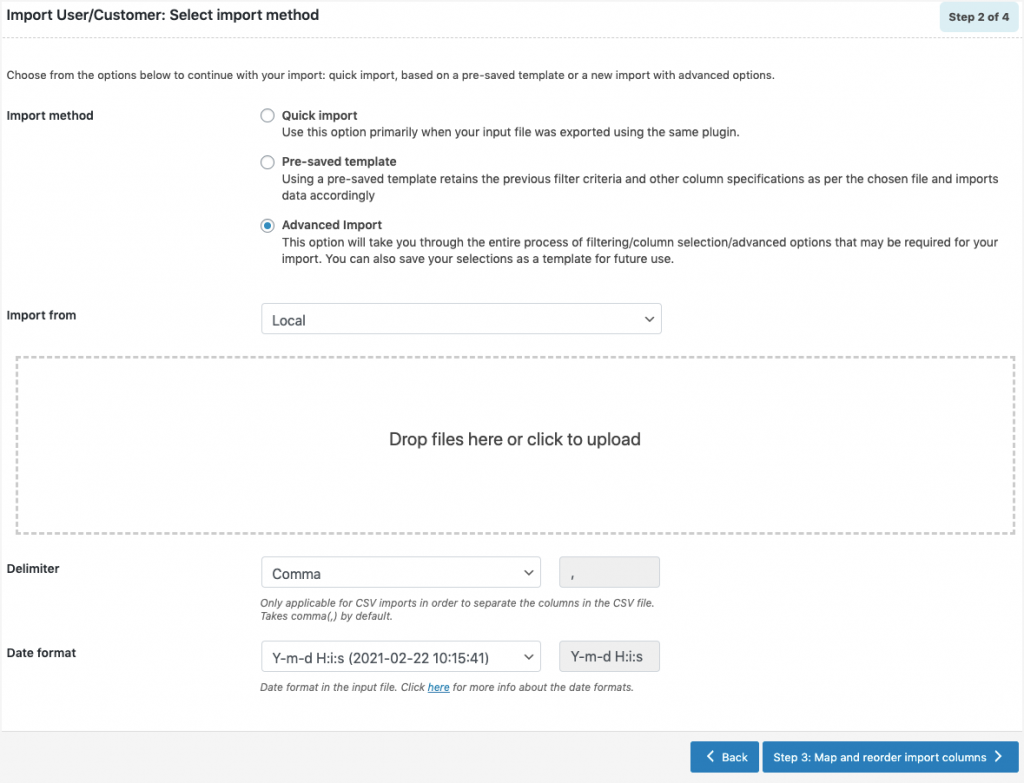
- Choose your import method and upload the file exported from Magento.
- Click on Step 3 and follow the steps in How to import users to get your import done.
This way the plugin makes it easy to migrate from your existing e-commerce store to a WooCommerce store. No matter which e-commerce platform you are migrating, WordPress Users & WooCommerce Customers Import Export plugin helps you effortlessly import the user data into the new WooCommerce store.
