


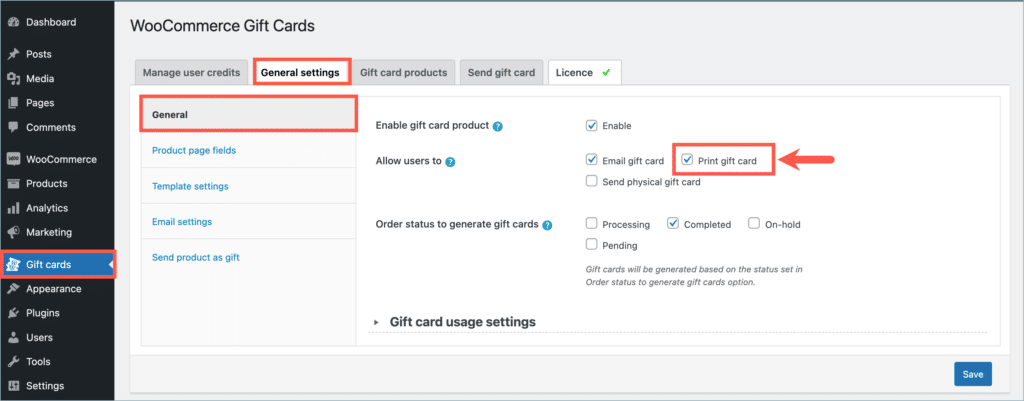
With the WebToffee WooCommerce Gift Cards plugin, you can let customers print gift cards right after they buy them. Go to Gift Cards > General settings > General and enable Print gift card under Allow users to. Printable gift cards work well for last-minute gifts and for customers who’d rather hand over a card in person. Follow these steps to set it up:
Enable Printable WooCommerce gift cards
To enable the feature:
- From the WordPress dashboard, go to Gift Cards > General settings > General.
- Under Allow users to, select Print gift card.
- Click Save.
On the gift card product page, customers now see a Let me print option under How do you want to send it.
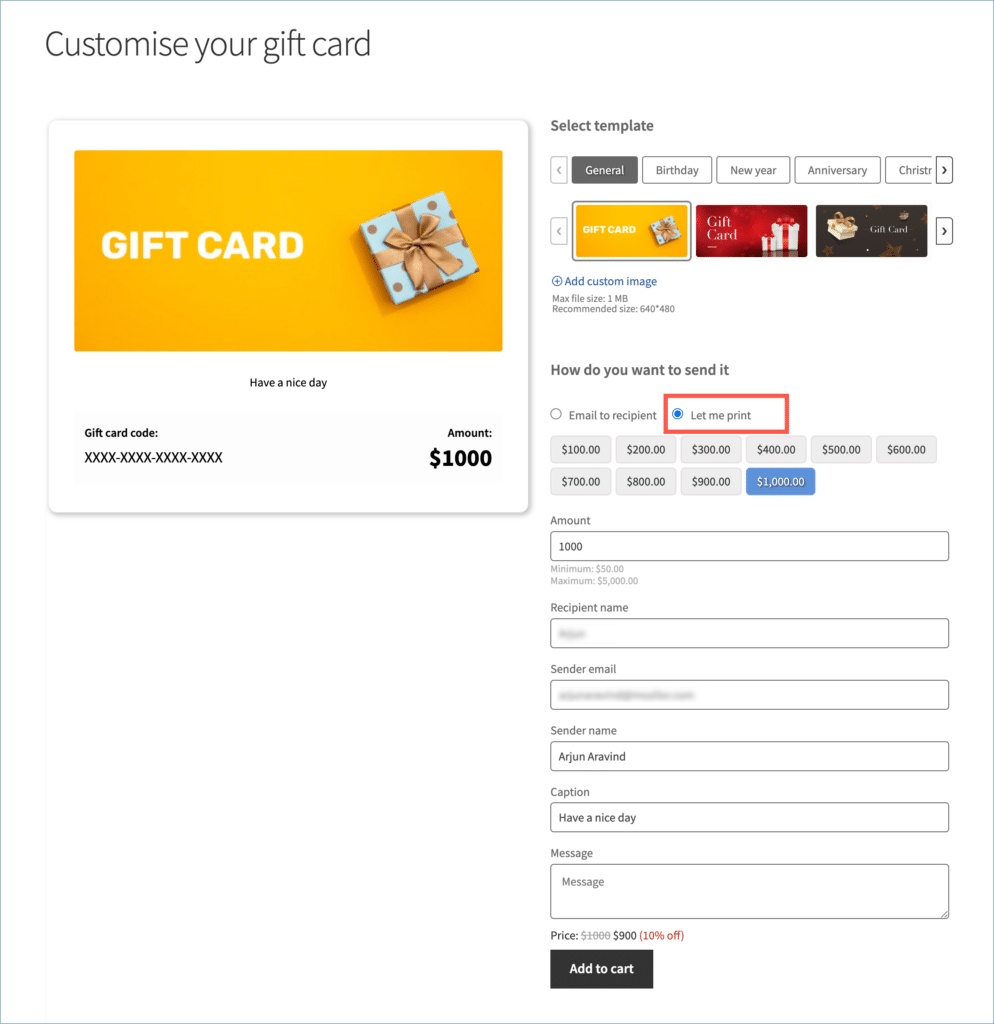
Tip: You can rename the fields customers fill in on the product page, such as Sender name or Message, from Gift Cards > General settings > Product page. To rename the How do you want to send it heading, use How to send under Customize product page titles on the same tab.
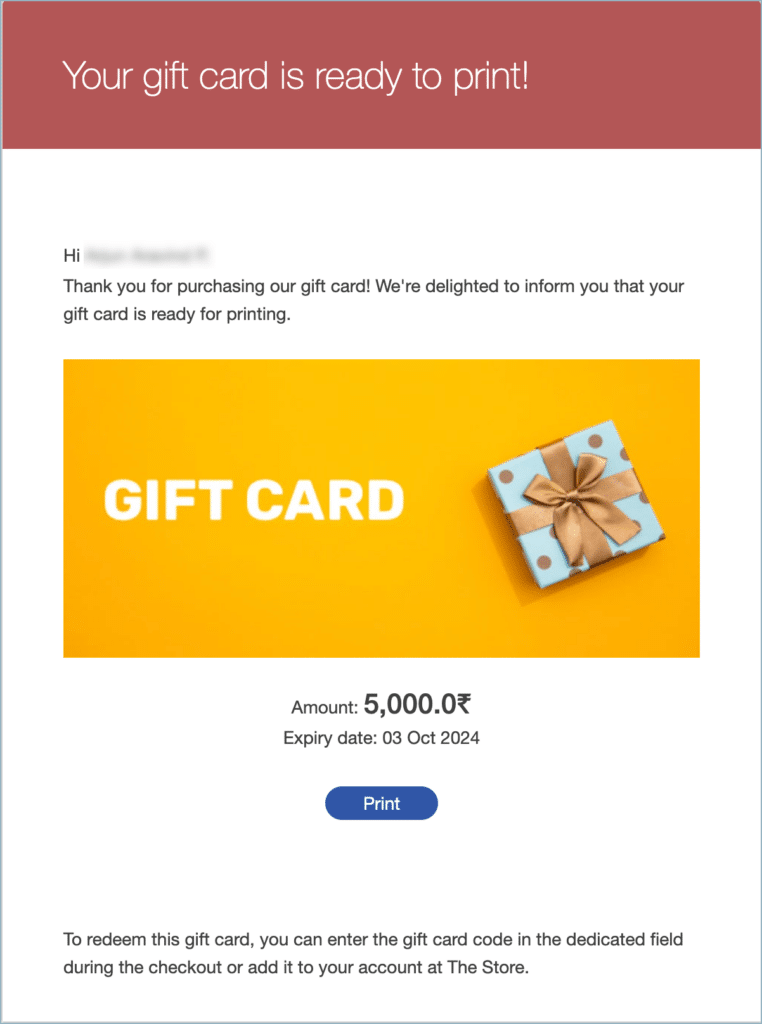
When a customer chooses Let me print and completes the purchase, the plugin sends them an email with the heading Your gift card is ready to print! The email has a Print button that the customer clicks to print the gift card.
Customers who choose Let me print can’t schedule the gift card for a later date.
