


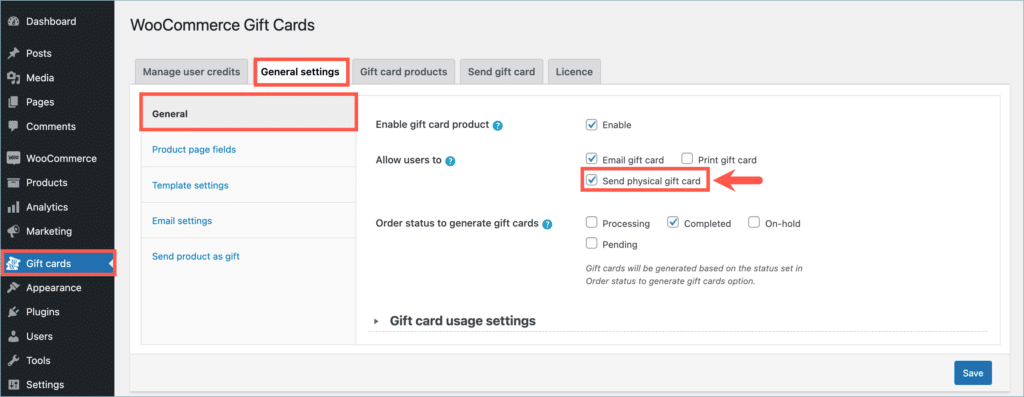
To sell physical gift cards in WooCommerce, you can use the WebToffee WooCommerce Gift Cards plugin and offer a physical delivery option to your customers. From your WordPress dashboard, navigate to Gift Cards > General Settings and enable the “Send physical gift card” option. This adds a dedicated shipping option to your gift card products, allowing you to receive orders for physical vouchers, access and print gift details from the WooCommerce order page, and send the card directly to the recipient.
Sell physical gift cards in WooCommerce
To enable the feature:
- From the WordPress admin dashboard, navigate to Gift Cards > General settings > General.
- Enable “Send physical gift card” for the “Allow user to” option.
- Click on Save.
Purchasing a physical gift card
On the front end, a new option labeled Send physical gift card will be added under the How do you want to send it section, as shown below:
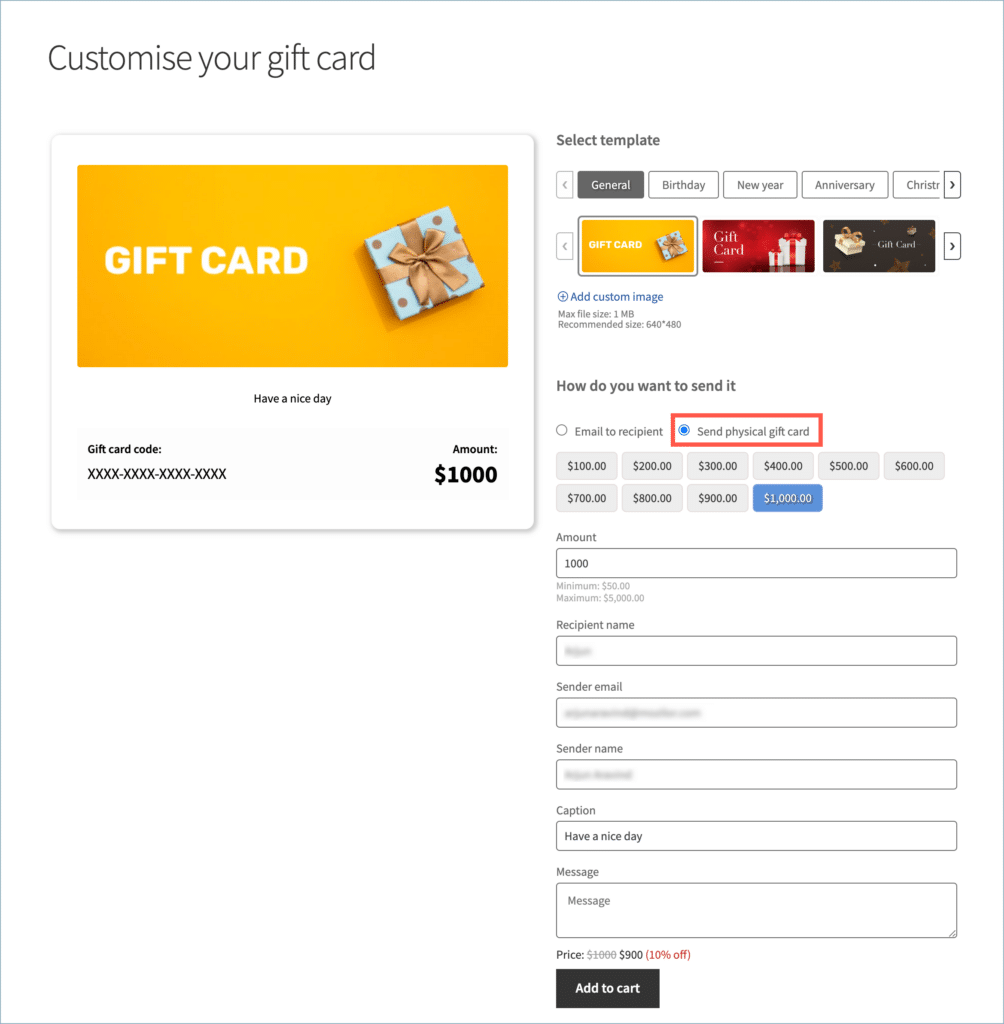
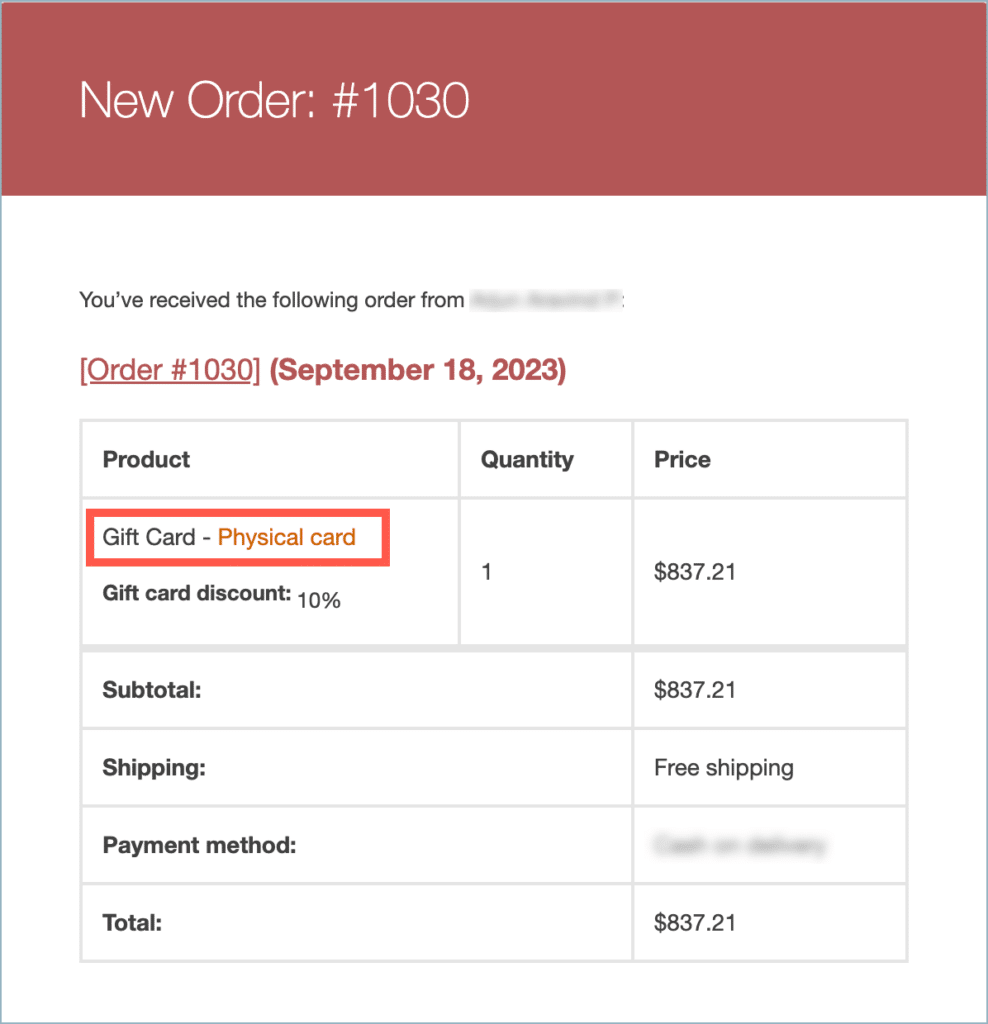
When a user chooses the Send physical gift card option during checkout, the order status will be set to Processing. Simultaneously, the store owner will receive an email notification, similar to that of a regular order placement. However, this notification will specify that the order is for a physical gift card, as shown below:
Print and send a gift card
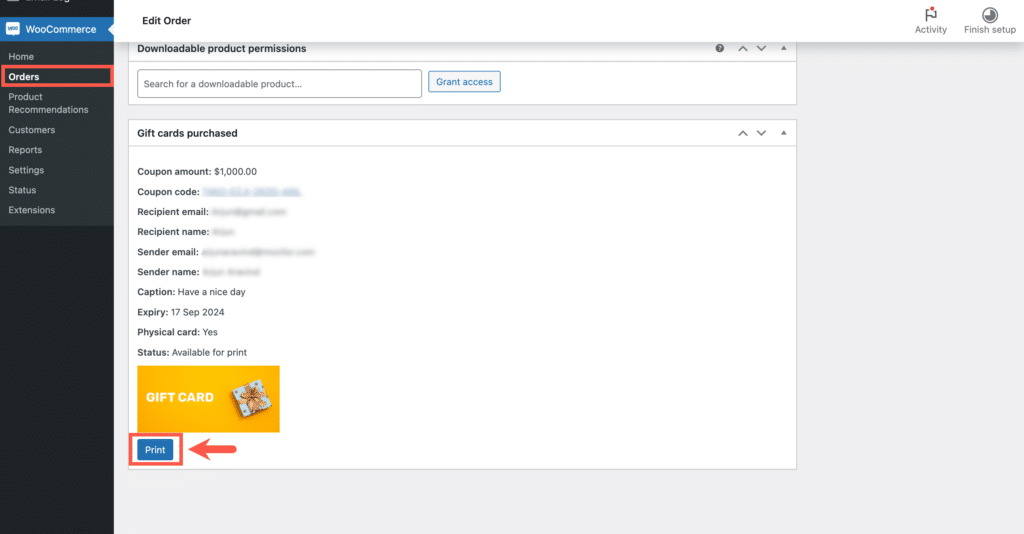
- From the WordPress dashboard, navigate to WooCommerce > Orders.
- Locate the order and open the Order edit page.
- Scroll down to the Gift cards purchased section.
- Click on Print to print out the gift card.
Lastly, customize the gift card packaging to your preferences and ship it to the customer.

Connor
September 9, 2025
Hi there,
When enabling a physical gift card, would the customer get a PDF for them to download of the gift card or would they get a physical plastic gift card?
Sanjai Valsan
September 12, 2025
Hi Connor,
Thank you for reaching out,
When you enable the Physical Gift Card option, no PDF will be automatically generated for the customer. Instead, the admin will see a “Print Gift Card” option inside the order edit page in the WooCommerce dashboard. From there, the store admin can print out the gift card and deliver it to the customer in their preferred format — for example, as a paper printout or along with a physical card design.
Grayson Berry
August 26, 2025
Is it possible to use existing physical gift card numbers?
Sanjai Valsan
September 10, 2025
Hi Grayson,
Thank you for reaching out,
Currently, our plugin doesn’t support using pre-existing physical gift card numbers.