


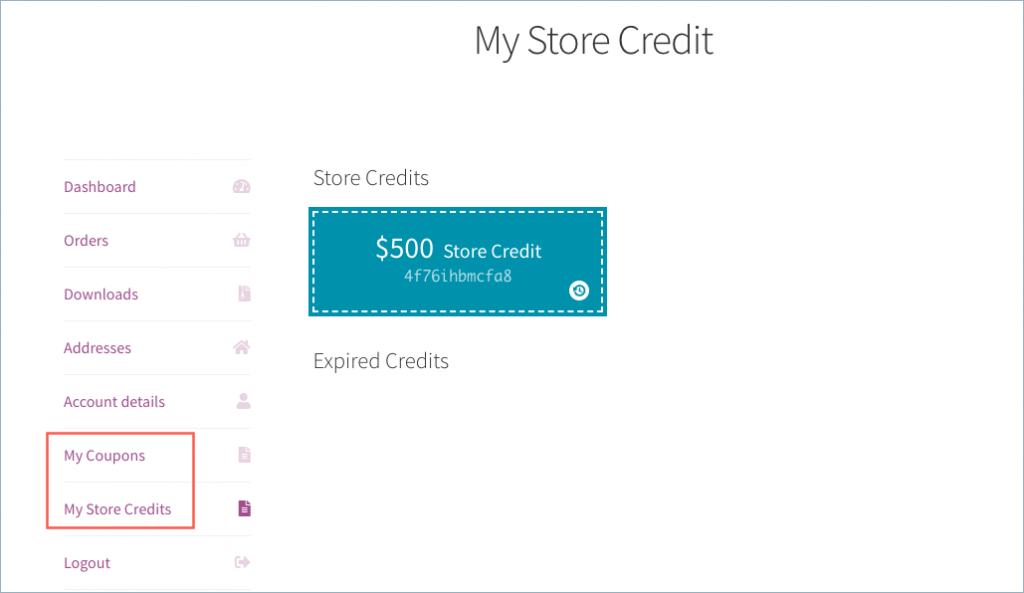
Smart coupon for WooCommerce plugin, by default, lists My Coupons and My Store Credits on the My Accounts page. This article will help you hide ‘My Coupons’ & ‘Store Credits’ tab from Account Page with the help of a code snippet.
That is, customers can view the applicable Coupons and Store Credits from the My Accounts section as shown below
Code snippet to hide ‘My Coupons’ & ‘Store Credits’ tab from Account Page
However, store owners can hide My coupons or My store credits from the My Account page by using a code snippet.
- From your WordPress dashboard, go to Appearance > Theme editor.
- Then, add the below given code snippet at the bottom end of functions.php of the active theme file.
After inserting the code, customers will not be able to view coupons or store credits from My Accounts.

Comments (2)
Justin Peters
September 29, 2023
Coupon and Store credit show in the My Account menu at the top of the page but don’t show on the actual My Account page.
Arjun
October 3, 2023
Hi Justin,
Thank you for reaching out, The plugin will only display the coupons under My Coupons section under My Account page by default. Please check if you are using any shortcodes to display coupons on that particular page, and feel free to reach out to our support team for further assistance.