Percentage coupons are popular, but on large orders the discount can get bigger than you planned. WooCommerce can’t cap a percentage discount on its own. With Smart Coupons for WooCommerce, you can set a maximum discount for the coupon:
- Open the Add/Edit coupon page.
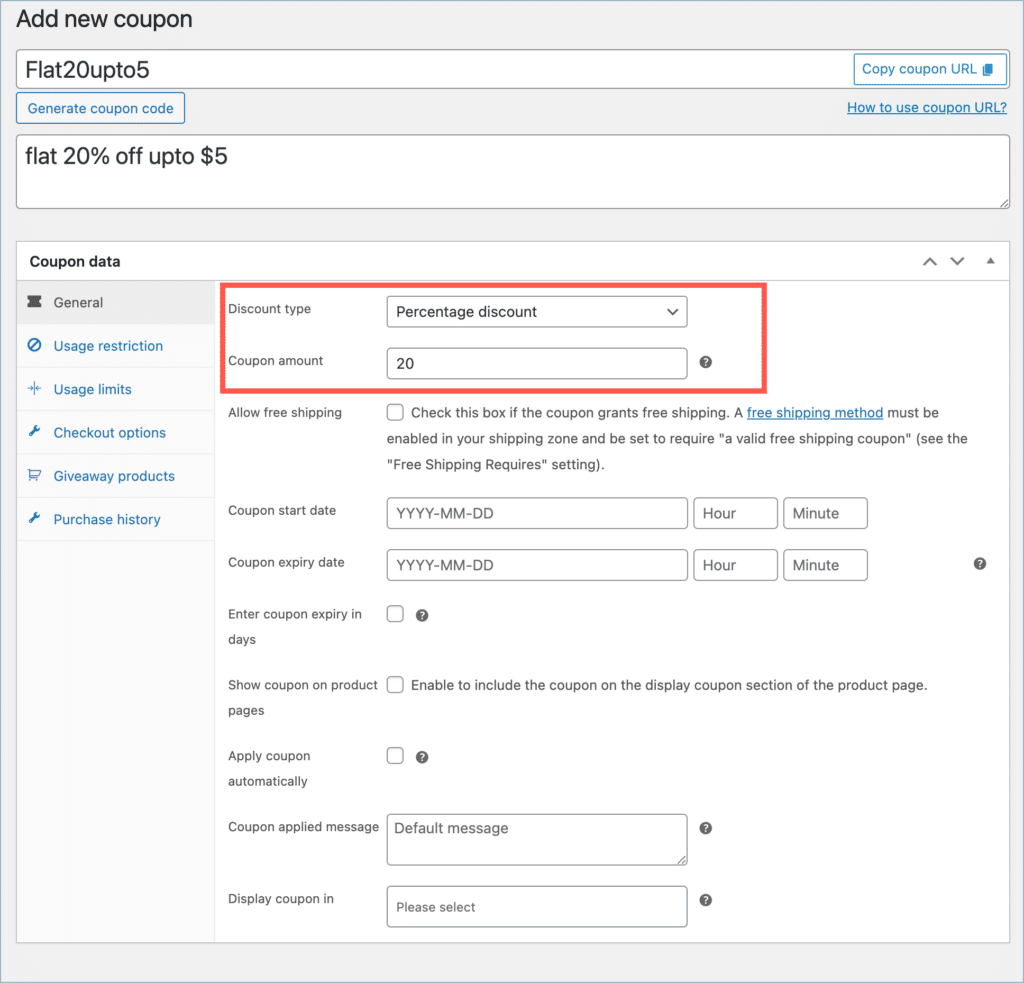
- In Coupon data > General, set Discount type to Percentage discount and set up the coupon.
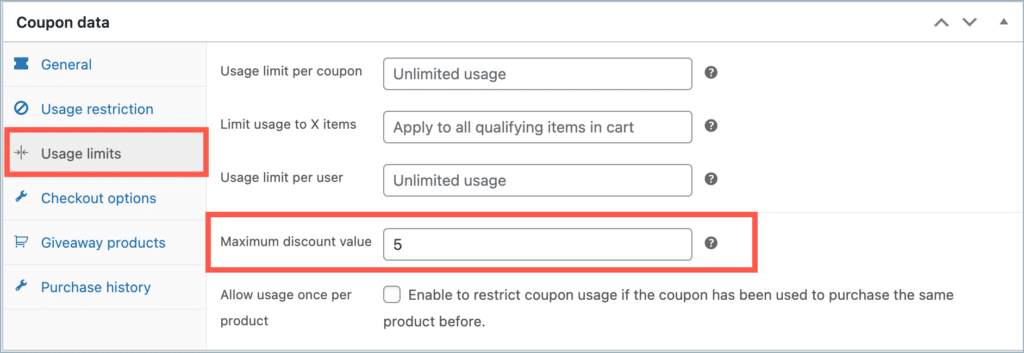
- Open the Usage limits tab.
- Enter the cap in Maximum discount value.
- Click Publish.
Use case
In this example, you create a 20% discount coupon that gives at most $5 off.
Setting up maximum discount value
To set up the coupon:
- From the WordPress dashboard, go to Smart Coupons > Add coupon.
- Enter a Coupon code and a Description.
- In Coupon data > General, set Discount type to Percentage discount and Coupon amount to 20.
- Open the Usage limits tab and enter 5 in Maximum discount value.
- Click Publish.
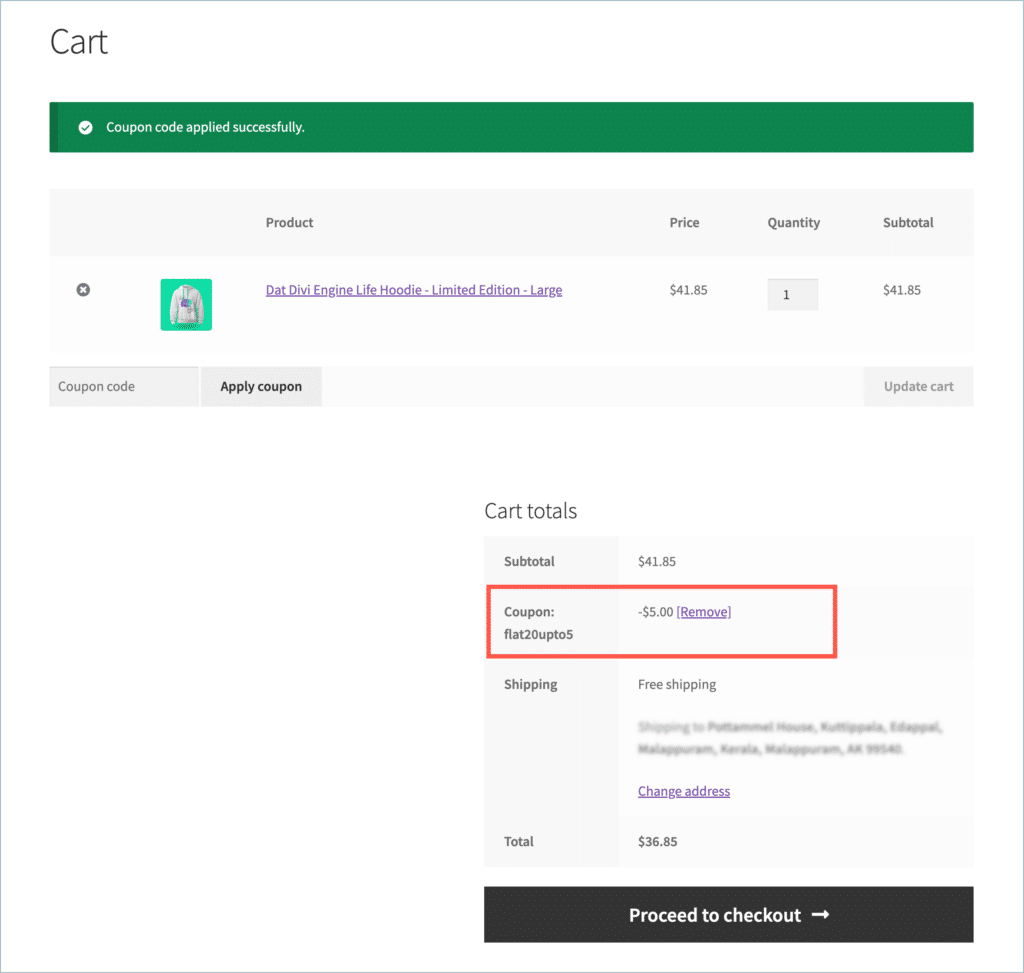
- The coupon now gives 20% off, up to $5. For example, on a $41.85 product, 20% would be $8.37, but the customer gets $5 off.